Skip to content

Customer Experience Automation
Automation Customer Service: The Ultimate Guide for 2024
Learn how to implement automation in customer service to reduce costs and improve agent efficiency with IVR, chatbots, RPA, and AI-assisted tools.
TL;DR — Quick Takeaways
- Customer service automation handles routine inquiries using chatbots, IVR, RPA, and AI tools.
- Well-implemented automation can reduce operational costs by up to 30%.
- The best strategies blend automation with human agents, not replace them.
- Nearshore partners like CallZent accelerate ROI with proven automation expertise.
Are you struggling to give customers the instant, 24/7 support they demand without burning out your team? Let’s be honest: the gap between rising customer expectations and what most businesses can realistically deliver is getting wider. The companies that will win tomorrow are the ones figuring out how to blend their human talent with smart automation today.
This guide provides an actionable roadmap for implementing customer service automation, from choosing the right tools to balancing technology with a human touch.
 Meeting the New Standard for Customer Experience
In a world where “I’ll get back to you” is a death sentence, the old 9-to-5 support model just doesn’t cut it anymore. This shift puts huge pressure on businesses to be available all the time, always have the right answer, and never make a mistake. Slip up, and it’s not just one bad interaction—it’s a crack in your brand’s reputation that sends customers running to your competition.
This is exactly where automation changes the entire game. It’s not about replacing your amazing agents. It’s about empowering them. By letting automation handle the simple, repetitive questions, you free up your team to focus on the tricky issues—the ones that need real empathy, sharp thinking, and a human touch.
Why Automation in Customer Service is a Strategic Advantage
Bringing in automation is so much more than a tech upgrade; it’s a strategic decision that fundamentally reshapes how you interact with customers. Think of your support system like a well-run office. Automation is the hyper-efficient assistant who sorts the incoming mail, answers the basic questions, and gets all the files ready. This lets your senior experts walk into the most challenging cases fully prepared and with their complete attention.
With this approach, every customer gets the right level of expertise.
- Someone who needs a password reset gets an instant, automated fix.
- A customer with a complex billing dispute gets connected to a skilled agent who already has all the context they need.
This seamless blend of tech and talent is the heart of a modern omnichannel customer experience. And when you layer in advanced tools like Conversation Intelligence to analyze interactions, you’re not just meeting expectations—you’re getting ahead of them.
Understanding Your Customer Service Automation Toolkit
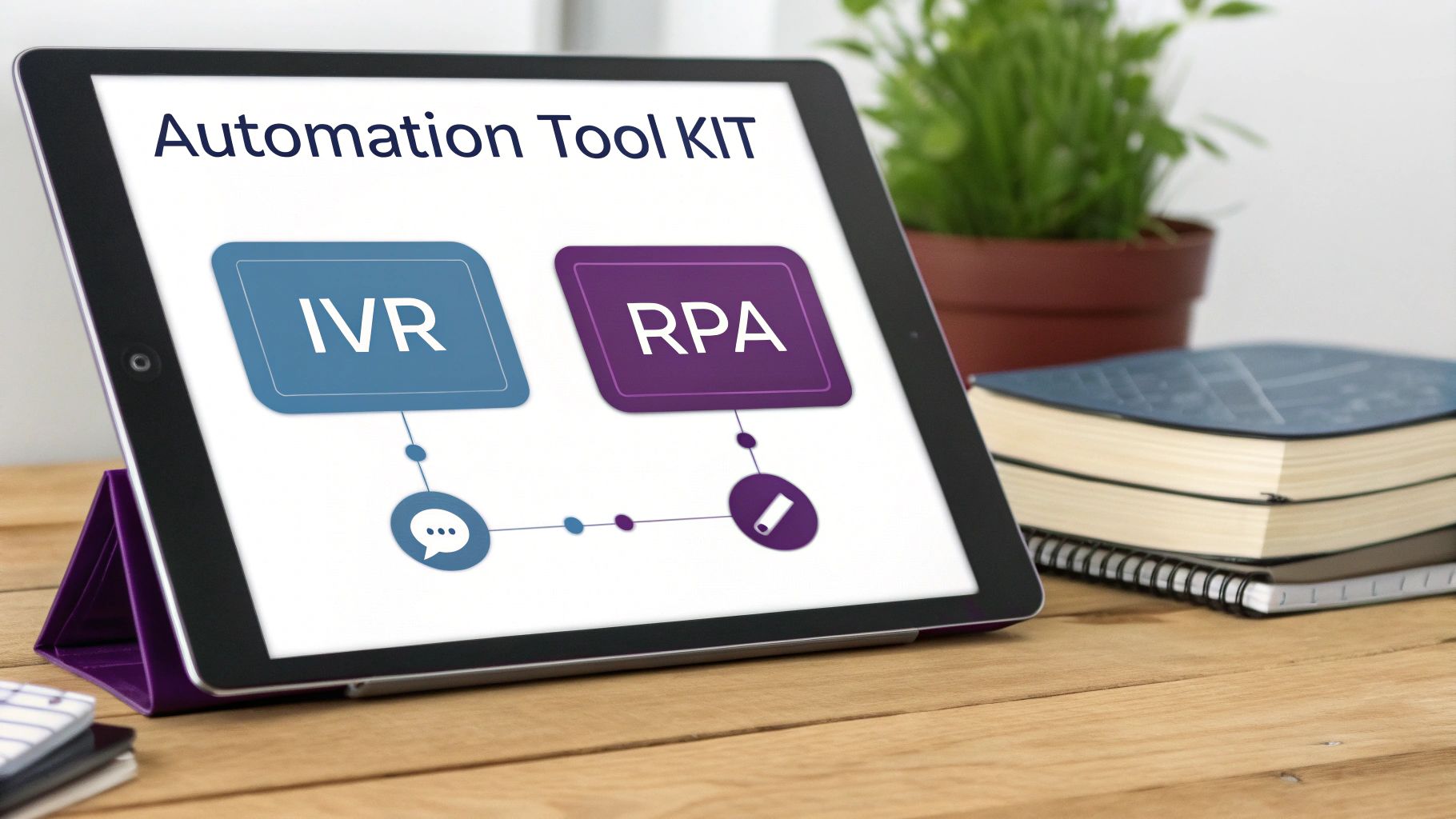
Jumping into automation customer service can feel a bit overwhelming, almost like you’re learning a new language. But the truth is, the core technologies are probably more familiar than you realize. Instead of getting tangled up in technical jargon, let’s break down the essential tools in your kit with some clear, real-world examples.
Think of these tools not as separate gadgets, but as a coordinated team working together to make your customer support smarter, faster, and more efficient. Each one has a specific job, and when you understand their roles, you can build a truly powerful support system.
Before we get into the tools themselves, it’s good to have a grasp on the bigger picture of automating business processes. For a solid overview, this guide on what is business process automation and its benefits is a great starting point. It’ll give you the context to see how each piece fits into your larger strategy.
The Frontline Responders: IVR and Chatbots
The first tools your customers usually meet are Interactive Voice Response (IVR) and chatbots. They’re the greeters at your digital front door, designed to handle the initial wave of contact and get people where they need to go.
- Interactive Voice Response (IVR): Think of an IVR as a smart digital receptionist for your phone lines. Instead of a person asking, “How can I direct your call?” the IVR gives callers a menu (“Press 1 for sales, Press 2 for support”). This simple but effective automation customer service tool gets callers routed to the right department instantly, cutting down on wait times and frustration.
- Chatbots: A chatbot is like having a helpful concierge in the lobby of your website. It’s on duty 24/7 to answer common questions like “Where’s my order?” or “What are your hours?” For an ecommerce store, a chatbot can pull up tracking info in seconds, solving a simple query that would have otherwise turned into another support ticket. This frees up your human agents to tackle the more complex issues that really need a personal touch.
“The goal of frontline automation isn’t to block customers from talking to a human; it’s to give them a faster path to the right solution, whether that’s an instant answer or the best-qualified agent.”
The Back-Office Powerhouses: RPA and Workflow Automation
While IVRs and chatbots handle what the customer sees, another set of tools works tirelessly behind the scenes to keep the engine running smoothly.
Robotic Process Automation (RPA) is like a super-diligent digital assistant for your team. Picture an agent who has to copy a customer’s info from an email, paste it into your CRM, update a spreadsheet, and then send a confirmation. RPA can do all of those repetitive, rule-based tasks in a fraction of the time—and without ever making a typo. It’s a game-changer for eliminating human error and freeing your team from monotonous work.
Then there’s Workflow Automation, which acts as the command center directing all the traffic. When a new support ticket comes in, this system can automatically analyze it for keywords, check the customer’s history, and assign it to the right agent or department. This makes sure every ticket lands with the person best equipped to solve it, preventing delays and improving both the customer and contact center as a service engagement.
The Agent’s Secret Weapon: AI-Assisted Tools
Finally, we have one of the most powerful forms of automation customer service—the kind that doesn’t replace agents but makes them superstars. AI-assisted tools work like a seasoned mentor whispering real-time advice to an agent during a live call or chat.
As the conversation unfolds, these tools can:
- Suggest relevant answers pulled directly from your knowledge base.
- Provide the customer’s full history and context on the spot, so the agent doesn’t have to go digging.
- Flag a customer’s sentiment if it detects they’re getting frustrated.
This kind of support empowers agents to solve issues faster, with more confidence, and with greater consistency. It essentially gives every agent the collective knowledge of your entire organization right at their fingertips, creating a truly exceptional support experience.
Building the Business Case for Automation
It’s one thing to know what the tools are, but it’s another thing entirely to connect them to real business results. So let’s move past the “what” and into the “why.” The real case for automation customer service is built on a foundation of measurable financial returns and smarter operations. Think of it as a strategic investment that pays dividends by optimizing how your team works, not by cutting corners or staff.
The conversation around automation often drifts toward replacing people, but that’s a fundamental misunderstanding of its power. The true value comes from freeing your highly skilled agents from the repetitive, low-impact tasks that eat up their day. This shift allows them to pour their expertise into resolving complex issues, building genuine customer relationships, and turning tricky situations into moments that build loyalty.
Driving Down Costs While Lifting Up Performance
The most immediate and obvious benefit of automating customer service is a sharp drop in operational costs. When bots are handling the flood of common questions and routine processes, you can manage a much higher volume of inquiries without needing to hire more people. This creates incredible scalability, letting you offer 24/7 support without running three full agent shifts.
This efficiency boost directly impacts the key performance indicators (KPIs) that define a successful contact center:
- Average Handle Time (AHT): Automation resolves simple issues in seconds, which pulls your overall AHT down dramatically.
- First Contact Resolution (FCR): With bots solving basic problems instantly and AI feeding agents immediate context for tougher ones, more issues get solved on the very first try.
Better metrics mean happier customers and a leaner operation, which flows directly to your bottom line. You can explore the financial upside even further by digging into the ROI of outsourcing call centers, where automation is often a core part of the value proposition.
The Undeniable ROI of Intelligent Automation
The financial impact here isn’t just theory; it’s proven. Recent industry data shows that businesses see significant returns from AI, with some reports indicating AI can slash operational costs by up to 30%. Looking ahead, the numbers get even bigger. Forecasts predict that conversational AI will continue to drive massive labor cost savings in contact centers.
“The smartest investment isn’t just in the technology itself, but in the strategy that uses automation to elevate your human talent. That’s where true, sustainable growth comes from.”

Boosting Agent Productivity and Satisfaction
Here’s a benefit of automation customer service that too often gets overlooked: its positive impact on your team. When agents are no longer stuck in a loop of monotonous tasks like password resets or order tracking, their job satisfaction skyrockets. They get to spend their days solving interesting problems where their skills actually make a difference.
AI-assisted tools act as a powerful sidekick, giving agents real-time information and guidance during live conversations. This support system reduces stress, boosts confidence, and leads to more consistent, high-quality service across the board. A happy, empowered team is a productive team, which ultimately leads to lower agent turnover—another huge cost saving for your business.
Your Step-by-Step Automation Implementation Plan
Knowing that automation can transform your customer service is the easy part. The real challenge? Figuring out exactly where to start. A successful rollout isn’t about just flipping a switch; it’s a deliberate, thoughtful process that turns a great idea into a practical, money-saving reality.
This plan breaks down that journey into clear, manageable steps. By following this roadmap, you can build an automation strategy that not only works but also delivers measurable results, starting small and scaling success along the way.
Step 1: Audit Your Current Processes
Before you can automate a single thing, you need a crystal-clear picture of what your team is actually doing day-to-day. This initial audit is all about identifying the low-hanging fruit—those repetitive, time-sucking tasks that are begging to be automated.
Start digging into your support tickets and call logs. What patterns do you see?
- High-Volume, Low-Complexity Tasks: What are the top 3-5 questions your agents answer over and over? For a retailer, it might be, “Where’s my order?” For a software company, it’s often, “How do I reset my password?” These are prime targets for a chatbot or IVR.
- Manual Data Entry: Where are agents spending their time just copying and pasting information between systems? A financial services firm might find agents manually keying fraud alert details into a CRM—a task Robotic Process Automation (RPA) could handle in seconds.
- Standard Routing Decisions: How do questions get to the right person? If agents are manually forwarding emails or transferring calls based on simple, predictable rules, workflow automation can do it instantly and without errors.
Step 2: Set Clear and Measurable Goals
Once you’ve spotted your automation opportunities, the next step is to define what success actually looks like. Vague goals like “improve efficiency” won’t cut it. You need specific, measurable targets that tie directly to business outcomes.
Get concrete and make it quantifiable. For example:
- Reduce Average Handle Time (AHT) by 15% within three months.
- Increase First Contact Resolution (FCR) for tier-1 inquiries by 25%.
- Achieve a 90% self-service resolution rate for all order tracking requests.
These hard numbers give you a benchmark to measure against, proving that your investment is generating a real return. For more on this, our guide on how to automate repetitive tasks dives deeper into setting impactful goals.
The process flows from simple optimization to tangible business improvements.
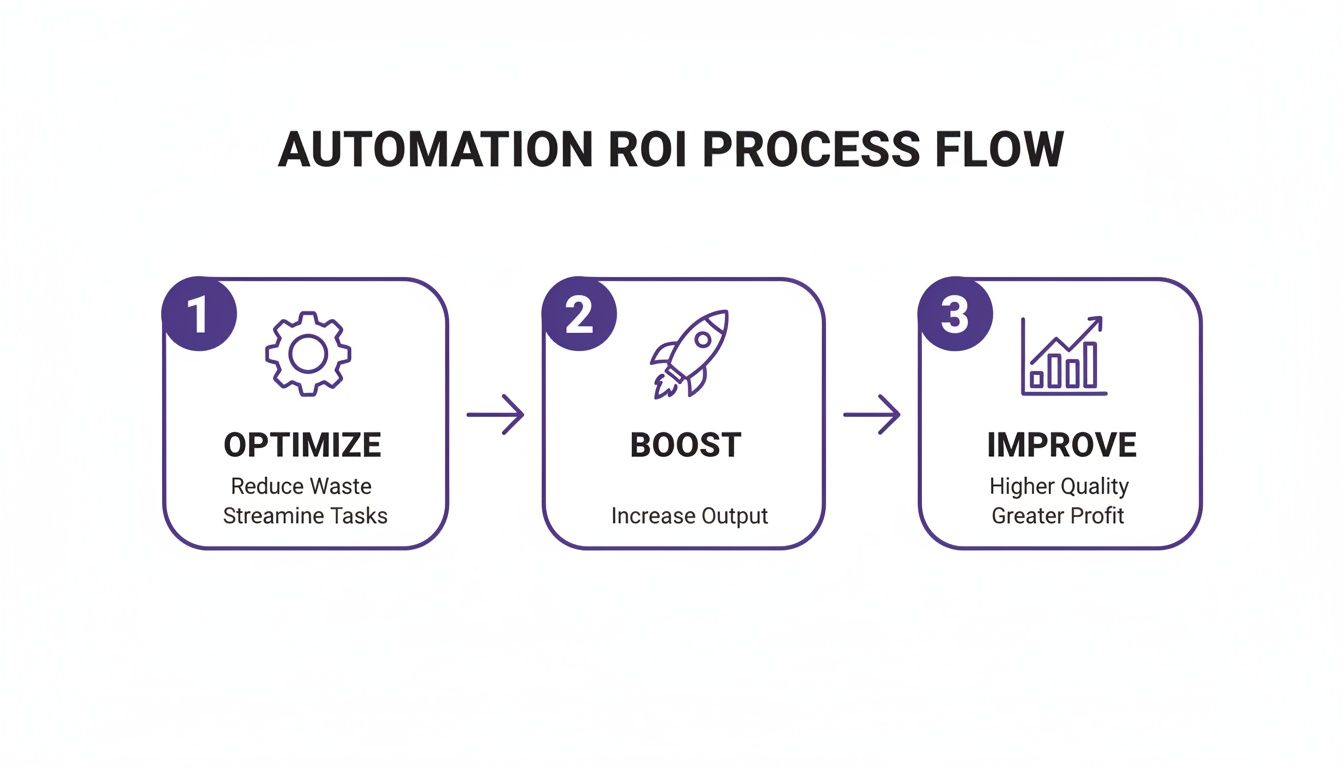
This flow highlights the real objective: it’s not just about implementing technology, but using it to sharpen workflows, boost team performance, and ultimately, improve the bottom line.
Step 3: Choose the Right Technology Stack
Not all automation tools are created equal. The technology you pick should directly solve the problems you found in your audit and help you hit the goals you just set. A retailer automating return requests needs a very different solution than a healthcare provider automating appointment reminders.
Don’t get distracted by flashy features you’ll never use. Focus on tools that play nicely with your existing systems (like your CRM) and can grow with you as your needs evolve.
Step 4: Design a Seamless Handoff to Human Agents
Even the best automation has its limits. A critical piece of your implementation plan is designing a smooth, elegant handoff from a bot to a human agent. The last thing a customer wants is to explain their issue all over again after being transferred.
A successful handoff is invisible to the customer. The human agent should pick up the conversation with full context, as if they were in on it from the start.
Make sure your system passes the entire conversation history—including every piece of information the customer already provided—straight to the live agent. This creates a unified experience where technology actually supports your team instead of creating frustrating dead ends for customers.
Step 5: Launch a Pilot Program and Iterate
Finally, resist the urge to launch everything at once. Start with a small, controlled pilot program focused on one or two of the key processes you identified. This lets you test your setup, gather real-world data, and iron out the kinks before rolling it out company-wide.
Treat your launch as a learning opportunity. Collect feedback from both customers and your agents. Is the chatbot understanding requests correctly? Is the handoff to live agents working smoothly? Use this intel to refine your approach, fix bugs, and ensure that when you do scale, you’re scaling a proven success.
Balancing Automation With the Human Touch
There’s a common fear that automation customer service will strip the personal connection out of support, turning every interaction into a cold, robotic exchange. But what if the opposite were true? What if automation is the key to making your human agents more effective, empathetic, and valuable than ever?
The smartest strategies don’t treat automation as a replacement for people. Instead, they embrace a hybrid model where technology handles the heavy lifting, allowing human talent to shine.
In this setup, automation does what it does best: tackling the high-volume, predictable tasks that bog your team down. This frees up your skilled agents to focus on what they do best—navigating complex, emotional, and high-stakes customer issues that require genuine understanding and creative problem-solving. It’s not just about efficiency; it’s about elevating the entire role of a customer service professional.
Empowering Agents: Automation and Human Synergy
The goal here is to augment, not replace. Think of AI-assist tools as a trusted sidekick for your agents, feeding them real-time data, customer history, and relevant knowledge base articles right in the middle of a conversation. It empowers them to solve issues faster and with way more confidence.
When automation is implemented to assist human agents, the benefits are huge. AI-powered tools that suggest real-time answers, for instance, can slash issue resolution time significantly. It’s no surprise that many leading brands prefer autopilot tools that keep a human in the loop and are investing in agent-assist tools. This data highlights a crucial reality we see every day at CallZent: the future belongs to companies that master this blend of automation and human expertise.
The goal isn’t to automate every conversation; it’s to automate the routine parts so your team can humanize the moments that truly matter.
Automation and Human Handoff in Action
Let’s walk through a real-world example of this synergy. Imagine a customer opens a chat on your website to report that their delivery arrived damaged.
- Step 1: The Chatbot Gathers Intel
The chatbot greets the customer and immediately asks for the key details: order number, the specific item that’s damaged, and a description of the problem. It might even ask them to upload a quick photo. - Step 2: The Seamless Transfer
Once it has the basic info, the chatbot recognizes this isn’t something it can fix on its own. It instantly and seamlessly transfers the entire conversation—all the data, the photo, everything—to a live agent. - Step 3: The Empowered Agent Takes Over
The agent gets the ping and sees the full context right away. No need to make the customer repeat themselves. Their first words can be, “Hi, I see your order arrived damaged. I’m so sorry about that. I’m looking at the photo now and can get a replacement shipped out to you immediately.”
This frictionless handoff turns a potentially frustrating experience into a quick, satisfying fix. The automation did the grunt work, and the human agent delivered the empathy and the decisive action. This is the core of building a powerful, human-centric support system. By focusing on how to humanize your brand, you make sure technology serves your ultimate goal: building rock-solid customer relationships.
How to Choose the Right Nearshore Automation Partner
Putting customer service automation in place isn’t about just buying some new software—it’s about building a smarter strategy. For a lot of businesses, the fastest and most effective way to get there is by working with a partner who already has the tech, the talent, and the know-how. This is where a nearshore BPO partner, like CallZent in Tijuana, really shines by offering a powerful mix of cost-savings, cultural familiarity, and top-tier capabilities.
Picking the right partner is a huge decision that will define your customer experience for years to come. You’re not just looking for a vendor who can answer the phone. You need a strategic ally who gets both the technology and the human side of service, and who can plug seamlessly into your team to get real results.
Your Nearshore Partner Checklist
It’s easy to get lost in sales pitches and buzzwords when you’re evaluating potential partners. Use this simple checklist to cut through the noise and zero in on what actually matters for a successful, long-term relationship.
- Real-World Tech Skills: Have they actually implemented modern automation platforms successfully? Ask to see case studies or demos of their chatbots, RPA, and AI-assisted agent tools. A great partner will advise you on the right tech for your business, not just try to sell you a cookie-cutter solution they offer everyone.
- Bilingual and Bicultural Fluency: Serving the North American market is about more than just speaking the language; it’s about understanding the culture. A nearshore partner with deep bilingual roots ensures your English and Spanish-speaking customers get natural, empathetic service, whether they’re talking to an agent or interacting with a well-designed bot.
- A True Collaborator: The best partners don’t just follow orders—they work with you. Look for a team that’s genuinely curious about your business goals. They should want to help you audit your current processes and map out a custom automation plan with you, not for you. They should feel like an extension of your own team.
“The right nearshore partner doesn’t just execute your plan—they help you build a smarter one. They bring expertise from across industries to help you avoid common pitfalls and accelerate your ROI.”
The Unique Advantages of a Nearshore Location
So, why nearshore? Proximity brings a ton of benefits that offshore alternatives just can’t match, creating a more integrated and responsive partnership. These perks are especially important when you’re rolling out something as nuanced as automation customer service.
First off, time-zone alignment is a game-changer for operations. When your partner works the same hours you do, collaboration is effortless. You can hop on a real-time call to solve a problem or tweak your strategy without having to wait a whole day for a response. That kind of agility is exactly what you need to fine-tune your automation systems.
Second, the ease of collaboration goes beyond your calendar. Being just a short flight away makes it easy to do in-person site visits, training sessions, and strategic planning meetings. That face-to-face connection builds stronger, more transparent relationships and makes sure everyone is on the same page with your brand’s voice and goals.
Ultimately, choosing a partner is about finding the right fit. You need a team that blends technical skill with a genuine commitment to your success—a balance that nearshore providers are perfectly positioned to deliver. By focusing on these key criteria, you can find a partner who will help you unlock the full power of automation and strengthen every customer relationship along the way.
Got Questions About Automation? You’re Not Alone.
When business leaders start digging into automation, the same questions tend to pop up. It’s only natural. Getting straight answers is the first step toward building a strategy that actually works. Let’s tackle the big ones we hear all the time.
Will Automation Replace Our Human Agents?
Not a chance. In fact, it’s quite the opposite. The smartest automation customer service strategies use a tag-team approach, letting technology handle all the repetitive, predictable stuff. This frees up your best people to focus on the tricky, high-stakes conversations that need a real human touch.
Think of automation as a powerful sidekick for your team, not a replacement. It makes them faster, smarter, and better equipped to solve complex problems. At CallZent, we arm our agents with technology so they can deliver better results for your customers—and feel more empowered doing it.
Is This Really Affordable for a Smaller Business?
It absolutely is. This isn’t 2010 anymore—the technology has become incredibly accessible and is designed to scale with you. Many of the best tools, from chatbots to workflow automation, run on simple subscription models. That means you get all the benefits without the massive upfront investment.
The ROI here is no joke. Automation often pays for itself surprisingly fast through lower costs and huge efficiency gains. And when you partner with a nearshore BPO like us, you get access to our entire tech stack and expertise without having to build a thing from the ground up.
How Do We Even Get Started?
The key is to start small and build momentum. Don’t try to boil the ocean. Look for the low-hanging fruit: what are the top 3-5 questions your team answers over and over again? Things like “Where’s my order?” or “What are your business hours?” are perfect candidates for automation.
A simple chatbot to handle order status updates or an IVR that routes calls to the right department can be a massive first win. Run a small pilot program, see what the numbers say, and ask your agents and customers for feedback. This lets you double down on what works and tweak your approach as you go. A good partner can help you map out a phased rollout that makes sense for your goals and budget.
🚀 Ready to Automate Smarter?
CallZent designs nearshore customer service automation that cuts costs, boosts efficiency, and keeps the human touch where it matters most.
Ready to see how the right blend of smart automation and human expertise can completely change your customer support game? CallZent builds custom-fit nearshore solutions that cut costs, drive efficiency, and create happier customers.