

Email Support Services
Email Support Services Guide for Better CX and Nearshore ROI
Learn how email support services improve customer loyalty, which metrics matter, what technology to expect, and why nearshore outsourcing in Tijuana can lower costs while protecting service quality.
TL;DR — Quick Takeaways
- Email support services matter because customers already rely on email at scale.
- Slow or missing replies create a loyalty leak that many businesses never measure.
- The right outsourcing model can improve responsiveness, consistency, and operating efficiency.
- Nearshore teams make the economics work without giving up quality or collaboration.
- Professional email support depends on routing, templates, CRM context, QA, metrics, and clear escalation paths.
Is your inbox helping you keep customers, or subtly pushing them away?
Most companies treat support email like admin work. That’s a mistake. Email is still one of the most used customer service channels, yet many teams answer too slowly, inconsistently, or not at all. The result isn’t just a messy queue. It’s lost trust, missed renewals, and support costs that keep climbing without a clear return.
Businesses usually look at phone and chat first because those channels feel more urgent. But email often carries the issues that require documentation, investigation, account context, and clear follow-through. If that process breaks, customers notice.
Why Email Support Is Your Silent Growth Engine
Email remains a core service channel because customers use it constantly. 95% of customer service teams use email and 98% of customers use it for service requests, according to Email Analytics customer service statistics. The gap is operational. The same source notes that 62% of companies fail to respond to customer inquiries at all, and the average email response time in the U.S. exceeds 12 hours.
That gap creates a practical opening for companies willing to run email support well.
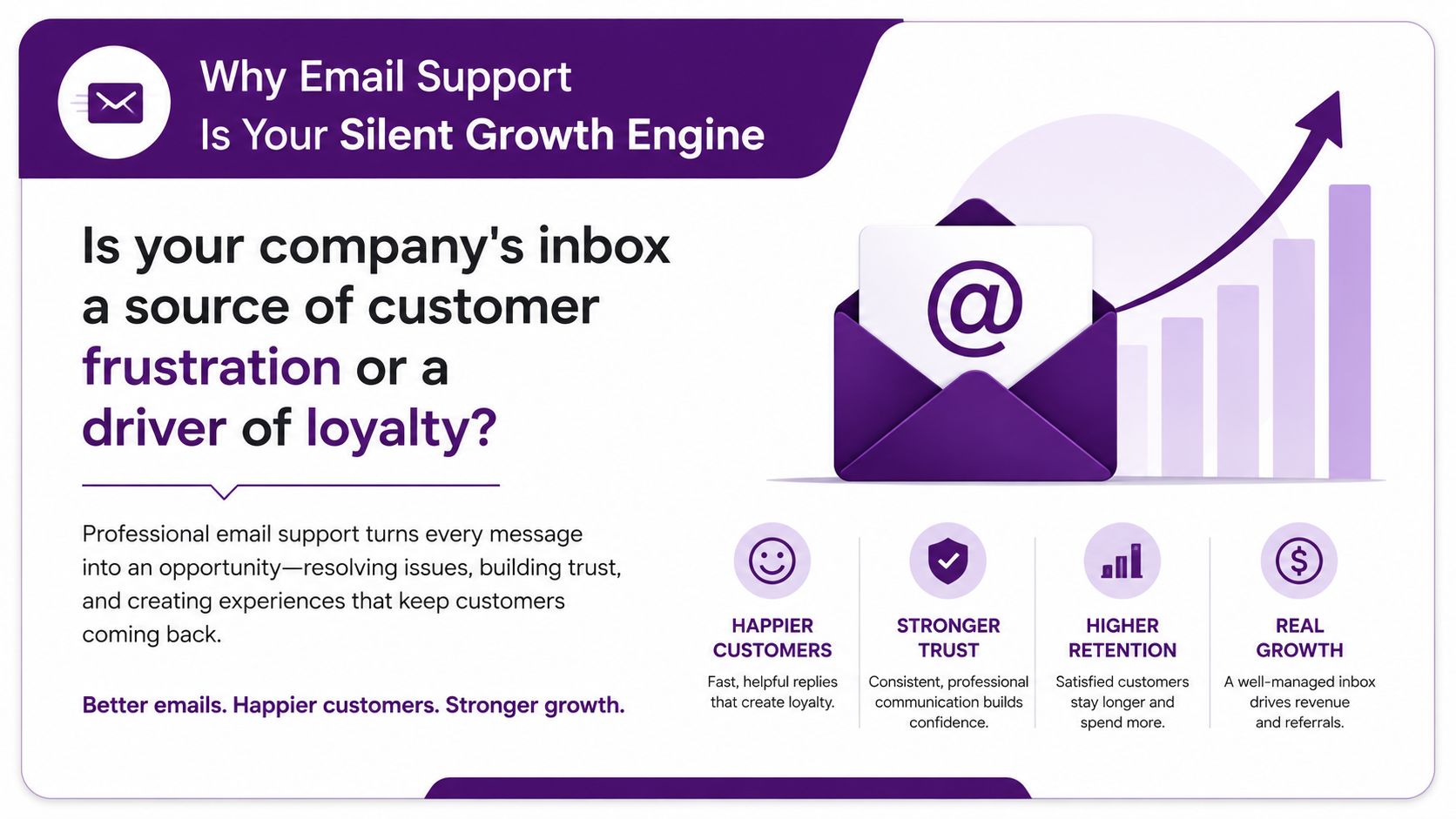
A business owner usually sees the inbox as a staffing problem. In practice, it’s a systems problem. One shared inbox, no routing rules, vague ownership, and agents writing every reply from scratch will create backlog fast. Add billing questions, order issues, technical troubleshooting, and escalations, and the inbox turns into a hidden churn engine.
A professional operation treats email as part of customer retention. That means clear ownership, response standards, escalation paths, usable templates, and reporting that tells you where customer friction starts. It also means recognizing that written support affects more than service. It shapes reviews, renewals, repurchase behavior, and how customers describe your company to others.
Key takeaway: Email support isn’t a low-priority channel. It’s a durable channel where customer confidence is either reinforced or damaged in writing.
That’s why the quality bar matters. If you want a useful baseline for what customers experience, this guide on what defines excellent customer service is a practical reference. For a wider view on how businesses tighten communication workflows across channels, SendItFax’s insights on communication are also worth reading.
Beyond the Inbox What Are Professional Email Support Services
A lot of businesses think email support services mean “someone answers messages.” That’s the basic version. Professional email support is much closer to a managed operation with process, tooling, and accountability.
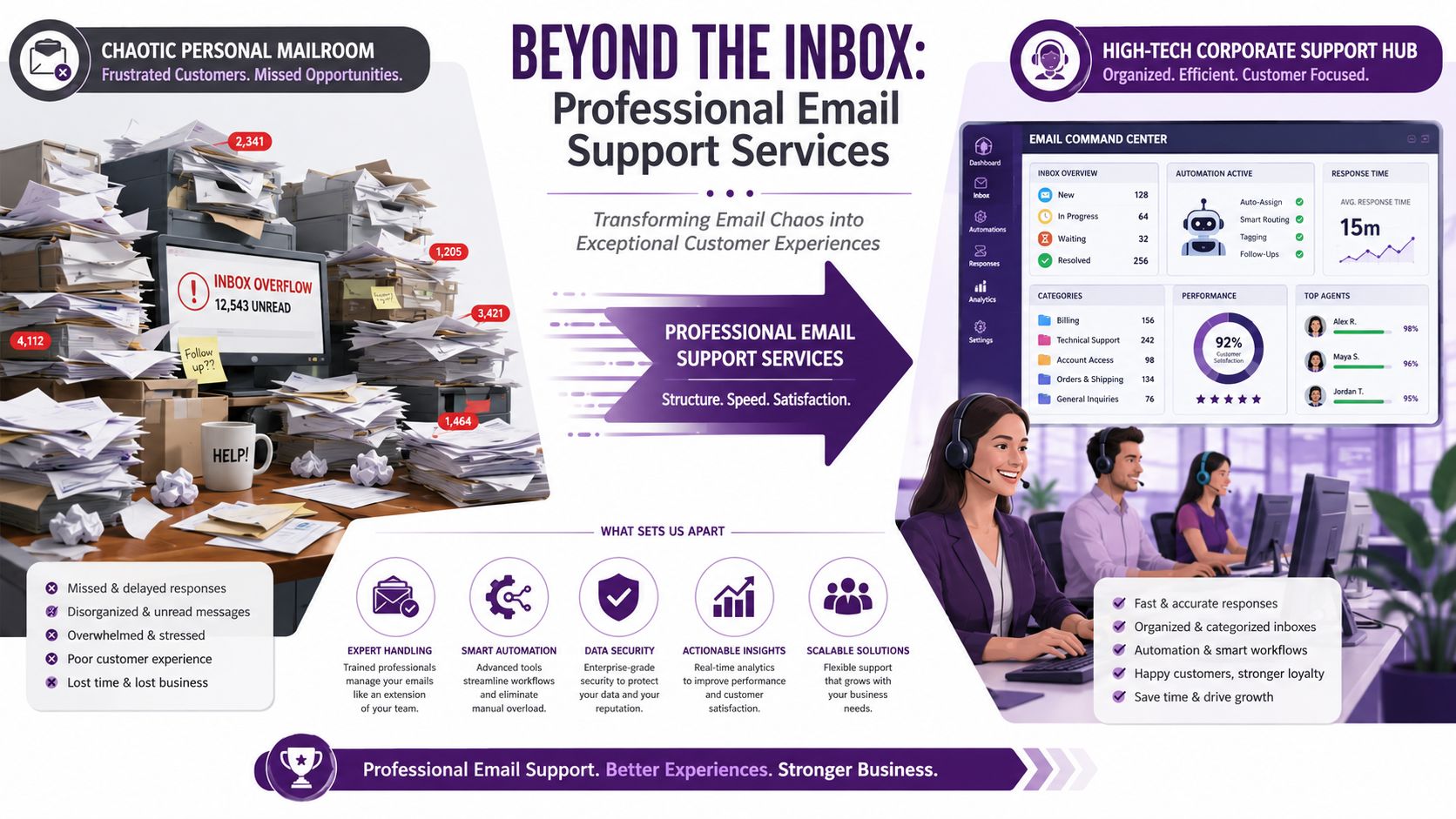
The easiest way to picture it is this. A small business often runs email like a chaotic mailroom. Requests pile up. Different people jump in when they can. Replies depend on who saw the message first. Customers repeat themselves because no one has the full thread history. Nothing is technically broken, but the experience feels disorganized.
A professional team runs it like a support hub.
What changes in a professional setup
Professional email support services usually include:
- Structured intake and routing so billing, order status, cancellations, technical questions, and complaints don’t land in the same pile
- Shared ticket visibility so agents can see ownership, previous replies, and open tasks
- Standardized reply frameworks that keep tone and policy consistent without sounding robotic
- Escalation paths for cases that need a supervisor, specialist, or another department
- Reporting and QA review so managers can see backlog trends, repeat contacts, and weak spots in the workflow
That’s the difference between “we answer email” and “we manage the channel.”
What businesses often miss
The strongest providers don’t treat email as isolated from the rest of the customer journey. They connect it to help desk workflows, CRM records, returns, fulfillment, technical support, and account history. That’s what lets an agent answer with context instead of asking the customer to resend the same information.
For example, an e-commerce brand may receive one email that looks simple: “Where is my order?” A weak team replies with a tracking link and closes it. A mature team checks whether the shipment is delayed, whether the customer already contacted chat, whether a replacement is justified, and whether the tone suggests risk of cancellation or chargeback.
Professional email support works best when the agent sees the issue, the account history, and the next operational step in one place.
That’s also why a dedicated partner is not the same thing as a general virtual assistant. The process depth is different. The quality controls are different. The tooling is different. If you’re evaluating operational models, this overview of help desk support services gives a clearer sense of how structured support should work. For teams trying to improve open and reply behavior on the engagement side, Reachly’s engagement strategies add useful ideas.
Measuring Success Key Email Support Performance Metrics
You can’t manage email support well if the only question is, “Did we answer it?”
The first metric most owners ask for is response time. That matters, but it’s not enough. A quick reply that solves nothing just creates another email, more frustration, and more labor. Good email support services measure speed and resolution together.
The metrics that actually tell the story
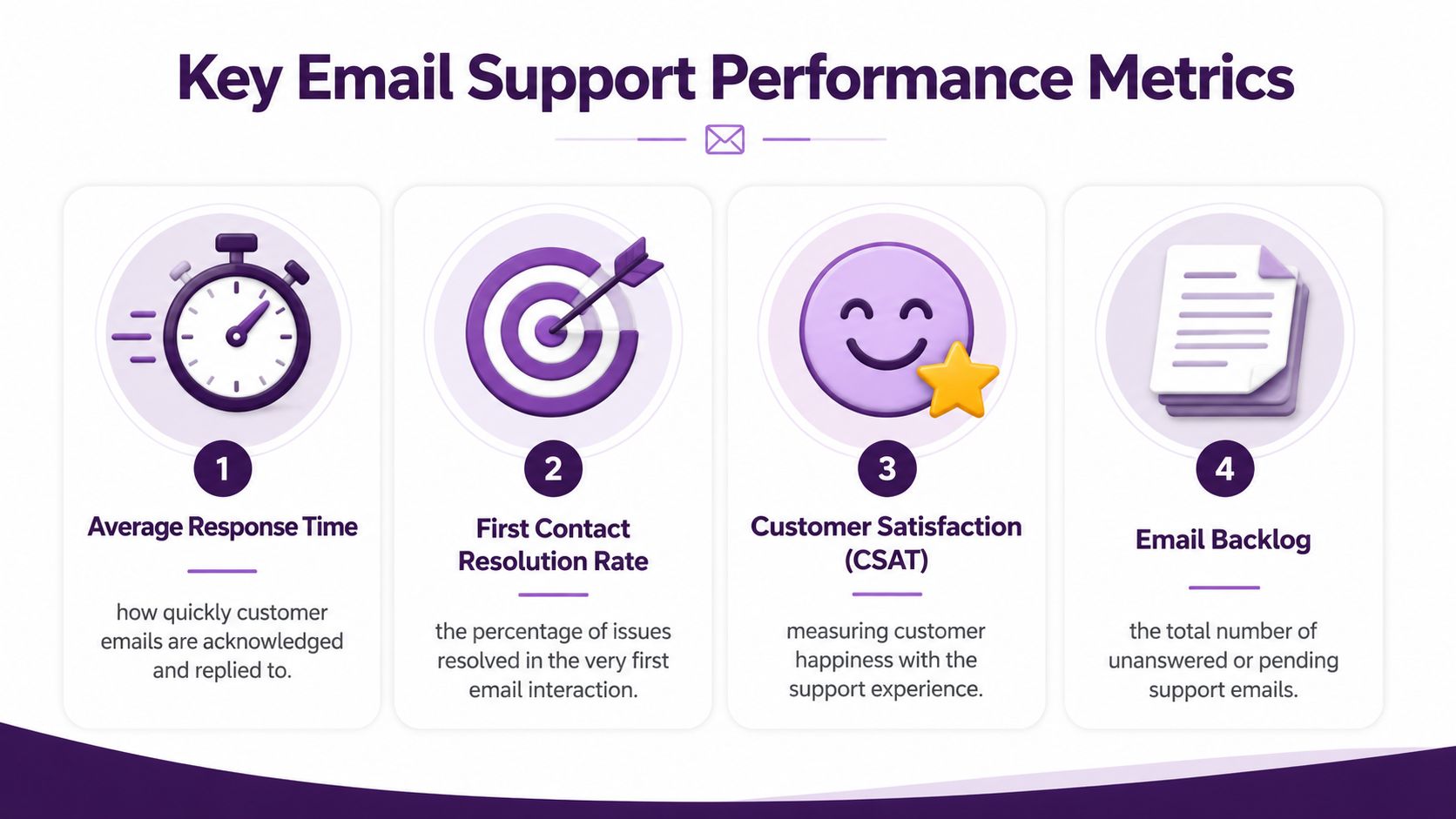
Focus on these:
- First Response Time measures how long a customer waits before hearing back
- First Contact Resolution shows whether the issue was handled in the first exchange instead of bouncing around
- Average Resolution Time tracks how long it takes to fully close the issue
- Customer Satisfaction helps confirm whether the process felt clear, fair, and competent
- Email backlog shows whether demand is outrunning capacity
These metrics work together. If response time looks good but backlog keeps growing, the team is probably acknowledging emails without moving cases to resolution. If resolution time is long and CSAT drops, the problem may be handoffs, weak documentation, or unclear next steps.
Why response speed still deserves attention
Top-tier teams use tiered First Response Time, or FRT, standards based on urgency and account value. According to Email Analytics response time standards, accounts with sub-2-hour response times have a 16% higher renewal rate than those with 8+ hour delays. That’s the point where service operations stop being a cost center discussion and start becoming a revenue discussion.
A practical way to use that insight is to split acknowledgment from resolution. A fast “we got your message and here’s what happens next” reply stabilizes the interaction. A fuller answer can follow after someone investigates the issue. This matters a lot in SaaS, telecom, healthcare coordination, and any support environment where the first email rarely contains everything needed to close the case.
Practical rule: Measure the speed of acknowledgment and the quality of resolution separately. If you blend them into one number, you’ll hide the real bottleneck.
If you’re building scorecards for an internal team or a BPO partner, a KPI framework like this guide to KPIs in customer service makes performance reviews much sharper. Owners ask better questions when the metrics reflect customer outcomes instead of agent activity.
The Technology That Powers Elite Email Support
Strong email support isn’t powered by one platform. It comes from a stack that works as a connected system.
At the center is usually a help desk platform such as Zendesk or Freshdesk. That’s where messages become tickets, queues are organized, ownership is assigned, and managers can review service levels. On its own, that platform helps. Connected to a CRM, order system, subscription platform, or claims workflow, it becomes much more valuable because the agent can respond with actual context.
What the stack needs to do
High-performance operations depend on a technical structure that supports secure, repeatable work. According to The Octopus Tech on email support features, strong email support relies on advanced spam filtering, standardized response templates, and integration with a comprehensive customer database. That mix is essential for scalable BPO operations.
In practical terms, that means:
- Filtering threats before they hit the workflow so phishing and malicious email traffic don’t distract agents or create risk
- Giving agents approved templates for common scenarios such as refunds, troubleshooting, verification requests, appointment updates, and account changes
- Pulling customer records into the workspace so the reply reflects purchases, prior cases, service status, and recent interactions
Without that structure, teams waste time switching tabs, rewriting the same language, and chasing missing information.
Where AI helps and where it doesn’t
AI has a real role in email support, but not the exaggerated version most software demos show. The useful version handles triage, sentiment hints, suggested replies, tagging, and next-step prompts for the human agent. It reduces repetitive work and helps newer agents stay consistent.
It should not replace judgment on delicate issues such as billing disputes, medical coordination details, cancellation risk, or technical cases with unclear root causes. Those are the moments when a customer needs precision and empathy, not a polished but generic paragraph.
One workable setup for growing teams is a combination of Zendesk or Freshdesk, a connected CRM, approved templates, spam protection, and agent-assist AI layered into the queue. Providers such as CallZent build email support into broader support operations, which matters when customers move between email, voice, and back-office workflows.
Email Support Pricing Models and The Nearshore Advantage
Pricing gets confusing because businesses compare offers that aren’t structured the same way. One provider quotes per agent. Another quotes per hour. Another quotes a monthly team fee that includes management and QA. None of those models is automatically right or wrong. The right one depends on ticket complexity, volume stability, and how much control you want.
Comparing Email Support Pricing Models
| Model | Best For | Cost Structure | Key Benefit |
|---|---|---|---|
| Per-agent | Steady daily volume and consistent coverage needs | You pay for dedicated headcount | Predictable staffing and stronger product knowledge |
| Per-ticket or per-hour | Variable volume or seasonal support | You pay based on handled work or time used | Flexible cost when demand changes |
| Dedicated team retainer | Complex workflows, multiple queues, or high-touch support | You pay a recurring fee for a managed team function | Better continuity, QA oversight, and operational ownership |
A retail brand with frequent seasonal spikes may prefer per-ticket or per-hour coverage. A subscription business handling technical troubleshooting and retention risk usually benefits more from dedicated agents who learn the product, policies, and escalation logic. Healthcare-adjacent support often leans toward a managed team model because consistency matters as much as speed.
Why nearshore changes the math
Nearshore outsourcing’s benefits extend beyond a simple labor arbitrage story. According to PromoCallCenter on Tijuana cost savings, nearshore call centers in locations like Tijuana enable U.S. businesses to reduce annual operating costs by 50–70% per agent compared to domestic alternatives.
That cost difference gives owners room to build a better service model instead of a thinner one. You can fund stronger QA, supervisor coverage, better scheduling, more specialized training, or wider business-hour coverage without pushing the budget to the breaking point.
Nearshore also solves a problem that cheap offshore models often create. Collaboration. If your support lead, operations manager, and outsourced team can work in closer time alignment and with stronger cultural familiarity, you spend less time correcting tone, revising documentation, and waiting a full day for decisions. This overview of the nearshore advantage is useful if you’re comparing domestic, offshore, and Mexico-based support structures.
A cheaper model that creates rework isn’t cheaper. A lower-cost model that preserves quality usually is.
How to Choose the Right Email Support Partner
Most buyer checklists are too shallow. They focus on seat price, language ability, and promised response times. Those matter, but they won’t tell you whether the provider can protect customer relationships once the inbox gets messy.
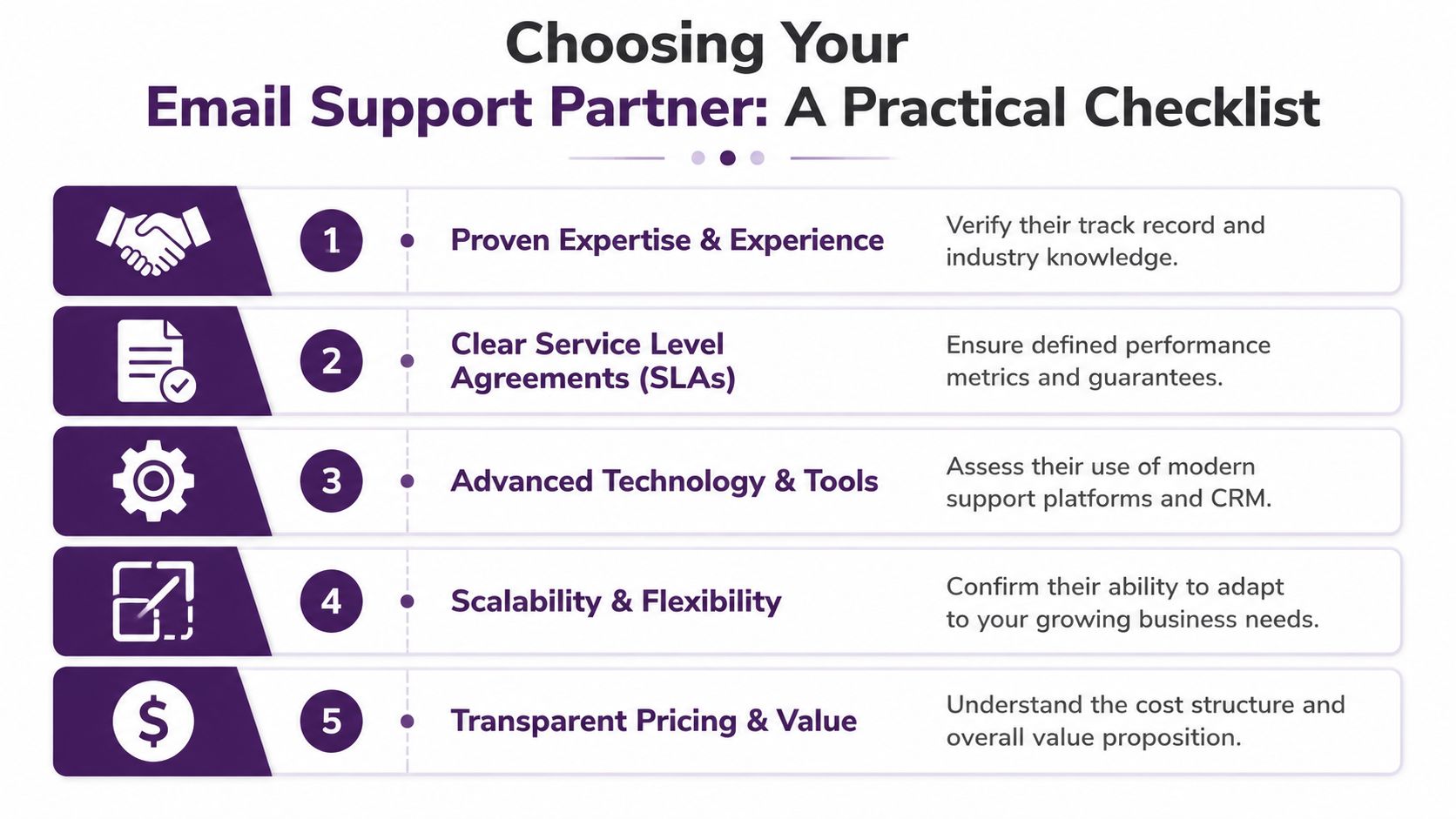
The better approach is to ask questions that expose operating maturity.
Questions worth asking in the first call
Start with these:
- How do you measure First Contact Resolution? If they only discuss response speed, they may be optimizing for appearance rather than outcomes.
- Do agents use AI copilots or agent-assist tools? The point isn’t automation for its own sake. You want support for drafting, summarizing, and recommending next steps while a human still owns the response.
- How do you handle escalations? A good answer includes ownership, triggers, internal handoff rules, and communication back to the customer.
- What does QA review look like? Listen for calibration, rubric-based scoring, policy accuracy checks, and tone review.
- How do you onboard industry-specific knowledge? E-commerce, healthcare coordination, finance, insurance, and SaaS all require different workflows and risk controls.
According to SQM Group on email channel customer service, buyers should ask about First Contact Resolution rates and the provider’s use of AI agent copilots, because many teams focus only on response time while overlooking the resolution quality that drives customer friction.
Red flags that usually show up later
A provider may still sound polished and be the wrong fit. Watch for these signs:
- Everything is “custom” but nothing is defined. That usually means weak process discipline.
- They can’t explain the difference between acknowledgment and resolution. That creates false SLA confidence.
- They don’t ask for your policies, macros, or workflow maps early. Mature teams know they need operational detail fast.
- They promise integrated omnichannel support without discussing systems. If the tools don’t connect, the customer context won’t either.
The right partner doesn’t just promise faster email replies. They show how they prevent avoidable follow-ups.
Your Email Support Onboarding and Implementation Checklist
The handoff into outsourced email support is where many projects succeed or stall. A clean launch doesn’t happen because the provider is talented. It happens because both sides define the workflow before the queue goes live.
The rollout checklist that prevents early failure
-
Set the service goals first
Decide what success means. Faster acknowledgment, fewer repeat contacts, more consistent handling, cleaner escalations, or broader coverage hours. If the goal is vague, the setup will be vague too. -
Document the common contact reasons
List the recurring issues your team sees now. Refunds, shipping delays, technical troubleshooting, policy questions, account changes, complaints, cancellations, and sales-related inquiries should each have handling guidance. -
Build a usable knowledge base
This doesn’t have to be fancy. It does have to be current. Strong onboarding includes product details, policies, escalation paths, approved language, and examples of good replies.
What to lock down before launch
A smooth implementation also needs operational agreements that people often postpone.
-
Access and systems
Decide which platforms the team will use, what data they can see, and who approves access changes. -
Tone and brand voice
Give examples of acceptable tone. “Professional” means different things in healthcare, e-commerce, and SaaS. -
Escalation rules
Spell out which cases go to billing, compliance, engineering, retention, or supervisors. -
Review cadence
Set regular meetings for QA findings, backlog review, macro updates, and workflow fixes. -
Phased rollout
Start with one queue, one issue type, or one business segment if the operation is complex. That reduces avoidable disruption.
What good onboarding looks like in practice
A common rollout pattern is to begin with lower-risk email categories such as order status or general account inquiries, then expand into complaints, billing exceptions, or technical troubleshooting after the team proves consistency. That phased approach gives managers time to tighten macros, improve tagging, and refine QA scoring before more sensitive cases move over.
The companies that get the most value from outsourced email support stay involved after launch. They don’t disappear after the SOP handoff. They review trends, update policies, and share product changes quickly. That’s how email support becomes a stable operating function instead of a reactive patch.
Final takeaway: The best outsourced email support relationships work like an extension of operations, not a detached vendor arrangement.
🚀 Ready to Improve Your Email Support Operation?
If your team is weighing whether to build internally or outsource, CallZent is a nearshore option for businesses that need bilingual customer support and back-office coverage from Tijuana. A practical first step is to review your current inbox volume, escalation patterns, and service goals, then compare them against the staffing, process, and reporting model you need.
Talk to an ExpertFAQs About Email Support Services
What are email support services?
Email support services are outsourced or managed customer service operations that handle customer inquiries, tickets, complaints, order questions, billing issues, technical questions, and follow-ups through email.
Why are email support services important?
Email support services are important because email remains a major customer service channel. Slow, inconsistent, or missing replies can hurt customer trust, renewals, reviews, and overall customer experience.
What is the difference between basic email answering and professional email support?
Basic email answering focuses on replying to messages. Professional email support includes routing, ticket ownership, templates, CRM context, escalation paths, QA review, reporting, and performance management.
What metrics should email support teams track?
Email support teams should track First Response Time, First Contact Resolution, Average Resolution Time, Customer Satisfaction, email backlog, repeat contacts, escalation rates, and QA scores.
Why does First Response Time matter in email support?
First Response Time matters because customers want confirmation that their issue has been received and is being handled. Fast acknowledgment can reduce uncertainty, but it should be measured separately from full resolution quality.
What technology is needed for strong email support?
Strong email support usually requires a help desk platform, CRM integration, templates, spam protection, routing rules, ticket visibility, reporting, QA workflows, and sometimes AI-assisted triage or suggested replies.
Can email support be outsourced?
Yes. Email support can be outsourced when a provider has the right training, systems access, QA process, escalation rules, brand voice guidance, and reporting structure to manage customer conversations consistently.
Why is nearshore outsourcing useful for email support?
Nearshore outsourcing can lower costs while keeping collaboration easier through time-zone alignment, bilingual support, cultural familiarity, and better communication between the client and the support team.
How should companies choose an email support partner?
Companies should evaluate how the partner measures First Contact Resolution, handles escalations, uses AI or agent-assist tools, performs QA, documents workflows, trains agents, and supports industry-specific knowledge.
How can CallZent help with email support services?
CallZent helps businesses build nearshore email support operations with bilingual teams, structured workflows, QA, reporting, escalation processes, and back-office support from Tijuana, Mexico.
If your team is weighing whether to build internally or outsource, CallZent is one nearshore option for businesses that need bilingual customer support and back-office coverage from Tijuana. A practical first step is to review your current inbox volume, escalation patterns, and service goals, then compare them against the staffing, process, and reporting model you need.