

Reservation Operations & Bilingual Support
Reservation Management: Workflows, KPIs, and Bilingual Support
Coordinate availability, booking changes, cancellations, and customer communication with clear workflows, useful measures, and accountable support.
TL;DR — Quick Takeaways
- Reservation management connects inventory, customer details, policy, channels, and follow-through.
- Define booking, modification, cancellation, no-show, and exception procedures before automating them.
- Measure conversion, accuracy, resolution, and no-shows with documented denominators and reporting rules.
- Use automation to make booking and rescheduling easier, with accessible channels and clear human escalation.
- Evaluate bilingual nearshore support through system access, training, coverage, quality, and reporting.
Saturday night is full, the front desk is handling an unhappy couple, and the hotel’s reservation system shows two guests assigned to the same suite. Across town, a restaurant is waiting for a party that hasn’t arrived, while a retail contact center is stacking callers who all want to know whether anything is still available. Each problem looks local. Together, they point to a reservation operation that isn’t keeping inventory, customer details, policies, and live conversations in sync.
That’s why reservation management isn’t just a booking form or a back-office task. It affects revenue, staff workload, and whether customers can get the service they need. Leaders need clear answers to practical questions: What counts as reservation management? Which workflows should the team handle? Who should run them? And which measures show whether the operation is working?

A reservation agent may be the first person who can resolve a mismatch, explain a cancellation rule, or offer a workable alternative. If that agent can’t see current inventory or has to chase information across systems, a recoverable issue can turn into a lost booking and a damaged relationship. Businesses exploring outside support can review CallZent’s reservation support guide and reservation services.
Reservation Management Starts With Shared Information
Reservation management has always been about more than recording a name and a date. When agents, online booking tools, and service teams work from different availability records, one channel can promise inventory that another has already committed. A shared booking record reduces that risk only when updates are timely and the underlying system enforces capacity rules.
The operating goal is straightforward: connect availability, customer details, booking policies, and confirmation status. A hotel agent handling a date change needs to see what remains available while web bookings continue. A restaurant needs to release a cancelled table under its own seating and timing rules. Every channel should work from the same approved source.
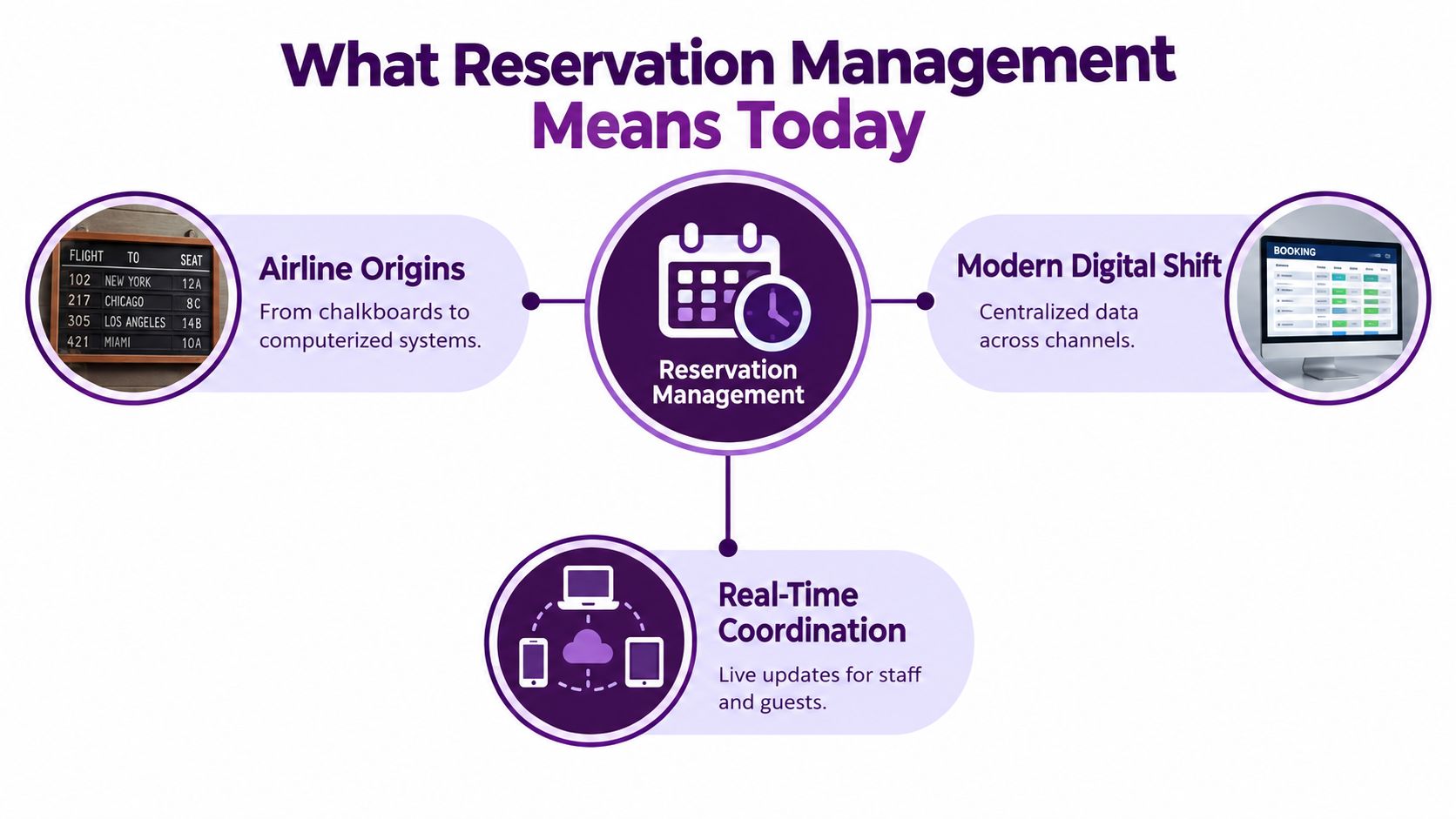
A booking form records, a managed system coordinates
A simple form captures a request. Reservation management connects that request to live inventory, customer information, channel updates, service rules, and the next action an employee should take. If a guest changes dates by phone, the new availability should be reflected to staff and customers using other channels. If a patient needs to reschedule, the system should release the old slot and confirm the replacement clearly.
This logic applies to hotels, restaurants, healthcare appointments, vehicle rentals, and service-based businesses. The capacity rules differ: a room-night, a table with a seating duration, and a clinician’s appointment slot are not interchangeable units. Configure inventory, buffers, and eligibility for the actual service rather than copying another industry’s workflow.
Core principle: Reservation technology creates value by synchronizing inventory and customer information across channels, not by logging another entry.
What Reservation Management Actually Means Today
The work starts with a customer request, but it doesn’t end when the system sends a confirmation. A capable reservation operation coordinates the complete journey: find an available option, confirm the right details, apply the relevant policy, handle changes, and keep staff informed as inventory moves.
A hotel agent, for example, needs to know whether the room type is available, what rate and mandatory charges apply, whether the guest has a special request, and what happens if plans change. A healthcare scheduling team has a different service, but the operational need is similar: offer a suitable appointment, record preferences accurately, and make rescheduling straightforward.
What the team and system need to coordinate
At minimum, the operation should bring together:
- Availability: Staff and customers need a dependable view of what can still be booked.
- Customer records: Contact details, preferences, and booking history should travel with the reservation.
- Policy: Employees need clear rules for changes, cancellations, deposits, refunds, and no-shows.
- Channels: Phone, web, email, SMS, and chat should update a shared reservation record through a coordinated contact center technology stack.
- Follow-through: Confirmations, reminders, waitlists, and post-service questions should have an owner.
Confirm whether each channel submits a request or creates a confirmed reservation. Pending requests, temporary holds, expired holds, confirmed bookings, and cancellations should have distinct statuses. Document how quickly changes reach other channels and how agents respond if an integration fails.
Modern reservation management follows the same basic logic, even when the inventory is a room, an appointment, or a service slot. The system should enforce inventory limits across channels and flag conflicts for review, while helping employees resolve exceptions without guesswork.
The Core Workflows Every Reservation Team Runs
A reservation team handles more than new bookings. Its work spans the full life of a reservation, and each workflow should have clear system steps, agent training and guidance, and customer communication.
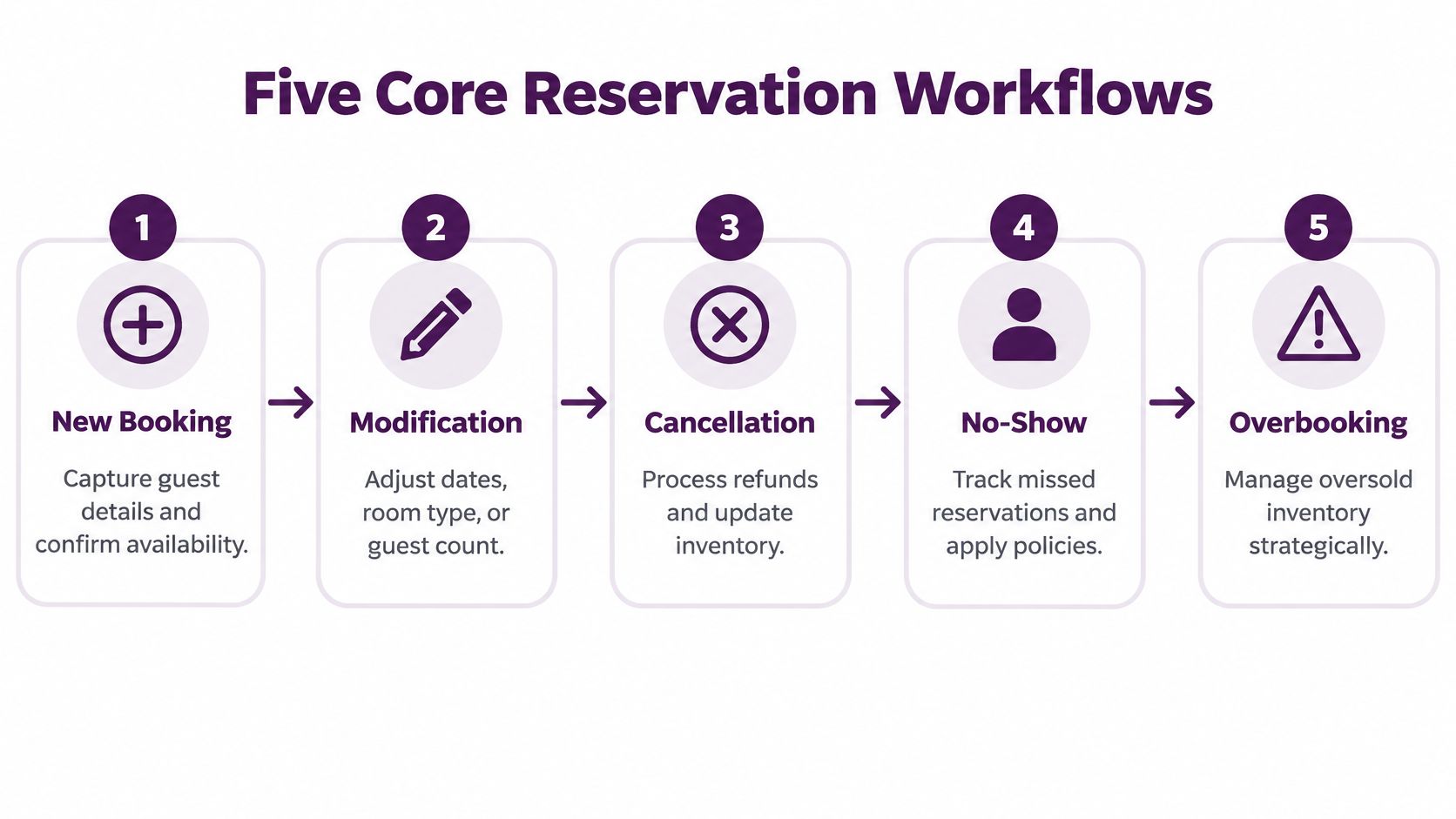
From first request to completed service
- New booking: Confirm the requested service, date, party size, contact details, and current availability before promising a slot. A restaurant agent should repeat the time and party size to catch errors while the customer is still on the line.
- Modification: A hotel guest calls to add a night. The agent checks that the room remains available, reviews any rate change, updates the reservation, and sends a revised confirmation.
- Cancellation or rescheduling: Confirm the customer’s request, explain the applicable terms, and update the record. For a reschedule, follow the approved sequence for securing a replacement and releasing the original slot; avoid leaving the customer without either appointment. Record any approved charge or refund and send a clear confirmation.
- No-shows and inventory exceptions: Apply documented grace periods, release rules, and approved follow-up. Do not assume a forecast justifies accepting more bookings than available capacity. Where overbooking is permitted, authorized managers should set limits and recovery procedures that account for customer impact, compensation, and service obligations.
- Follow-up: After a stay or appointment, confirm completion where appropriate, gather unresolved issues, and record feedback that can improve future handling.
Every confirmation should make the booking usable: service or location, date, time and time zone where relevant, party size or quantity, reference number, applicable price and charges, cancellation terms, and a clear way to request changes. Send revised details after an approved modification and avoid leaving customers with conflicting confirmations.
The technology can make work faster, but it can’t resolve contradictory rules. Before automating cancellations or waitlists, decide who can approve exceptions, when inventory becomes available again, and how agents should explain any charge. If a customer’s flight is cancelled, for example, the agent needs a clear path to rebook or escalate, not a generic script that treats every change alike.
In-House, Offshore, or Nearshore, How to Choose
Businesses can retain reservation work in-house, delegate defined workflows to an offshore provider, or use a nearshore partner. Compare those options against coverage hours, language needs, system access, exception handling, and the internal capacity to supervise the program. Geography alone does not determine service quality.
| Criterion | In-House | Offshore | Nearshore (Mexico) |
|---|---|---|---|
| Cost | Direct control of staffing, with internal recruitment and management responsibilities | May suit cost-led operations, but teams should assess the full cost of training, oversight, and rework | Can balance cost and operational collaboration for North American businesses |
| Language coverage | Depends on the hiring pool and internal training | Depends on provider capabilities and training approach | Bilingual English and Spanish support can fit customers who prefer either language |
| Time-zone fit | Typically straightforward for local coordination | May require additional planning for live collaboration and schedule coverage | Shared working hours can make coaching and escalation easier |
| Quality control | Managers work directly with the team | Requires defined governance, monitoring, and clear escalation routes | Shared working hours can simplify joint reviews; defined governance is still required |
| Scalability | Hiring and training capacity can constrain growth | Provider capacity can support larger coverage needs | Can add coverage while retaining close collaboration with North American teams |
The trade-off includes more than hourly cost. A team that can’t handle a customer’s language or resolve an inventory exception may create extra contacts and lost bookings. In-house teams retain close control, while outsourced models require clear policies, system access, and quality measures. Nearshore delivery can be a practical middle ground for businesses that want bilingual coverage and close day-to-day coordination.
The right choice depends on how sensitive the service is to live changes, what language coverage customers need, and how much internal management capacity is available. A nearshore versus offshore BPO comparison can help leaders frame that decision around operating needs rather than a single cost figure.
KPIs and Forecasts That Actually Move the Needle
A reservation dashboard should connect customer service to inventory and revenue. Tracking only call volume or average handle time can reward agents for ending conversations quickly, even when customers still need help or the booking is wrong.
Use a weekly view for operations
Review booking conversion, average handle time, first-contact resolution, cancellations, no-shows, and channel mix together. If web bookings are rising while phone calls increasingly concern unavailable dates, the problem may be inventory presentation rather than agent performance. If handle time falls but repeat contacts increase, the shorter conversations may be creating follow-up work.
Track forecast error by service type and booking horizon, keeping the original forecast distinct from later revisions. For hospitality programs that use revenue-management measures, define available units, revenue, and displacement consistently; these measures do not transfer unchanged to healthcare or restaurant scheduling. Pair booking demand with contact arrival patterns so staffing reflects when customers need assistance.
Define the measures before setting targets
| Metric | Working definition | Control to document |
|---|---|---|
| Inquiry-to-booking conversion | Confirmed bookings attributable to eligible inquiries ÷ eligible inquiries × 100 | Define inquiry eligibility, attribution, repeat inquiries, and reporting period. |
| Booking accuracy | Audited bookings meeting all required accuracy checks ÷ audited bookings × 100 | Use a documented sample and disclose coverage; do not imply unaudited bookings were checked. |
| First-contact resolution | Eligible issues resolved on the initial contact with no qualifying repeat within the defined window ÷ eligible initial issues × 100 | Set issue matching and repeat-contact rules; wait until the observation window is complete. |
| No-show rate | Reservations classified as no-shows ÷ eligible reservations due for service × 100 | Define grace periods and treatment of timely cancellations, reschedules, and partial attendance. |
| Change turnaround time | Elapsed or business time from a valid change request to the confirmed outcome | State the clock, business hours, pending approvals, and whether customer waiting time is excluded. |
Hypothetical example: If 120 eligible reservation inquiries produce 36 confirmed bookings, inquiry-to-booking conversion is 36 ÷ 120 × 100 = 30%. If the booking system also contains unrelated self-service bookings, do not add those to the numerator. Define how repeat inquiries and group bookings are counted, and investigate unavailable inventory before interpreting a lower rate as poor agent performance.
Protect the reservation record
Give agents only the access required for their approved tasks. Document customer verification, change authority, exception approvals, and incident escalation. The FTC’s Start with Security guide offers practical guidance on limiting collection, controlling access, and evaluating service-provider security. Apply those principles to contact details, booking notes, and exported reports.
Tie forecasts to what customers could actually book
A low booking count does not automatically mean demand is weak. A service may have been unavailable, the customer may have rejected the offered price or time, or the booking journey may have failed. Record the reason when practical, and distinguish observed bookings from inquiries and unmet demand. Avoid treating unavailable inventory as proof that nobody wanted it.
Record request time, offered price, available inventory, booking class, party size, conversion, cancellation, and service outcome. Use a weekly operational review to adjust availability rules and agent scripts; a monthly review can test whether those changes improved revenue and customer outcomes. Don’t change prices or staffing based on bookings alone when the system can show that customers were facing restricted inventory.
Automation, AI, and the Bilingual Agent Behind the Curtain
Online booking, IVR, SMS and email confirmations, and predictive no-show models can make reservation handling more consistent. But an automated reminder won’t solve a schedule conflict, and a digital-only process can exclude someone who can’t use the channel comfortably.
Reminders are useful only when customers can act on them. Include a clear route to confirm, cancel, or request a new time, using the channel permissions and communication preferences agreed with the customer. Keep sensitive details out of unnecessary messages, and route clinical questions to appropriately qualified staff under the client’s procedures.
Test the digital booking journey with people who use assistive technology. The W3C Web Accessibility Initiative’s planning resources explain how to integrate accessibility into project roles, implementation, and ongoing review. A phone option helps customers seeking assistance, while the online journey should also be usable.
Use prediction to offer practical help
If a predictive tool estimates no-show risk, validate it on representative data before changing operations. Review the decision threshold, false positives, missed no-shows, and performance across relevant customer groups. A model’s score is a decision aid, not proof that a particular customer will miss a booking.
Use a validated prediction to offer practical support, such as a language-matched reminder, proactive outreach, an easier cancellation route, or a chance to reschedule. Don’t automatically restrict access or impose a penalty based on a prediction. Review whether the model remains calibrated, whether outcomes differ across customer groups, and whether agents can override an inappropriate recommendation.
Language preference should persist across phone, SMS, web, and live-agent handoffs. When a customer can’t complete an automated booking, requests an exception, or says instructions aren’t clear, route the interaction to a bilingual agent with the reservation record already available. A well-defined automation workflow can help automate routine exchanges, while human escalation remains essential for exceptions and access barriers.
Why a Nearshore Bilingual Partner Fits the Job
A nearshore bilingual partner can help North American businesses cover reservation requests across channels without making customers choose between digital convenience and human assistance. A Tijuana-based team can support English- and Spanish-speaking customers, coordinate with client teams during overlapping business hours, and handle inbound and outbound work according to the agreed operating model.
That fit depends on execution, not geography alone. Evaluate the provider’s booking-system access, agent training, policy knowledge, escalation discipline, quality reviews, and willingness to review performance with your operations team. Ask how agents handle a cancellation that changes inventory, a customer who needs language support, or a request that falls outside standard policy.
CallZent is one option for businesses seeking nearshore reservation management and customer support. Its services include reservation handling and bilingual contact center support; buyers should assess the technology, training, and quality processes against their own requirements before selecting a partner.
Your Monday Morning Reservation Checklist
Bring these questions to your next operations meeting:
- Define the workflows: Can every agent explain how to book, modify, cancel, handle a no-show, and follow up?
- Choose the delivery model: Which interactions require in-house control, and where could a nearshore team add useful language or channel coverage?
- Connect metrics to outcomes: Do your reports show conversion, customer resolution, forecast accuracy, and the cost of displaced demand?
- Design automation around customers: Can people switch to SMS, phone, or a bilingual agent without losing their reservation details?
For appointment-based organizations, a reminder workflow can be part of that plan, provided customers also have a clear way to reschedule or speak with someone.
Reservation management is the coordination point between inventory, demand, and customer experience. Define the rules, give agents the information and authority to act, and measure whether customers can complete the booking they came to make.
Frequently Asked Questions
What is reservation management?
Reservation management coordinates availability, customer information, booking policies, confirmations, changes, cancellations, and follow-up. It connects the customer’s request with an accurate reservation record and the operational steps needed to deliver the service.
How is reservation management different from a booking form?
A booking form captures information or submits a request. Reservation management also checks capacity, applies service rules, updates records across channels, communicates confirmed outcomes, and handles changes and exceptions. A submitted request should not be presented as confirmed unless the required checks are complete.
Which industries use reservation management?
Hotels, restaurants, travel businesses, vehicle rental companies, healthcare organizations, and other appointment-based services use reservation workflows. Each industry needs its own capacity definitions, eligibility checks, timing rules, and escalation procedures.
What should a reservation confirmation include?
Include the service or location, date, time and relevant time zone, party size or quantity, reference number, applicable price and charges, key cancellation terms, and a clear way to request changes. Send revised details after an approved modification.
How can businesses reduce double bookings?
Use an approved source of inventory, enforce capacity rules, and define how holds and confirmed reservations affect availability. Test updates between channels, expired holds, simultaneous requests, and integration failures. Give agents a clear escalation path when records conflict.
Which KPIs should a reservation team track?
Useful measures include inquiry-to-booking conversion, booking accuracy, first-contact resolution, change turnaround time, cancellations, and no-shows. Define the eligible population, numerator, denominator, time window, and exclusions for each measure before comparing results.
How should a business calculate its no-show rate?
Divide reservations classified as no-shows by eligible reservations due for service in the same reporting period, then multiply by 100. Document grace periods and treatment of cancellations, reschedules, and partial attendance so the rate stays consistent.
Can AI replace reservation agents?
Automation can assist with routine availability checks, confirmations, reminders, and straightforward changes within approved rules. Agents remain useful for exceptions, unclear requests, accessibility needs, and sensitive situations. Validate automated decisions and preserve a route to human assistance.
Why use bilingual reservation support?
English-Spanish support can help customers understand availability, charges, policies, and next steps in their preferred language. Keep that preference available across channels and confirm coverage for the shifts and workflows the business actually needs.
What should companies evaluate in a reservation outsourcing partner?
Review booking-system access, training, language capability, coverage, customer verification, change authority, exception handling, quality assurance, reporting, and data protection. Start with a defined workflow and agreed service measures before expanding the program.
Bilingual Nearshore Support in Mexico
Make Every Reservation Easier to Manage
Discuss your booking volumes, English-Spanish coverage, reservation systems, and exception workflows with CallZent. Build a support program around accurate records, clear handoffs, and measurable service.