Skip to content

Virtual Assistant Outsourcing
Outsourcing Virtual Assistants in 2026:
The Smart Business Growth Guide
Learn how outsourcing virtual assistants helps businesses scale operations, reduce costs, improve customer support, and create smarter workflows in 2026.
TL;DR — Quick Takeaways
- Outsourcing virtual assistants can reduce operational costs by up to 78%.
- The best results come from structured onboarding and clear workflows.
- Nearshore BPO models provide better scalability and operational support.
- Strong KPIs and communication systems are critical for long-term success.
Outsourcing virtual assistants can cut operational expenses by up to 78%, and the global virtual assistant market is projected to reach $44.25 billion by 2027 as more businesses shift to flexible remote staffing. That’s why this move now sits in the growth playbook, not the “nice to have” bucket.
If you’re reading this, there’s a good chance your business has hit a familiar ceiling. Sales need follow-up. Customers need faster replies. Admin work keeps spilling into evenings. And every hour you spend scheduling, updating spreadsheets, chasing inboxes, or cleaning up CRM records is an hour you’re not spending on revenue, service quality, or strategy.
The mistake many owners make is thinking outsourcing virtual assistants means handing random tasks to a freelancer and hoping for the best. That approach can work for light, isolated work. It usually breaks once the business needs consistency, accountability, security, and room to scale.
The Short Answer
Effective outsourcing virtual assistants comes down to four moves:
- Define the work clearly
- Choose the right model, whether freelance, agency, or BPO
- Implement a structured onboarding plan
- Track clear KPIs tied to business outcomes
Get those four right and a VA becomes a force multiplier. Get them wrong and even a talented hire will struggle.
Why Smart Businesses Are Outsourcing Virtual Assistants
You see the shift in day-to-day operations first. A founder starts by delegating calendar management. Then customer emails pile up, product listings need updates, leads need qualification, and someone has to keep reports current. Before long, the business doesn’t just need “help.” It needs a repeatable support layer.
That’s why outsourcing virtual assistants has expanded far beyond classic admin support. VAs now support customer service, marketing coordination, CRM hygiene, lead generation, back-office work, reporting, and industry-specific support functions. For many companies, this is the easiest way to add capacity without taking on the full weight of in-house hiring.

Why the market keeps moving this way
The numbers tell the story. The global virtual assistant market is projected to reach $44.25 billion by 2027, and businesses can achieve up to a 78% reduction in operational expenses by outsourcing virtual assistants, according to virtual assistant market insights from Vortexian Tech.
Cost matters, but it’s not the only driver. Flexibility matters just as much. A business that needs bilingual support coverage, after-hours responsiveness, e-commerce order support, or help with recurring back-office tasks can often move faster with outsourced support than with a long internal recruiting cycle.
A simple example makes this clear. A growing online store may not need a full in-house operations team on day one. It may need someone to answer customer messages, process order updates, handle returns status, and clean product data. That work is valuable, repeatable, and trainable. It shouldn’t sit on the founder’s plate.
Bold takeaway: Outsourcing virtual assistants works best when you use it to protect your leadership time and stabilize repeatable workflows.
What changes when you treat VAs as part of operations
Once a business stops viewing virtual assistants as “overflow help,” better decisions follow.
- Customer support improves: Faster responses and better follow-through become realistic.
- Managers regain focus: Team leads stop bouncing between operations cleanup and strategic work.
- Specialized support becomes accessible: Roles like CRM support, reporting, and social media coordination become easier to fill.
- Scalability gets simpler: You can add support in layers instead of making one large hiring bet.
If you’re evaluating providers, it helps to think in terms of operational design, not just staffing. That’s where a managed support partner can fit into a broader service mix like CallZent’s BPO services, especially for companies that need customer-facing and back-office support to work together.
First Step Identify What to Outsource
Most failed VA hires start with a blurry request. “I need someone to help with admin” is not a hiring brief. It’s a frustration statement.
Before outsourcing virtual assistants, run a task audit. Don’t start with job titles. Start with the work.
Run a task audit for two weeks
Track what you and your team do. Use a simple spreadsheet, Notion board, or project tracker. Every recurring task should go into one of these buckets:
- Repetitive and rules-based: inbox triage, order updates, appointment confirmations, data entry, CRM updates
- Process-driven but judgment-based: customer issue routing, lead qualification, report preparation, vendor follow-up
- High-context or leadership-owned: pricing decisions, hiring decisions, conflict resolution, strategic planning
The first bucket is where many VA wins happen quickly. The second bucket often becomes manageable after documentation and training. The third usually stays internal, or gets delegated only after trust is built.
If a task happens often, follows a pattern, and can be explained in steps, it’s a strong candidate for delegation.
Turn tasks into a role, not a wish list
Once you’ve captured the work, group it by function. Don’t build a role that mixes unrelated tasks just because one person “might be able to do it all.”
A better breakdown looks like this:
| Task Group | Good VA Fit | Watch Out For |
|---|---|---|
| Inbox and calendar support | Strong fit for repeatable workflows | Keep decision authority clear |
| Customer service admin | Strong fit with scripts and SOPs | Escalation rules must be defined |
| CRM updates and reporting | Strong fit when data standards exist | Messy systems create confusion |
| Social media scheduling | Good fit with content calendar | Brand voice needs review process |
| Medical or finance support tasks | Good fit if compliance rules are documented | Access controls must be strict |
A practical example. A clinic might think it needs one “medical VA.” In reality, it may need two separate functions: scheduling support and billing follow-up. Those are different workflows, different training paths, and different performance standards.
Build the delegation brief
Your first version only needs a few elements:
- Core responsibilities: the recurring tasks the VA will own
- Tools used: Gmail, Shopify, HubSpot, Zendesk, QuickBooks, Slack, or whatever your team uses
- Definition of done: what a completed task looks like
- Escalation points: what the VA handles alone and what gets handed up
- Communication rhythm: where updates happen and how often
If your workflow depends on documentation, templates, and recurring support tasks, pairing the role design with an operational partner for back-office outsourcing support often gives you a cleaner launch than trying to improvise every step internally.
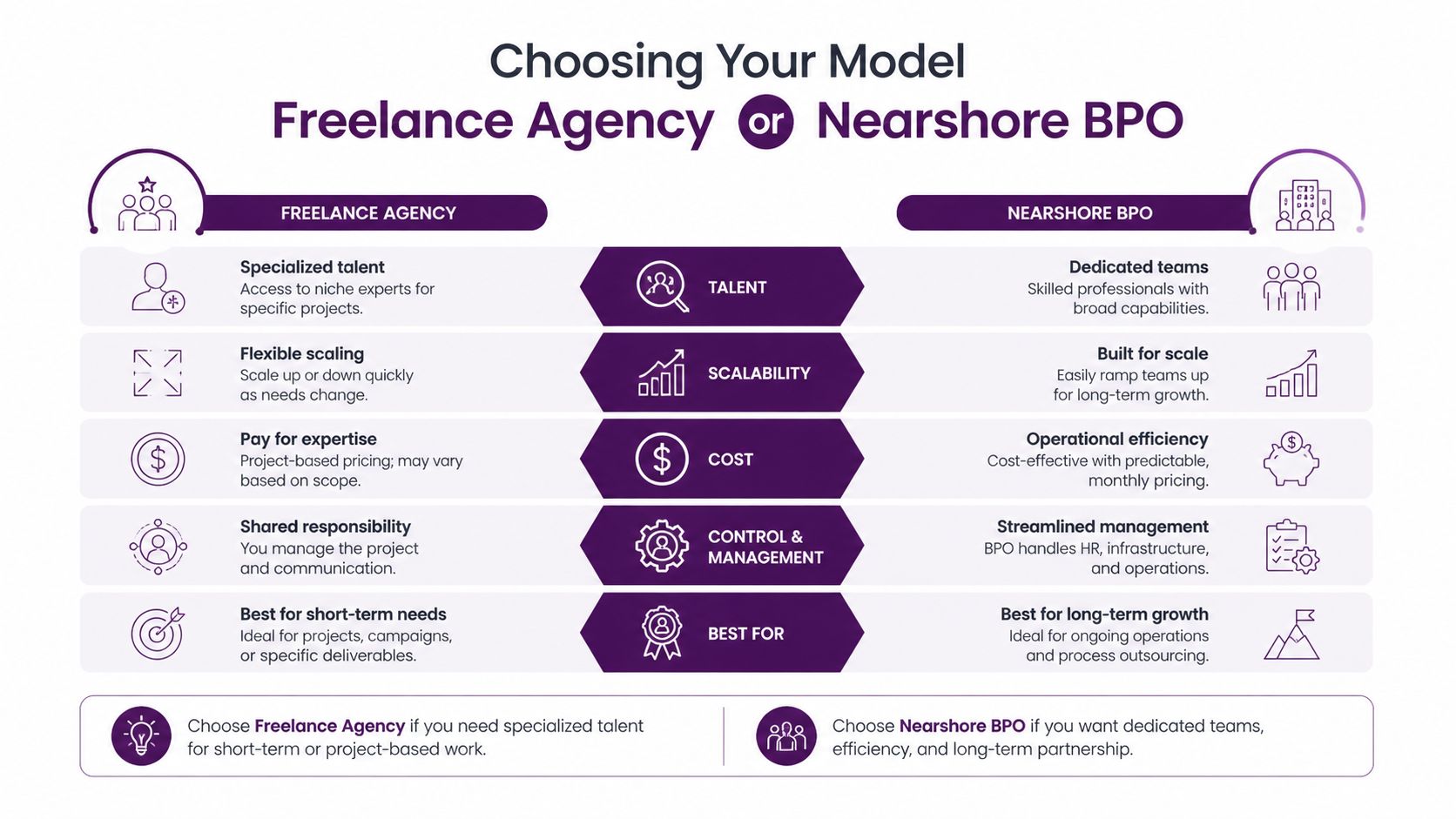
Choosing Your Model Freelance Agency or Nearshore BPO
Often, the decision usually gets oversimplified. Most articles frame the choice as freelancer versus agency. That leaves out the model that often makes the most sense once a business needs coverage, oversight, security, and scale: a nearshore BPO.
The right question isn’t “Where can I find the cheapest VA?” It’s “Which model gives me the right balance of speed, control, continuity, and management load?”
What each model is really buying you
A freelancer gives you direct access to one person. That can work well when tasks are limited, non-sensitive, and easy to supervise.
A VA agency gives you recruiting convenience. You often get a faster match, but the daily management burden may still sit with your team.
A nearshore BPO gives you a managed operating structure. That usually includes staffing support, process alignment, continuity planning, and easier collaboration during North American business hours.
For North American businesses, proximity matters more than many first-time buyers expect. Data shows nearshore premiums can produce 20% to 70% efficiency gains in hybrid setups, skilled talent access is now a 42% priority over cost, and nearshore partnerships reduce collaboration friction by 30% to 50% in real-time sectors, according to nearshore outsourcing statistics compiled by Vetted Outsource.
Outsourcing model comparison
| Criteria | Freelancer (e.g., Upwork) | VA Agency | Nearshore BPO (e.g., CallZent) |
|---|---|---|---|
| Best use case | Small, isolated task sets | Ongoing support with some matching help | Managed, scalable support tied to operations |
| Management load | High | Medium to high | Lower, because systems and oversight are built in |
| Scalability | Limited to one person’s bandwidth | Better than freelance, but depends on agency structure | Stronger for multi-role growth and coverage |
| Time-zone alignment | Varies widely | Varies | Often better suited for North American overlap |
| Bilingual support | Candidate-dependent | Candidate-dependent | Common fit for cross-border support needs |
| Continuity if someone is unavailable | Weak unless you build backup plans | Moderate | Usually stronger because support is team-based |
| Security and compliance control | You manage it | Shared responsibility | More structured, especially in managed environments |
| Best for | Founders who can supervise closely | Teams that want a faster hiring route | Businesses that need service reliability and room to grow |
When each model makes sense
Choose a freelancer if:
- You have a narrow task set
- You can manage training directly
- You don’t need daily overlap or built-in backup
- Sensitive systems access is limited
Choose an agency if:
- You want help sourcing candidates
- The role is fairly standard
- Your internal team can still handle process management
- You only need one or two hires
Choose a nearshore BPO if:
- You need steady collaboration during U.S. or Canadian business hours
- Your workflow crosses support, admin, and operations
- You want bilingual capability
- You need the model to scale without rebuilding everything later
Nearshore works especially well when delays, handoff friction, and communication lag are already hurting customer experience.
A real-world example. An insurance broker may start with one remote assistant for policy admin. Within months, they also need customer callbacks, document follow-up, and bilingual communication. That’s where a single-contributor setup starts to strain. A managed nearshore structure is often easier to expand cleanly.
If you’re weighing location strategy, this nearshore vs offshore outsourcing guide gives a useful lens for evaluating communication speed, operating overlap, and support quality.
How to Vet and Hire the Right Virtual Assistant
A polished profile doesn’t tell you how someone handles ambiguity, deadlines, or process discipline. Vetting has to test the actual working relationship.
The strongest hiring process for outsourcing virtual assistants usually has four layers: screen, skills check, live interview, and trial task. Whether you’re hiring directly or choosing a provider, those layers help you separate “sounds capable” from “can perform consistently.”
What to check before the interview
Start with evidence of fit, not just years of experience. Look for signs that the person has supported the type of work you need.
Useful signals include:
- Tool familiarity: Shopify, HubSpot, Zendesk, Google Workspace, Asana, or your core systems
- Written communication quality: clear replies, accurate summaries, clean grammar
- Role alignment: customer support work is different from executive admin, and both differ from lead generation
- Process orientation: candidates should describe how they track tasks, escalate blockers, and document recurring work
If you’re refining the role profile itself, a skills-focused resource like this resume skills guide from Resumatic can help clarify which capabilities belong in the brief and which can be trained later.
Ask questions that reveal working style
Don’t ask only, “Can you do X?” Ask how they think under pressure and how they handle incomplete instructions.
Try questions like:
- “Tell me about a task you improved after the initial process was unclear.”
- “When a customer request doesn’t match the script, what do you do first?”
- “How do you organize recurring work across several clients or departments?”
- “What information do you need before you can take ownership of a process?”
Listen for specifics. Strong candidates talk about documenting steps, confirming expectations, escalating early, and preventing repeat errors. Weak candidates stay vague or rely on “I figure it out” as a catch-all answer.
Practical rule: Hire for judgment, communication, and consistency first. Tool training is usually easier than behavior correction.
Use a paid test that mirrors the job
A good test is small but realistic. Don’t assign abstract homework. Give them a version of the work they’d do.
Examples:
- A customer support candidate drafts responses to three common service issues
- An admin candidate organizes a messy calendar handoff
- A CRM support candidate cleans a small sample dataset using your naming rules
- A lead gen candidate qualifies a short prospect list based on defined criteria
For businesses still deciding what kind of support they need, this overview of what a virtual assistant does can help sharpen the distinction between admin help, customer support, and more specialized remote roles.
The Onboarding Playbook Setting Your VA Up for Success
Most outsourcing failures don’t happen because the hire was bad. They happen because the business expected instant independence from incomplete instructions.
That’s why onboarding deserves more attention than sourcing. The single most important predictor of outsourcing success is the onboarding process. Businesses that invest 10% to 15% of their budget in structured onboarding during the first 2 to 4 weeks see stronger long-term performance, while poor onboarding contributes to a 30% failure rate within the first year, according to outsourcing onboarding guidance from VA Masters.

What a working onboarding plan includes
A strong first month is structured. It’s not a folder of logins and a quick welcome call.
Your onboarding plan should include:
- Documented workflows: step-by-step SOPs with screenshots, examples, and exception handling
- Task specifications: what success looks like, what “done” means, and what requires escalation
- Synchronous feedback: live check-ins during the first weeks so mistakes get corrected early
- Asynchronous rules: where updates live, when to use Slack or email, how handoffs are recorded
This matters even more in customer-facing work. If a support VA is handling refunds, appointment changes, policy questions, or lead handoffs, small misunderstandings become visible to customers fast.
A simple 30-day rollout
Week 1 should focus on systems, shadowing, and language. Show how your business speaks, where work lives, and how to flag uncertainty.
Week 2 is for supervised execution. The VA starts handling limited tasks while a manager reviews output closely.
Week 3 should expand ownership. Add recurring work, edge cases, and clearer accountability.
Week 4 is where you assess readiness. Keep what works, rewrite what’s unclear, and decide what else can be delegated safely.
A practical welcome kit often includes:
- Company context: what you do, who you serve, and what matters most
- Key contacts: who approves what and who handles urgent issues
- Tool access list: with role-based permissions
- First responsibilities: the exact tasks owned in the first month
- Communication norms: response expectations and reporting cadence
A VA shouldn’t have to guess your standards. If they’re guessing, the process is unfinished.
If you manage distributed teams, this remote leadership guide from LeaveWizard is a useful companion for building stronger feedback loops and communication habits.
For businesses expanding customer-facing operations, the same principles apply when building a broader customer service team structure. Document the workflow, define service standards, and tighten the handoff points early.
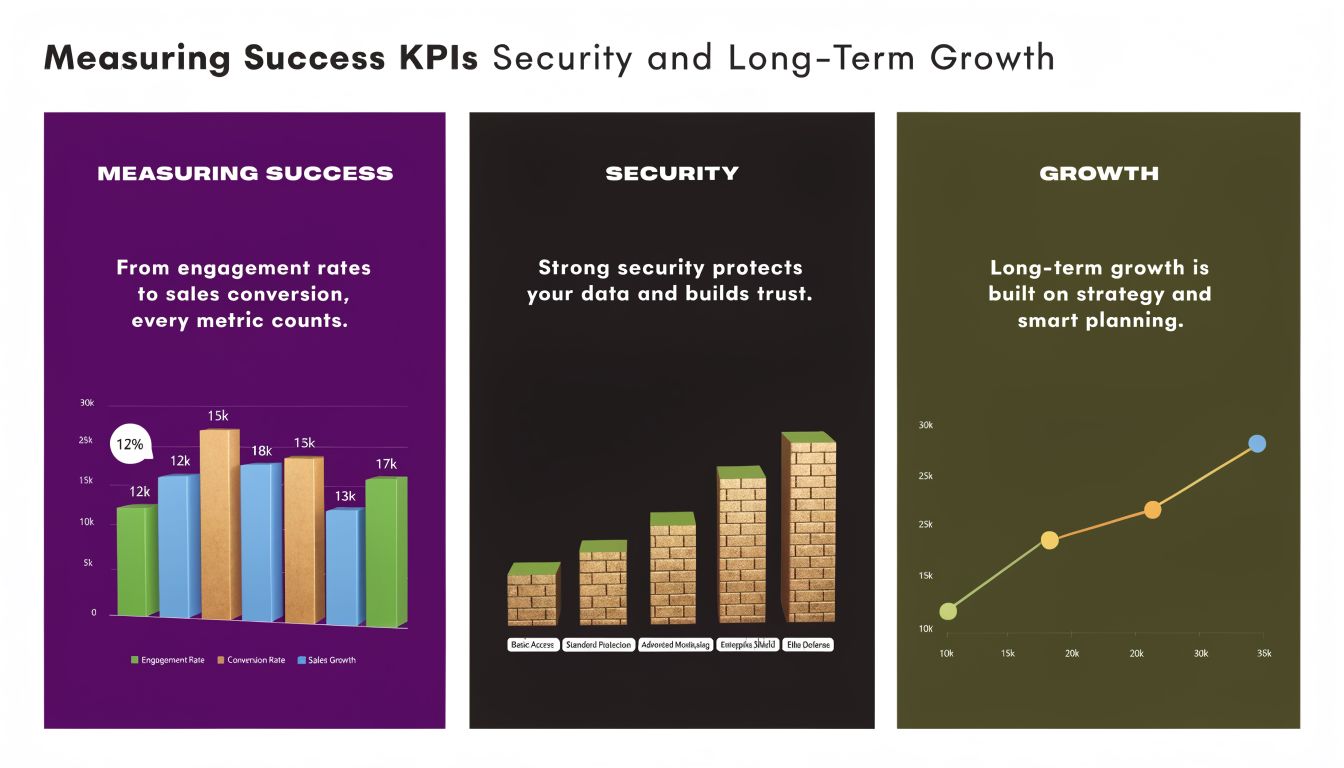
Measuring Success KPIs Security and Long-Term Growth
If you only measure hours worked, you’ll miss the true value of outsourcing virtual assistants. Good VA support should improve throughput, response quality, operational consistency, and leadership focus.
That means KPIs need to match the role.
Pick KPIs that reflect the actual job
A customer support VA should not be measured the same way as an operations VA.
Examples of useful KPI categories include:
- Customer support roles: response timeliness, ticket resolution quality, escalation accuracy, customer follow-up completion
- Sales support roles: lead routing accuracy, CRM completeness, appointment-setting quality, follow-up consistency
- Back-office roles: processing accuracy, turnaround time, documentation completeness, exception rates
- E-commerce support roles: order issue resolution, return handling consistency, product data maintenance, inbox queue stability
If you run an online store, this e-commerce KPI guide from Carti is a practical reference for separating vanity metrics from measures that support store operations.
Security needs to be designed into the workflow
This gets overlooked too often. If a VA touches customer records, billing information, medical admin, insurance documentation, or financial workflows, access should follow the minimum-needed principle.
That usually means:
- Role-based permissions: only the systems required for the job
- Documented approval paths: especially for refunds, billing changes, or sensitive updates
- Audit trails: work should be visible and reviewable
- Clear data-handling rules: what can be downloaded, shared, or stored
A healthcare provider, for example, might delegate scheduling support and billing follow-up but keep certain approvals with internal staff. A finance team may allow reporting prep but restrict account-level changes. Good outsourcing design draws those lines early.
Think beyond the first hire
The best outsourcing relationships mature over time. A VA who starts with inbox management may later take over reporting, customer callbacks, process documentation, or team coordination.
That evolution only happens if you review performance deliberately. Quarterly reviews should look at three questions:
- What work is being handled well without intervention?
- Where are errors or delays still showing up?
- What adjacent responsibilities can be transferred next?
For service-driven roles, these customer service KPIs offer a useful framework for tracking outcomes in a way that ties support quality to business performance.
🚀 Scale Smarter with Virtual Assistant Support
CallZent helps businesses build scalable nearshore support teams with bilingual virtual assistants, customer service operations, and back-office solutions.
Talk to an ExpertIf you’re planning your first serious move into outsourcing virtual assistants, the safest path is to treat it as an operating model decision, not a one-off hire. CallZent works with North American businesses that need bilingual nearshore customer support, back-office help, and virtual assistant capacity built around real workflows, clear communication, and scalable coverage.