Skip to content

CONTACT CENTER ANALYTICS
10 Best Sentiment Analysis Tools for Call Centers
Compare the best sentiment analysis tools for call centers, with practical guidance on integration, Spanish support, agent coaching, QA, compliance, and nearshore BPO fit.
TL;DR — Quick Takeaways
- The best sentiment analysis tools for call centers are not just the ones with the strongest AI. They are the ones that fit your actual operations.
- Contact centers need more than positive, neutral, and negative scores. They need insight tied to topic, channel, agent behavior, escalation risk, and specific moments inside the interaction.
- Cloud NLP APIs like Amazon Comprehend, Google Cloud Natural Language API, Azure AI Language, and IBM Watson NLU are strong for teams with developers and custom analytics workflows.
- Tools like MeaningCloud, MonkeyLearn, and Lexalytics can work well for text analytics, ticket analysis, multilingual programs, and flexible deployment needs.
- Contact-center-native platforms like CallMiner, NICE Nexidia, and Qualtrics XM Discover are better suited for QA, coaching, compliance, and omnichannel customer experience programs.
- For bilingual nearshore teams, Spanish support should be evaluated from day one because weak language performance creates blind spots in QA, coaching, and customer experience.
What Are the Best Tools for Sentiment Analysis in Contact Centers?
The best sentiment analysis tools for contact centers include CallMiner, NICE Nexidia, Qualtrics XM Discover, Amazon Comprehend, Google Cloud Natural Language, Microsoft Azure AI Language, IBM Watson NLU, MeaningCloud, MonkeyLearn, and Lexalytics. The right choice depends on whether your operation needs turnkey QA and coaching, custom API integrations, multilingual analysis, compliance monitoring, or omnichannel customer experience analytics.
Teams shopping for sentiment analysis tools often ask the wrong question. They ask which platform has the best AI. The better question is whether the tool can fit the way your contact center runs, across calls, chats, tickets, QA reviews, bilingual workflows, and supervisor coaching.
That gap matters. A generic sentiment score might tell you a conversation went negative, but it won’t always tell you whether the customer was upset about hold time, billing, policy friction, or the agent handoff itself. For BPO and call center leaders, that difference affects staffing, coaching, escalation design, and whether the software creates usable operational insight or just another dashboard.
Generic sentiment scores rarely justify the spend on their own. ROI improves when sentiment is tied to channel, topic, agent behavior, and specific moments inside the interaction.
1. Amazon Comprehend
Amazon Comprehend fits contact centers that want to build sentiment analysis into their own reporting and QA stack instead of buying a full interaction analytics platform. For BPO leaders, that usually means one thing. You get more control over how sentiment is applied across chat, email, tickets, and transcribed calls, but your team also takes on more integration work.
That trade-off can make sense in AWS-heavy environments. If your operation already stores interaction data in S3, runs workflows in Lambda, or reports through QuickSight and a custom BI layer, Comprehend is relatively straightforward to slot into the process. It is also one of the cleaner options for bilingual programs that need English and Spanish support without forcing a rip-and-replace decision on the broader CX stack.
Where Amazon Comprehend fits
Amazon Comprehend works best when sentiment is one component inside a larger analytics workflow. A common operating model is to ingest transcripts from voice and digital channels, classify sentiment, redact sensitive data, tag topics, and then route those outputs into supervisor scorecards, QA reviews, or escalation queues. That approach gives BPO teams more freedom to separate customer frustration with policy or product issues from signals that belong in agent coaching.
I would shortlist it for teams that already have data engineering support and a clear plan for how supervisors will use the output. If the goal is to feed alerts into real-time agent assistance workflows for supervisors and QA teams, Comprehend can play a useful role upstream, but it will not provide that operating layer on its own.
It also aligns well with broader call center automation and artificial intelligence programs where the business wants to reuse one cloud environment across routing, analytics, and compliance controls.
- Best fit: AWS-first BPOs, internal analytics teams, custom QA and reporting environments
- Less ideal: Operations that want packaged dashboards, coaching workflows, and faster deployment with limited technical lift
- Operational trade-off: The API model gives you flexibility, but your team still has to configure orchestration, transcript quality controls, reporting logic, and manager-facing workflows
What works and what doesn’t
The main advantage is control over deployment and data flow. That matters in nearshore environments where clients often have different security rules, CRM setups, and reporting requirements by program.
The limitation is usability for frontline leaders. Comprehend returns signals. It does not explain conversation moments in the same way a purpose-built contact center analytics suite can, and it does not arrive with prebuilt coaching views for supervisors. In practice, the ROI is strongest when the operation already knows how it will connect sentiment to QA, escalation handling, and root-cause reporting.
2. Google Cloud Natural Language API
Google Cloud Natural Language API is a clean option for teams that want straightforward sentiment analysis tools without buying a full CX platform. It’s especially useful when your developers want a simple REST API and your data team already works inside Google Cloud.
In practice, Google Cloud tends to appeal to leaner operations that need document-level and sentence-level analysis, plus entity sentiment, but don’t want a long procurement cycle. If your call center already uses cloud-native tooling for storage, reporting, and integration, that lowers friction.
Strong use case for cloud-first support teams
I’d shortlist Google Cloud when the business wants to enrich transcripts, support emails, or chat logs and then pass those outputs into its own dashboards. It’s a practical fit for companies using cloud call center solutions and trying to centralize analytics without replacing their core telephony or CRM stack.
A real-world operating pattern looks like this:
- Ingest interaction data: Pull chat logs, email threads, and transcribed calls into your cloud environment
- Apply sentiment at different levels: Score full interactions, then isolate problematic sentences or entities
- Feed downstream actions: Flag negative experiences for QA review, complaint analysis, or follow-up outreach
Trade-offs for contact centers
Google Cloud is easier to start with than many enterprise suites. That’s a real advantage when you need fast experimentation.
What it doesn’t give you out of the box is contact-center muscle. You won’t get built-in agent coaching workflows, native compliance review design, or a supervisor experience tuned for operations. It’s better to think of it as an NLP service, not a full operating system for sentiment-driven performance management.
If your team already has analysts and developers, API-first tools can be more cost-effective operationally. If supervisors need turnkey coaching workflows next month, they usually aren’t enough on their own.
3. Microsoft Azure AI Language
Microsoft Azure AI Language stands out because it bridges two needs that often pull in opposite directions. It gives you cloud-scale text analytics, but it also offers deployment flexibility that matters to organizations with security, compliance, or private-environment requirements.
For BPO leaders serving healthcare, finance, insurance, or telecom accounts, that matters more than flashy AI language. Some clients won’t accept a pure public-cloud analytics design for every workflow.
Why Azure is strong for operational sentiment analysis
Azure’s opinion mining capability is the practical reason to consider it. Basic polarity is useful, but operations leaders usually need more. They need to know whether the customer was negative about billing, scheduling, delivery, authentication, or the agent script itself.
That’s where aspect-level insight becomes valuable. Thematic’s guidance on sentiment analysis argues that aspect-based sentiment is often more useful than broad polarity because it separates what the customer feels from why they feel it, especially in support-heavy environments where a single interaction contains mixed emotions (Thematic on aspect-based sentiment analysis). That maps directly to contact-center work.
Best fit and caution points
Azure is a strong fit for organizations already invested in Microsoft security, identity, and enterprise architecture. It also pairs naturally with live support workflows where insights can feed real-time agent assistance.
A few practical cautions:
- Good for regulated accounts: Containers and enterprise controls support stricter deployment requirements
- Good for mixed-signal conversations: Opinion mining helps teams isolate the source of friction
- Harder in early planning: Usage metering still needs careful mapping to real transcript volume and average interaction size
If your operation wants a middle path between hyperscaler flexibility and enterprise governance, Azure is often one of the most balanced choices.
4. IBM Watson Natural Language Understanding
IBM Watson Natural Language Understanding is a good option when sentiment analysis needs to sit inside a broader text-understanding stack. It goes beyond simple positive and negative labeling and is better suited to teams that care about emotion detection, entities, categories, and industry-specific terminology.
That matters in sectors where contact center language is dense, technical, or highly regulated. A healthcare support transcript, for example, can contain emotional stress, product terminology, policy language, and compliance-sensitive details in the same exchange.
Why IBM still earns a place on this list
IBM has long framed sentiment analysis as a business capability used across emails, tweets, surveys, chats, and reviews, and it notes that enterprise deployments often use a hybrid of rule-based and machine learning methods. It also identifies emotion-based, fine-grained, and aspect-based sentiment analysis as common approaches in modern systems. That’s useful context because it reflects what contact center teams need once they move past simple polarity.
In operational terms, IBM is stronger when a company wants to adapt models to domain vocabulary. That can improve usefulness in insurance claims, patient support, financial servicing, or technical troubleshooting.
Operational fit
IBM makes more sense for enterprises that already have internal technical resources or a formal AI governance function. It’s less attractive for a smaller support team that just wants fast, packaged sentiment dashboards.
A practical use case is a regulated support organization that needs to classify customer emotion, identify product or policy references, and route those signals into compliance or service review workflows. That’s where Watson’s broader NLU capabilities can matter more than a simpler API.
The more specialized your customer language is, the less useful generic sentiment becomes. Domain adaptation often matters more than one more dashboard widget.
5. MeaningCloud Sentiment Analysis API
MeaningCloud earns serious attention from bilingual operations because it has a strong reputation for multilingual text analytics and aspect-level sentiment work. If your team handles both English and Spanish interactions and you don’t want to commit to a heavyweight CX platform, this is one of the more practical tools to review.
That positioning is important for nearshore contact centers. A lot of platforms say they support multiple languages, but support quality and operational usability aren’t the same thing. In bilingual service environments, a tool has to do more than parse words. It has to help managers understand whether friction comes from product issues, process friction, or script breakdown.
Why MeaningCloud is useful in bilingual support environments
MeaningCloud is attractive when the business has a clear text analytics need but not a broad platform appetite. Think ticket analysis, chat review, social feedback categorization, and survey comment analysis tied to operational themes.
A real operational example is a telecom support team reviewing Spanish and English customer comments after service changes. Broad sentiment labels can tell you reactions are mixed. Aspect-level tagging can show that customers like agent courtesy but dislike outage communication or billing clarity.
Where it fits best
- Best fit: Bilingual support teams, ticket analysis, survey comments, chat and review analysis
- Useful strength: Aspect-level analysis for teams that need to separate experience drivers
- Main limitation: Smaller ecosystem than hyperscaler platforms, so internal integration planning matters more
NiCE describes the broader evolution of sentiment analysis as a move from basic positive and negative labels toward fine-grained sentiment, aspect-based sentiment, emotion detection, and intent analysis in modern enterprise systems (NiCE on modern sentiment analysis techniques). MeaningCloud fits that more mature use case better than a simple polarity engine.
6. MonkeyLearn
MonkeyLearn is one of the easiest sentiment analysis tools to understand from an operator’s perspective. It was built around no-code and low-code text analysis, which makes it appealing for support teams that want fast visibility into ticket trends, review sentiment, or complaint themes without waiting on a full engineering roadmap.
Now that it sits under Medallia, it also makes sense as a stepping stone for organizations that want user-friendly text analytics with stronger enterprise governance behind it.
Where MonkeyLearn can help quickly
This is a practical tool for operations teams that are drowning in support tickets and need structure fast. A common use case is importing exported tickets from a helpdesk, classifying them by sentiment and topic, then spotting which queues or issue types are driving the most visible frustration.
That’s useful when your current reporting only shows handle time, backlog, and closure rate. Those metrics tell you what happened. Sentiment and classification begin to show why customers are unhappy.
Real trade-off
MonkeyLearn is strongest when speed matters more than technical flexibility. If a support director wants quick dashboards and the team doesn’t have dedicated NLP resources, it can get value on the board faster than a raw API.
The trade-off is ceiling. Once the organization wants deeper customization, richer omnichannel conversation analysis, or more specific model behavior, teams often outgrow purely no-code workflows and need API-driven or contact-center-native platforms.
- Works well for: Ticket tagging, review analysis, support operations, non-technical users
- Works less well for: Deep voice analytics, advanced compliance workflows, highly customized NLP pipelines
7. Lexalytics
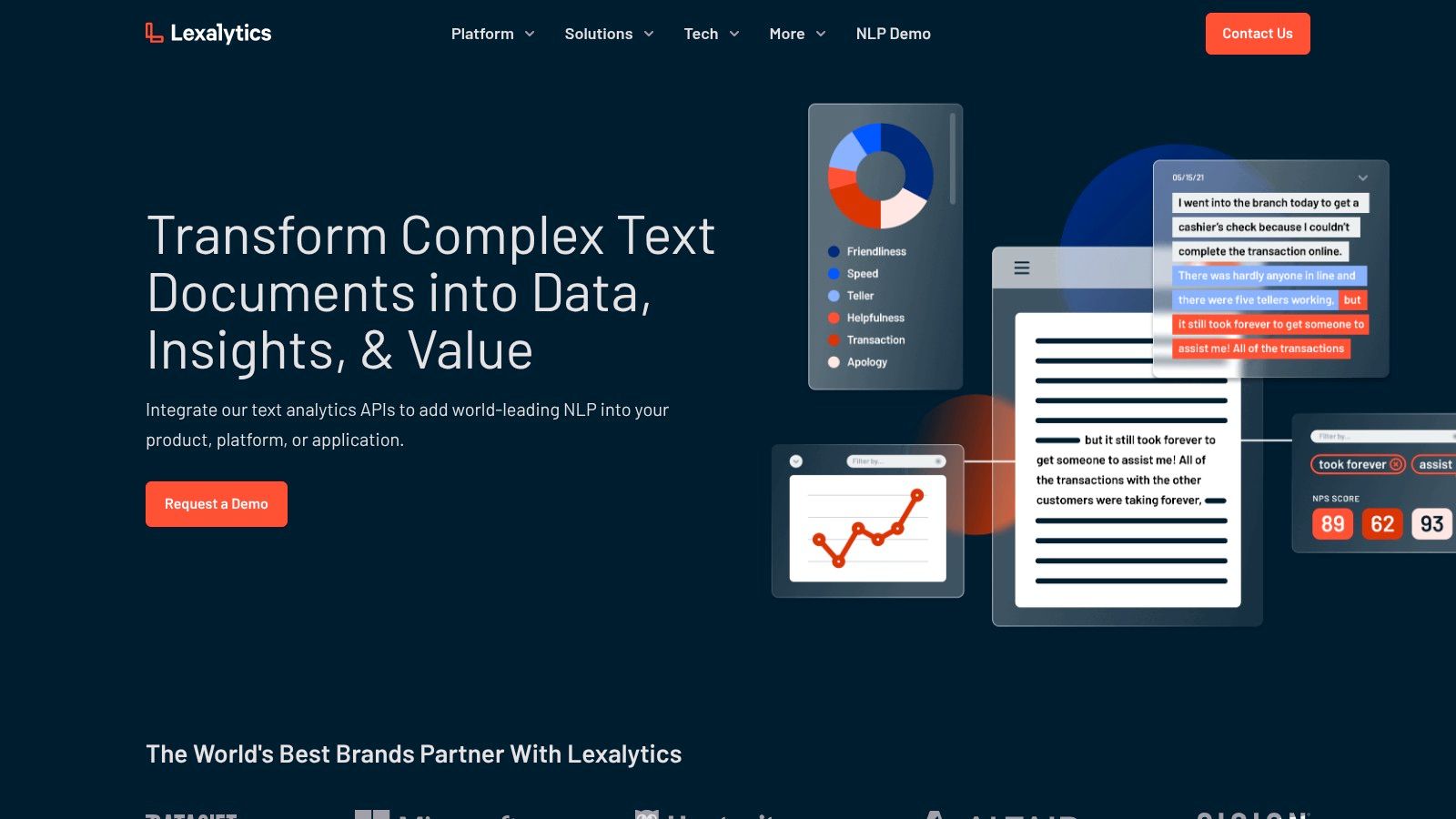
Lexalytics has been around long enough to understand a problem many buyers ignore until late in procurement. Deployment model matters. Some organizations need cloud APIs. Others need on-premise processing, low latency, or stronger control over data location.
That’s where Lexalytics stands out. With Semantria for API use and Salience for on-premise deployment, it gives operations more flexibility than many modern all-in-one platforms.
Why contact centers still consider Lexalytics
A lot of BPO environments are hybrid by necessity. One client may approve cloud-based post-call analytics. Another may require data residency controls or insist that sensitive text processing happen inside a controlled environment.
Lexalytics is useful in those situations because it can support different architectural realities without forcing every program into the same stack. It’s also one of the better fits when domain lexicons matter and teams need sentiment tuning around specific product, policy, or industry language.
Practical downside
Its flexibility comes with a trade-off. You’re usually not buying a polished contact-center workflow layer. You’re buying a text analytics engine that can be shaped for your environment.
That means Lexalytics tends to work better for organizations with IT support, data teams, or implementation partners than for smaller operations looking for plug-and-play sentiment dashboards. If your supervisors want immediate coaching views and packaged call-center scorecards, a specialist contact-center platform will often feel more usable.
Flexible deployment can save a deal in regulated environments. It can also add project complexity if your team expected a ready-made supervisor console.
8. CallMiner Eureka
CallMiner Eureka is where this list shifts from NLP services to contact-center operating platforms. If your main objective is coaching, QA, compliance, and root-cause analysis across voice and text, CallMiner is one of the strongest sentiment analysis tools to evaluate.
This is not a light implementation. But that’s also the point. It’s built for operations that want sentiment connected to performance management and interaction review, not just exported as a score.
Why CallMiner makes sense for BPO environments
For outsourced support teams, one of the hardest jobs is proving to clients that quality monitoring goes beyond random call review. Sentiment analytics becomes more valuable when it can feed coaching, escalation logic, compliance workflows, and client-facing reporting.
That’s where conversational intelligence becomes operationally important. CallMiner is designed around that broader idea. It helps teams connect emotional shifts to moments in the conversation, agent behavior, and recurring failure patterns.
Best operational use cases
CallMiner is a good fit when you need to analyze interactions across channels and then act on what you find.
- QA improvement: Supervisors can review sentiment swings instead of guessing which calls deserve attention
- Agent coaching: Negative patterns can point to soft-skill issues, script friction, or broken process steps
- Client reporting: BPO leaders can show where customer frustration starts and what changed over time
The main caution is implementation weight. Compared with an API, this is a larger operational commitment. You need stakeholder alignment, taxonomy design, workflow setup, and disciplined adoption by supervisors.
9. NICE Nexidia Interaction Analytics
NICE Nexidia Interaction Analytics is one of the most contact-center-native tools on this list. It’s built for large-scale interaction analytics across voice and digital channels, with sentiment sitting inside a broader operational framework that also includes compliance, performance, and risk management.
That matters because mature contact centers rarely buy sentiment in isolation. They buy a system that can tell them which conversations need attention, which agents need help, and which customer issues are becoming expensive.
Why NICE is different from generic sentiment analysis tools
NiCE highlights a broader industry shift from simple polarity scoring toward multi-dimensional analysis that can process large, real-time data streams. It points to fine-grained sentiment, aspect-based sentiment, emotion detection, and intent analysis as part of the modern stack, and it also notes enterprise platforms such as Brandwatch and Talkwalker in that evolution. One cited platform in related guidance is described as processing data from over 100 million online sources in real time, showing how far the category has moved from niche text mining to large-scale monitoring.
For contact centers, the practical takeaway is simple. Sentiment is useful when it’s part of a wider decision system. NICE is built around that model.
Best fit
NICE is a strong option for large or complex service environments that need omnichannel analytics and robust governance. It’s especially relevant when compliance monitoring sits next to service quality, as it often does in financial services, healthcare support, and telecom care operations.
The trade-off is platform gravity. NICE tends to deliver the most value when the organization is willing to align workflows around its ecosystem. If you only need a lightweight sentiment API, it’s too much. If you need deep operational analytics, it’s exactly the kind of platform to evaluate.
10. Qualtrics XM Discover
Qualtrics XM Discover is a strong choice for organizations that want sentiment analysis tied directly to a broader voice-of-customer program. In many BPO and enterprise settings, that’s a better fit than a stand-alone sentiment engine because leaders need one view across calls, chats, surveys, reviews, and digital feedback.
Its Clarabridge heritage matters here. The platform is designed to classify feedback at scale and help teams trace recurring themes, emotional signals, and effort issues across channels.
Why Qualtrics works for VoC-heavy operations
Some service organizations already have multiple customer feedback systems but no unified interpretation layer. They may have post-call surveys, review monitoring, complaint logs, and transcript repositories, yet still struggle to pinpoint what is driving dissatisfaction.
Qualtrics is valuable when the business wants one environment for ingestion, classification, dashboards, and action management. It also pairs naturally with programs centered on contact center analytics benefits, especially when executives want sentiment tied to quality and customer experience governance.
Practical caution
Qualtrics is not the fastest route if your only goal is basic sentiment scoring. It’s best when the company intends to operate a serious CX and VoC discipline.
That usually means cross-functional ownership, taxonomy governance, and planned workflows for acting on insights. If that maturity exists, the platform can be highly useful. If not, a simpler tool may create faster value with less organizational friction.
Top 10 Sentiment Analysis Tools, Feature Comparison
| Solution | Core features ✨ | Quality / Accuracy ★ | Pricing / Value 💰 | Target audience 👥 | Unique selling point 🏆 |
|---|---|---|---|---|---|
| Amazon Comprehend (AWS) | ✨ Sentiment & targeted sentiment, PII redaction, real-time & batch, SDKs | ★★★★ | 💰 Pay-as-you-go; predictable usage | 👥 AWS-centric teams, BI/QA pipelines | 🏆 Seamless AWS integration & scale |
| Google Cloud Natural Language API | ✨ Doc/sentence/entity sentiment, simple REST + client libs | ★★★★ | 💰 Tiered pricing with volume discounts | 👥 GCP users & dev teams wanting REST APIs | 🏆 Easy REST integration and maintained client libs |
| Microsoft Azure AI Language | ✨ Sentiment, opinion mining, containers for on‑prem/private cloud | ★★★★ | 💰 Metered by text-records; enterprise plans | 👥 Azure enterprises with compliance needs | 🏆 On‑prem containers & strong security/compliance |
| IBM Watson NLU | ✨ Sentiment, emotion, entities, custom models via Watson Knowledge Studio | ★★★★ | 💰 Enterprise-focused, sales-led SKUs | 👥 Regulated industries (healthcare, finance) | 🏆 Deep domain customization & emotion detection |
| MeaningCloud Sentiment Analysis API | ✨ Multilingual (strong Spanish), aspect-level models, topic extraction | ★★★ | 💰 Tiered SaaS; enterprise via sales | 👥 Bilingual contact centers & social monitoring | 🏆 Excellent Spanish support & aspect tuning |
| MonkeyLearn (Medallia) | ✨ No-code sentiment/models, dashboards, connectors (Zendesk, CSV) | ★★★★ | 💰 Medallia pricing; sales-led for enterprise | 👥 Non-technical support teams & SMBs | 🏆 Fast time-to-value with no-code workflows |
| Lexalytics (Semantria/Salience) | ✨ SaaS API + on‑prem engine, industry packs, tuning | ★★★★ | 💰 Sales-led enterprise pricing | 👥 Organizations needing data residency & tuning | 🏆 On‑prem deployment & mature domain lexicons |
| CallMiner Eureka | ✨ Omnichannel transcription & analytics, real-time alerts, coaching | ★★★★★ | 💰 Enterprise platform; sales-led onboarding | 👥 BPOs & high-volume contact centers | 🏆 Built specifically for contact-center QA and coaching |
| NICE Nexidia Interaction Analytics | ✨ AI omnichannel analytics, patented ASR, prebuilt dashboards | ★★★★★ | 💰 Enterprise; platform adoption required | 👥 Large contact centers, compliance-focused orgs | 🏆 Proven scalability with advanced ASR technology |
| Qualtrics XM Discover (Clarabridge) | ✨ Connectors for calls/chats/social, sentiment/effort/emotion, model mgmt | ★★★★★ | 💰 Enterprise VoC pricing | 👥 VoC programs, regulated enterprises & QA teams | 🏆 End-to-end VoC governance and consolidated analysis |
Final Thoughts
The best sentiment analysis tools for call centers don’t win because they produce the most labels. They win because managers can use the output to make decisions about coaching, staffing, script changes, escalation rules, and client reporting.
That’s why I usually group these tools into three buckets.
First, there are cloud NLP services like Amazon Comprehend, Google Cloud Natural Language API, Azure AI Language, and IBM Watson NLU. These are good when your business wants control, custom integrations, and the ability to embed sentiment into an existing analytics stack. They’re often the right fit for organizations with technical teams and a clear data architecture.
Second, there are flexible text analytics platforms like MeaningCloud, MonkeyLearn, and Lexalytics. These work well when the business needs sentiment and classification without going all the way to a full contact-center suite. They can be especially useful for bilingual operations, support-ticket analysis, and teams that want operational insight from unstructured feedback but need a more manageable rollout.
Third, there are contact-center-native platforms like CallMiner, NICE, and Qualtrics XM Discover. These make the most sense when sentiment needs to drive supervisor workflows, QA, compliance, and omnichannel experience management. They usually require more planning, but they also tend to create more operational value once adopted well.
The biggest mistake buyers make is overvaluing broad dashboards and undervaluing aspect-level clarity. Thematic’s guidance gets this right. Broad polarity alone can hide mixed conversations where customers are happy with an agent but frustrated with the policy, product, or delay. In contact centers, that distinction changes what leaders do next. Agent coaching won’t fix a billing rule. Product changes won’t fix poor empathy on a call. The software should help you tell those apart.
For nearshore and bilingual teams, I’d add one more filter. Don’t treat Spanish support as a side requirement. If your center serves North America across English and Spanish, language handling needs to be part of the evaluation from day one, along with omnichannel ingestion and deployment fit.
If your team is building a modern support operation, sentiment analysis should sit inside a practical workflow. It should help you review more interactions, spot negative trends earlier, and give supervisors something actionable. If it only produces charts, it won’t change the operation.
CallZent is one example of a bilingual nearshore call center and BPO that works at the intersection of customer support operations, analytics, and AI-enabled service workflows. For companies evaluating technology and outsourcing design together, that kind of operational perspective can be useful alongside software selection.
🚀 Build Smarter Bilingual Support Operations With CallZent
CallZent helps North American businesses build nearshore bilingual customer support, QA, coaching, analytics, and AI-enabled service workflows that turn customer conversations into better operational decisions.
Talk to an ExpertIf you’re evaluating sentiment analysis tools and want help mapping them to a real bilingual support operation, CallZent can help you assess workflow fit, nearshore deployment needs, and the practical impact on QA, coaching, and customer experience.