Skip to content

Customer Service Strategy
Performance Targets for Customer Service That Actually Drive Results
Learn how to set performance targets for customer service that improve FCR, CSAT, and SLA compliance without sacrificing quality or agent experience.
TL;DR — Quick Takeaways
- Focus on a small set of metrics like FCR, CSAT, AHT, and SLA compliance.
- Design SMART targets tied to real workflows, not vanity KPIs.
- Use real-time dashboards to manage live operations effectively.
- Balance performance goals with agent well-being to avoid burnout and turnover.
Are your customer service goals just numbers on a spreadsheet, or are they changing how your team works every day?
A lot of companies start with the wrong question. They ask, “What KPIs should we track?” when the fundamental question is, “What customer behavior, team behavior, and business outcome are we trying to create?” That difference matters. A target that looks good in a report can still create long queues, repeat contacts, frustrated agents, and customers who leave.
Strong performance targets for customer service do three jobs at once. They protect the customer experience. They give supervisors a clean way to coach. They help leadership decide where to invest next. If a target only does one of those, it’s incomplete.
Performance management isn’t about pressuring agents to move faster. It’s about building a system where customers get answers, teams get support, and the business gets predictable results.
On a busy support floor, every metric tells a story. A rising handle time might mean agents need better tools. A drop in satisfaction might mean policy friction, not poor effort. A weak first contact resolution rate might point to training gaps, weak escalation paths, or bad handoffs between departments.
That’s the practical lens that matters. Targets should drive action, not just reporting. And the companies that scale support well usually understand one thing early. Great customer service performance comes from a great operating model, and that includes the people doing the work.
Introduction
Most businesses don’t have a customer service target problem. They have a target design problem.
I’ve seen teams set aggressive response goals, celebrate low handle time, and still miss the bigger picture. Customers keep contacting support for the same issue. Supervisors spend their week explaining bad survey results. Agents rush calls because the metric rewards speed over resolution. On paper, the operation looks disciplined. On the floor, it’s unstable.
That’s why performance targets for customer service need to be built as an operating system, not a scoreboard.
What good targets actually do
A useful target should answer one of these questions:
- Customer effort: Are people getting help without repeated back-and-forth?
- Operational efficiency: Is the team resolving work cleanly and consistently?
- Service quality: Are customers leaving the interaction with confidence?
- Team sustainability: Can agents hit the goal without cutting corners or burning out?
If a target doesn’t help you make one of those decisions, it probably doesn’t deserve a permanent place on your dashboard.
Two quick examples from the floor
An e-commerce support team may think its main issue is “too many WISMO tickets.” In practice, the issue is often that shipping questions aren’t resolved clearly on the first interaction. That’s an FCR problem with a process component.
A healthcare support team may believe it needs “faster calls.” But if patients are confused about next steps after the call, the underlying problem is communication quality and trust. That shows up in satisfaction, escalation rate, and repeat contacts, not just speed.
A clean target gives your team permission to focus on the right behavior.
The rest of this guide stays practical. No theory for theory’s sake. Just the targets that matter, how to set them, how to track them, and how to make them sustainable when real agents handle real conversations all day.
Choosing Your North Star Customer Service Metrics
The first mistake companies make is tracking too much. The second is tracking the wrong things.
You don’t need twenty metrics to manage support well. You need a tight group of signals that show whether customers are getting answers, whether the team is operating efficiently, and whether the model can scale.

FCR tells you whether the issue really got solved
First Contact Resolution, or FCR, is one of the clearest indicators of support quality because it measures whether the customer got a full answer the first time.
In customer service call centers, FCR targets over 80% are a benchmark for excellence, and top-quartile centers hit 85% to 90%, which correlates to 20% to 30% lower repeat contact rates and 15% higher loyalty in North American markets, according to Spider Strategies on customer service FCR benchmarks.
That matters because repeat contacts create hidden costs. One unresolved billing question can become three tickets across chat, email, and phone. One incomplete order-status answer can turn into a refund request. FCR prevents that pileup.
For a practical breakdown of how support teams use metrics like this, CallZent has a useful guide to KPIs in customer service.
AHT shows efficiency, but only when read with context
Average Handle Time, or AHT, is where many teams get into trouble.
AHT can be helpful because it shows whether workflows are clean, tools are accessible, and agents know what they’re doing. But low AHT by itself doesn’t mean support is healthy. It can also mean agents are rushing customers off the line, skipping education, or avoiding complex cases.
That’s why AHT should always be paired with a quality metric. On the floor, a healthy call is not the shortest call. It’s the shortest call that still resolves the issue properly.
A simple test works well here. If AHT goes down and satisfaction or repeat contacts get worse, the gain was fake. If AHT improves and quality stays stable, the team likely removed friction from the workflow.
CSAT reflects confidence, not just politeness
Customer Satisfaction, or CSAT, is often misunderstood as a “friendliness score.” It’s broader than that.
A customer can forgive a problem if the agent sounds competent, owns the issue, and sets a clear next step. They usually won’t forgive confusion, transfers, or vague promises. That makes CSAT a useful signal for trust.
In healthcare, this is especially visible. Patients may not judge the interaction by speed alone. They care whether they understand what happens next. In finance, customers often care about accuracy and reassurance more than a short conversation. CSAT helps surface that.
NPS and SLA compliance serve different audiences
Net Promoter Score, or NPS, is more strategic. It’s less useful for daily floor management and more useful for seeing whether support is helping the broader brand relationship.
SLA compliance is more operational. It tells you whether the team is answering and resolving within the service commitments you made. This becomes critical when your support model includes email, chat, voice, and after-hours coverage.
A supervisor needs SLA compliance to manage the queue. An executive needs NPS to understand whether service is strengthening loyalty. Both matter. They just answer different questions.
Choose the mix based on your business model
Different support environments need different metric priorities.
| Business type | Metrics that usually matter most | Why |
|---|---|---|
| E-commerce | FCR, AHT, CSAT, SLA compliance | High volume and repeatable issues make resolution speed and clarity critical |
| Healthcare | CSAT, FCR, SLA compliance | Trust, accuracy, and clear next steps matter more than pushing calls shorter |
| SaaS | FCR, NPS, CSAT | Complex issues affect retention and long-term account confidence |
| Finance | FCR, CSAT, SLA compliance | Precision, compliance-minded service, and confidence are essential |
Practical rule: If leadership only sees one dashboard, make sure it includes one efficiency metric, one quality metric, and one loyalty metric.
That mix keeps the conversation balanced. Otherwise, performance targets for customer service become a race to answer faster, not serve better.
How to Set SMART Performance Targets for Customer Service
Most support targets fail because they sound ambitious but give the team nothing usable. “Improve customer service” is not a target. “Reduce handle time” is not enough. “Raise satisfaction” sounds good until a supervisor asks, “By how much, for which channel, by when, and with what support?”
That’s where SMART targets still earn their place.
What solid targets look like in practice
Top-performing contact centers in 2025 target FCR over 70%, CSAT above 75%, and AHT of 7 to 10 minutes, according to Helply’s 2025 customer support benchmark summary. Those benchmarks are useful as guardrails, not as copy-and-paste goals.
A smart operator translates them into something channel-specific and operationally realistic.
Examples:
- Phone support: Raise FCR for billing calls by tightening account verification steps and updating knowledge base scripts.
- Chat support: Improve CSAT by reducing handoffs and giving agents better macro libraries.
- Email support: Improve SLA compliance by separating simple tickets from account-sensitive cases.
The SMART test on a support floor
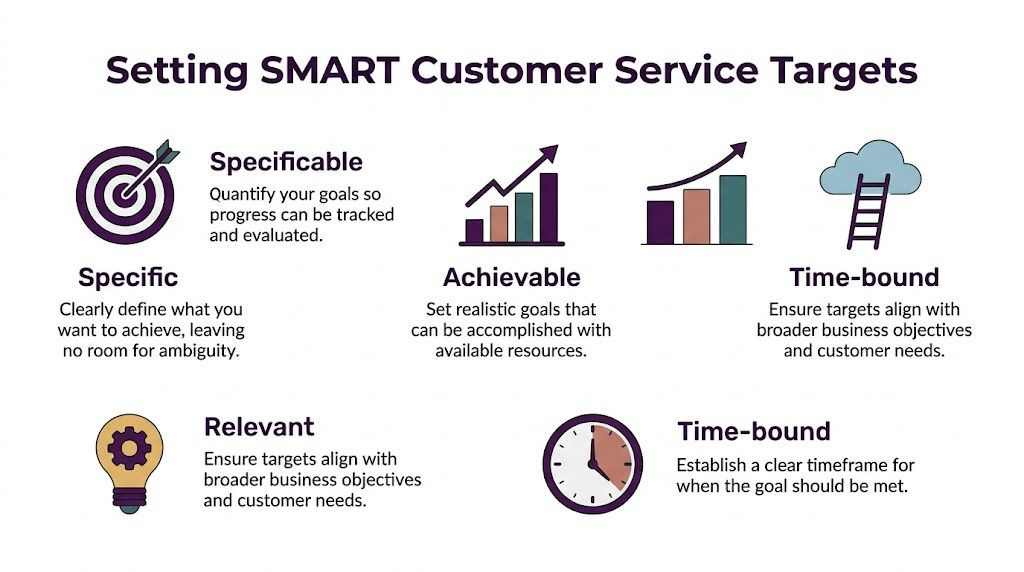
A target should pass all five checks:
- Specific: Which metric, which queue, which customer issue?
- Measurable: Can your CRM, help desk, or QA process track it consistently?
- Achievable: Does the team have the staffing, training, and workflow to hit it?
- Relevant: Does it support retention, revenue protection, or service stability?
- Time-bound: Is there a review date and a deadline?
This is the same discipline leaders use outside support. If you want a broader framework for structuring performance conversations, mastering coaching goal setting is a strong reference because the logic applies well to team coaching and manager accountability.
For support operations, the target-setting process should also connect to your review cadence, QA process, and manager scorecards. A practical reference is this guide to performance management best practices.
A sample target table you can actually use
Below is a clean starting point for performance targets for customer service. Treat it as a framework, not a script.
| KPI | Target (Baseline) | Target (World-Class) | Primary Channel |
|---|---|---|---|
| FCR | Over 70% | 80% and above | Phone, Chat |
| CSAT | Above 75% | 80% and above | All channels |
| AHT | 7 to 10 minutes | Maintain quality within 7 to 10 minutes | Phone |
What works and what doesn’t
What works:
- Start with one queue: Pick billing, returns, or technical support first.
- Use issue-level targets: “Raise FCR in password reset contacts” is better than “raise FCR everywhere.”
- Tie targets to operational levers: Scripts, macros, training, staffing, routing, or escalation paths.
What doesn’t:
- One flat target for every channel: Phone, chat, and email don’t behave the same way.
- Targets with no owner: If no supervisor owns the metric, it won’t move.
- Numbers pulled from aspiration alone: Teams lose trust fast when the target ignores reality.
If your target makes agents choose between helping the customer and protecting their score, the target is poorly designed.
The best SMART targets create clarity for everyone. Agents know what good looks like. Team leads know what to coach. Leadership knows whether the operation is moving in the right direction.
Building Your Reporting and Visibility Engine
A target you can’t see in real time is just a wish.
Most service issues don’t start with bad intent. They start with delayed visibility. The queue grows, response times slip, team leads notice late, and by the time leadership reviews the weekly report, customers have already felt it.
Speed needs live reporting, not rear-view reporting
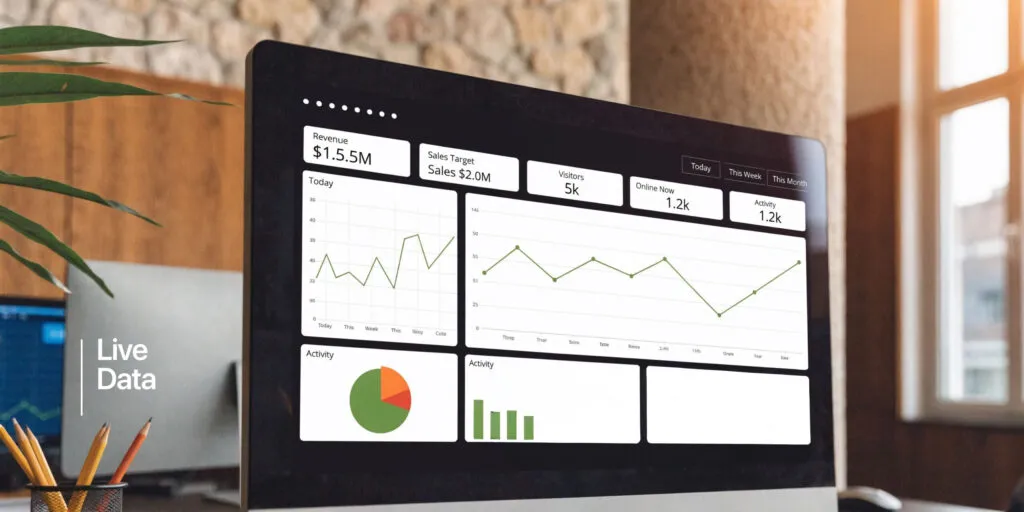
In 2025, customer service targets put heavy pressure on speed. Response times under 30 minutes are critical, delays reduce lead qualification chances 21-fold, 83% of customers expect immediate contact, and 67% want tickets resolved within 3 hours, according to LTVplus customer service statistics for 2025. That’s why real-time dashboards matter.
A weekly spreadsheet won’t save a live queue. Supervisors need visibility while they can still act.
A practical setup usually includes:
- Executive dashboard: CSAT trend, SLA trend, volume trend, major risk flags
- Operations dashboard: open queues, aging tickets, live SLA status, staffing gaps
- Team lead dashboard: agent state, AHT trend, QA scores, repeat contact patterns
For teams building out that reporting layer, this overview of call center reporting and metrics dashboards KPIs is a useful starting point.
What a good dashboard includes
Too many dashboards fail because they try to impress instead of inform.
A strong dashboard should be readable in under a minute. That means:
- Current state first: What’s happening right now in the queue?
- Trend second: Is performance improving, stable, or drifting?
- Action layer third: What needs intervention today?
If the dashboard shows fifty widgets but doesn’t tell the supervisor what to do next, it’s not a management tool. It’s decoration.
Reporting cadence matters as much as the chart design
Different decisions need different rhythms.
| Review cadence | What to review | Who should own it |
|---|---|---|
| Daily | queue health, SLA risk, staffing imbalances | Operations and team leads |
| Weekly | agent trends, QA themes, repeat contact drivers | Team leads and QA |
| Monthly | customer trends, policy friction, channel mix shifts | Leadership and client stakeholders |
The dashboard should help a team leader step onto the floor and know where to coach first.
The data integrity problem nobody talks about enough
Bad definitions create bad targets.
If one manager counts a transfer as resolved and another doesn’t, your FCR number is already compromised. If CSAT surveys only go to easy contacts, the score will look healthier than reality. If ticket tags are inconsistent, your issue-level analysis will mislead you.
The fix is simple in principle and hard in practice. Define every metric once. Use one source of truth. Audit the tagging and workflow regularly. Support teams don’t fail because they lack data. They fail because they trust data that isn’t clean enough to manage from.
The Agent-Centric Approach to Hitting Your Goals
The fastest way to damage service quality is to treat targets like pressure tools.
That usually starts with good intentions. Leadership wants shorter queues, better productivity, and tighter service levels. So they raise the standard. Team leads push harder. Agents adapt by rushing calls, avoiding difficult cases, or sticking too rigidly to scripts. The numbers may move for a while. Then quality drops, rework climbs, and attrition starts showing up in the background.

Efficiency without support creates hidden damage
There’s a real gap in how many companies build performance systems. As Intermedia’s customer service goals article notes, balancing agent productivity with agent engagement is often overlooked, and frameworks that push cost reduction targets like low AHT against quality goals often lead to burnout and turnover.
That trade-off is not theoretical. You can see it in real operations.
An agent handling emotionally charged healthcare calls shouldn’t be coached the same way as an agent answering simple order-status questions. A bilingual support rep switching between English and Spanish conversations all shift long may need a different pacing model and different support materials than a single-channel email agent.
Coaching beats pressure every time
Good target management depends on coaching quality.
A strong coaching rhythm often looks like this:
- Review real interactions: Use call recordings, chat transcripts, and ticket histories.
- Focus on one behavior at a time: Ownership, discovery, de-escalation, summarizing next steps.
- Connect behavior to outcomes: Show how a better opening or clearer explanation improves resolution quality.
- Follow up quickly: The best coaching happens close to the interaction, not a month later.
If you want a practical framework for this, CallZent’s guide to call center coaching techniques covers the kinds of methods supervisors use to improve performance without turning every conversation into a disciplinary event.
Practical rule: Don’t coach the metric first. Coach the behavior that moves the metric.
Empowerment changes the shape of performance
Agents hit better targets when they have room to solve problems.
That means clear escalation paths, current documentation, authority boundaries that make sense, and a QA program that scores what matters. If agents know when they can issue a replacement, escalate a billing dispute, or request a callback from a specialist, they spend less time hesitating and more time resolving.
The opposite setup is common. The script is rigid. The approvals are slow. The agent gets penalized for transfers but lacks the authority to fix the issue alone. That isn’t performance management. It’s metric theater.
Culture shows up in the numbers eventually
A healthy team culture doesn’t replace KPIs. It makes them achievable.
When agents trust their leads, understand the standards, and feel safe asking for help, quality becomes more consistent. Escalations become cleaner. Supervisors spend less time firefighting and more time developing people.
That’s one reason nearshore support models can work well when the operation is built around communication and coaching. On the cultural side, About CallZent outlines an example of an agent-centered operating model built around support quality, bilingual service, and team development.
Co-Developing Targets with Your Nearshore BPO Partner
Outsourcing fails when targets are handed down like contract terms instead of built together like an operating plan.
A lot of clients come into a BPO relationship with one of two instincts. Either they set vague expectations and hope the partner figures it out, or they lock in rigid targets before anyone has enough volume history, workflow detail, or issue-level data to make those targets fair. Both approaches create friction.
Start with business outcomes, not just service outputs
A nearshore BPO partner should ask a basic set of questions early:
- What customer moments matter most?
- Which contacts create the most churn risk, refund risk, or compliance risk?
- Where do customers get stuck today?
- Which channels need speed, and which need deeper resolution?
Those answers shape the right target mix.
For example, a retail brand preparing for seasonal order spikes may need tighter queue visibility and stronger triage. A healthcare group may need more attention on empathy, documentation discipline, and handoff quality. A finance team may care more about precision and clean escalation than shaving seconds off calls.
Build targets in layers
The cleanest client-BPO target model usually has three layers.
Layer one is contractual visibility. This covers the service-level basics, such as response expectations, channel coverage, and reporting standards. If you need a framework for defining those commitments, this guide to service level agreement metrics and performance is a good reference.
Layer two is operational targets, which include queue-level and issue-level metrics. Think FCR by issue type, CSAT by channel, or handle time by workflow.
Layer three is improvement goals. These are temporary pushes tied to a current business need, such as reducing repeat contacts in returns, tightening response discipline after a launch, or cleaning up escalation leakage.
What a good quarterly review looks like
A useful quarterly review with your BPO partner shouldn’t feel like a ceremony. It should feel like a working session.
Use a repeatable structure:
- Review current target performance.
- Separate process issues from agent issues.
- Identify the biggest friction point by volume or customer impact.
- Agree on one or two operational changes.
- Set the next review date and owner for each action.
That cadence keeps the partnership adaptive. Targets should move when the business changes. Product launches, policy updates, channel shifts, and seasonality all change what “good” looks like.
Shared targets work better than imposed targets because both sides can see what’s realistic, what’s drifting, and what needs fixing.
Why nearshore collaboration helps
With a nearshore partner, collaboration is usually easier because you’re working in closer time zones and with stronger cultural alignment for North American customers. That helps in day-to-day management. Supervisors can review live issues faster. Clients can join calibration sessions without major delays. Bilingual support becomes easier to quality-check across English and Spanish contacts.
That doesn’t remove the need for discipline. It just makes the feedback loop tighter, which is exactly what performance management needs.
Continuous Improvement and Future-Proofing Your Goals
No support target should live untouched for a year.
What worked during a stable quarter may break during a product launch, a policy change, or a seasonal surge. Teams that manage performance well don’t treat target setting like an annual event. They treat it like a review cycle.
Use a simple review loop
A practical continuous-improvement rhythm looks like this:
- Check relevance: Does the target still match the current business priority?
- Check side effects: Did the metric improve while quality, rework, or morale got worse?
- Check process fit: Does the team have the tools and authority needed to hit the target?
- Adjust carefully: Change one variable at a time when possible.
This matters most in environments with changing demand. E-commerce teams often need a different service posture during peak seasons. Healthcare support may need tighter scripting and escalation during enrollment or claims periods. Telecom and finance teams may need target resets after product or policy changes.
Use new tools, but don’t let tools replace judgment
AI-assisted routing, agent assist tools, and predictive dashboards can help teams prioritize, summarize, and route work faster. They can also create noise if they’re layered on top of weak workflows.
The rule is simple. Add technology where it removes friction for agents or improves consistency for customers. Don’t add it just to say the operation is modern.
If customer perception is your current weak point, a practical outside resource is this guide on how to improve customer satisfaction, which is useful for thinking through experience improvements beyond the metric itself.
Better targets don’t come from more dashboards. They come from tighter feedback loops between customer signals, agent behavior, and operational decisions.
The teams that stay ahead are the ones that refine constantly. They don’t chase perfect numbers. They build a support system that can adapt without losing control.
Frequently Asked Questions about Performance Targets
What are the most important performance targets for customer service?
Start with a small core set. FCR, CSAT, AHT, SLA compliance, and in some cases NPS. That mix gives you resolution quality, customer sentiment, efficiency, and service reliability without overwhelming the team.
Should every channel have the same target?
No. Phone, chat, and email create different workloads and customer expectations. A single flat target usually distorts behavior. Set targets by channel and, when possible, by issue type.
What if agents complain that the targets are unfair?
Take that seriously. Sometimes the complaint is resistance. Sometimes it’s accurate. Review workflow friction, policy bottlenecks, broken tools, and escalation delays before assuming the issue is effort. If agents need heroics to hit the number, the target is flawed.
How often should we review performance targets?
Review live operations daily, team performance weekly, and target relevance on a regular strategic cadence. If your business is changing fast, review more often. If it’s stable, keep the review cycle steady but don’t stop checking for side effects.
Is low AHT always a good sign?
No. Low handle time can reflect efficiency, or it can reflect rushed interactions. Read it next to CSAT, QA findings, and repeat contacts. A short call that creates another ticket is not efficient.
How should a small business start?
Keep it simple. Pick one queue, define two or three meaningful metrics, create a clear reporting view, and coach to behavior. Don’t try to build an enterprise scorecard on day one. Build something your managers can use.
🚀 Ready to Improve Your Customer Service Performance?
Partner with CallZent to build a scalable, KPI-driven support operation with bilingual nearshore agents and real-time performance visibility.
Talk to an ExpertIf you’re setting up performance targets for customer service and want a practical operating model behind them, CallZent works with businesses that need bilingual nearshore support, KPI visibility, and a structured approach to service performance.