Skip to content
Technical Support Operations
Tier 2 Support: Roles, Escalation, Metrics, and Nearshore Delivery
Build a specialist support layer with clear authority, useful evidence, controlled access, and accountable handoffs between frontline teams and engineering.
TL;DR — Quick Takeaways
- Tier 2 investigates and resolves issues beyond the approved frontline scope.
- Support tiers describe responsibilities; service levels describe measurable commitments.
- Route critical incidents immediately, then complete the evidence as the response proceeds.
- Approve access by task and separate diagnosis from privileged changes.
- Measure resolution quality, aging, escalation cohorts, and reusable knowledge before expanding capacity.
A customer calls because they’re locked out of a payment portal. Your Tier 1 agent verifies identity, walks through the reset process, and does everything right. The reset still fails. The customer is frustrated, the frontline queue is backing up, and now you have a decision to make.
Tier 2 support is a specialist investigation and resolution function. If you treat it like overflow, your customers repeat themselves, your Tier 1 team loses time, and your engineers get dragged into work they shouldn’t be touching.
Key takeaway: Tier 2 support protects both customer experience and frontline productivity only when the team has the access, evidence, and authority to investigate.
If you’re deciding how to staff Tier 2, what to escalate, or whether to outsource it to a bilingual nearshore team, the operating mechanics matter more than the org chart.
What Tier 2 Support Really Does in a Customer Service Operation
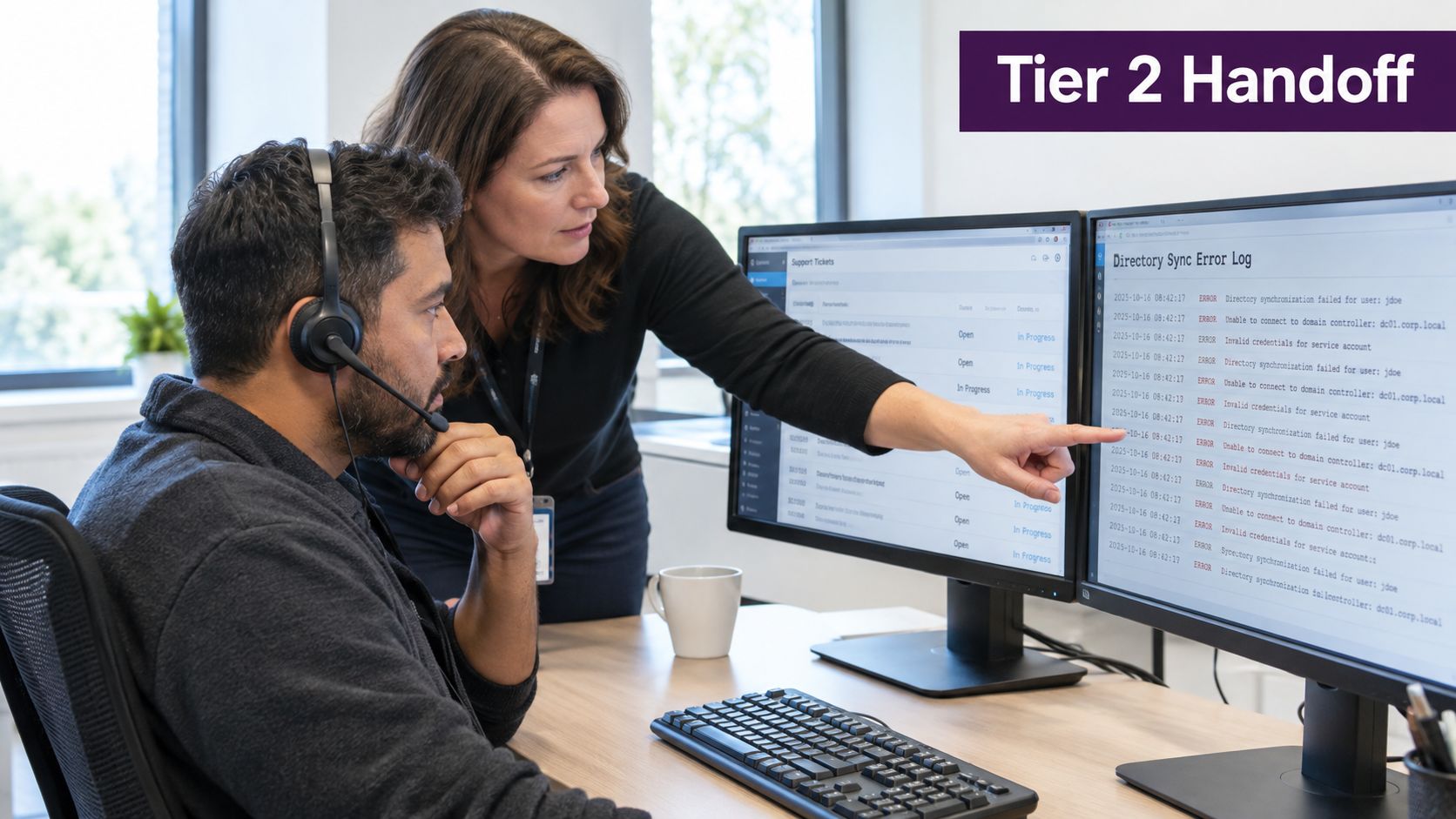
The payment-portal lockout example is the cleanest way to understand Tier 2. Tier 1 follows the approved workflow, confirms identity, attempts the reset, and documents the failure. In this illustrative case, a directory synchronization issue could explain the failure. Tier 2 tests that hypothesis instead of assuming a cause or repeating the reset indefinitely.
Tier 2 adds deeper diagnostic capability
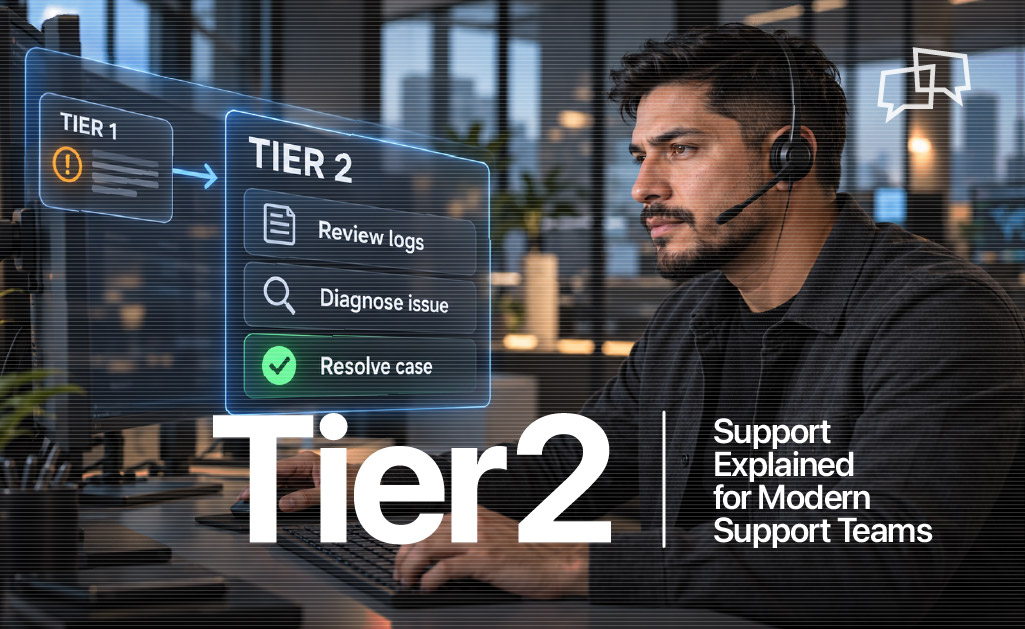
Tier 2 support is the specialist layer between frontline help desk and expert or engineering-level support. It handles cases that can’t be resolved through standard scripts, known solutions, or basic troubleshooting, as outlined in Atlassian’s overview of IT support tiers.
In practical terms, Tier 2 does work like:
- Reviewing logs to see what failed
- Checking configurations in admin consoles and connected systems
- Resolving permissions issues that Tier 1 can’t access
- Diagnosing recurring failures that keep coming back under different tickets
- Handling complex account or billing cases that don’t fit standard flows
Both tiers need diagnostic discipline and accurate answers. Tier 1 applies approved frontline troubleshooting; Tier 2 handles cases requiring deeper expertise or additional authorized tools. Small teams may combine roles, provided scope, access, and escalation ownership remain clear.
Why the distinction matters
Modern support frameworks commonly use Tier 0 self-service, Tier 1 help desk, Tier 2 technical support, and Tier 3 engineering or advanced escalation. This is a common operating framework, not a mandatory organization chart. Define routing consistently across phone, chat, email, and support portals; specialist, vendor, security, and billing routes may differ by organization.
A healthy support operation doesn’t ask Tier 1 to improvise backend fixes. It also doesn’t throw every unusual issue at engineering.
Tier 2 should be the place where complex incidents get investigated properly, documented properly, and either resolved cleanly or escalated with evidence.
If you’re running support for e-commerce, healthcare, finance, telecom, or retail, this matters even more. Repetitive contacts belong with frontline teams. Cases involving system behavior, integrations, permissions, or service interruptions need specialist handling.
The Tiered Support Model from Tier 0 to Tier 3
A tiered model needs more than labels. Document what each tier owns, which tools it may use, and what it returns to the team after resolution.
What each tier should own
Tier 0 is self-service. This includes help center content, FAQs, automated status pages, guided flows, and password reset tools. Offer a clear route to human assistance when the guidance is insufficient or the issue is urgent.
Tier 1 is first-line support. This layer handles common questions, documented fixes, account verification, and standard workflows. It should be fast, consistent, and tightly guided.
Tier 2 is technical escalation. This team gets involved when the issue requires deeper system access, broader product knowledge, log review, configuration checks, or controlled changes.
Tier 3 is engineering or advanced escalation. Code-level fixes, vendor dependencies, and unresolved defects may need this layer. Use the responsible engineering or vendor route defined for the product.
Support tiers describe responsibility; service levels describe measurable commitments. For the latter, see CallZent’s guide to service levels and operating commitments.
Where authority shifts
The tiers aren’t just about difficulty. They’re about scope and authority.
- Tier 0 owns prevention
- Tier 1 owns standard resolution
- Tier 2 owns investigation
- Tier 3 owns structural correction
That distinction keeps frontline teams productive and keeps engineers out of routine diagnostic work.
What each layer should hand back
A strong support model is circular, not one-way. Work doesn’t just move upward. It should return with usable knowledge.
- Tier 0 gets updated content when repeat issues can be deflected
- Tier 1 gets clearer handling guidance after specialist resolution
- Tier 2 gets product context from engineering when root causes are confirmed
If your support model doesn’t produce better documentation over time, it’s not improving. It’s just escalating.
Core Responsibilities and Technical Tasks of a Tier 2 Analyst
A lot of Tier 2 job descriptions are too vague to be useful. “Handle escalations.” “Troubleshoot advanced issues.” That tells you nothing about the actual work, the required access, or the training load.
What Tier 2 analysts actually do
Tier 2 analysts investigate incidents within their approved domain. Major outages or suspected security incidents may require immediate specialist response alongside support. Examples can include software update failures, hardware problems, and permissions issues beyond Tier 1’s scope, as discussed in Atlassian’s support-level examples.
In a real queue, that often means working inside:
- Identity diagnostics for approved account and access investigations
- Admin consoles for authorized checks and approved changes
- Approved payment diagnostics for transaction status and error responses, with sensitive data restricted
- Network or system monitoring tools for service interruptions
- Billing and subscription platforms for nonstandard account exceptions
Diagnostic access can be read-only, mediated through an internal specialist, or limited to approved tools. A Tier 2 label does not justify unrestricted administration or direct production-database access.
Tier 1 vs Tier 2 Operating Differences
| Dimension | Tier 1 | Tier 2 |
|---|---|---|
| Primary goal | Fast resolution of routine issues | Investigation and controlled remediation |
| Typical tools | Scripts, KBs, standard ticketing views | Approved logs, diagnostic views, and controlled admin tools |
| Case type | Repetitive and documented | Irregular, recurring, access-related, system-behavior issues |
| Time per case | Shorter | Longer |
| Product knowledge | Standardized | Deeper domain knowledge |
| Escalation role | Creates a usable handoff | Resolves or builds evidence for Tier 3 |
For an outsourced or hybrid model, define the diagnostic tasks, tool permissions, and internal support dependencies before calculating agent headcount.
Access rule: Give analysts enough approved evidence to investigate, while keeping privileged actions behind explicit authorization and change controls.
Design access around the task
NIST’s Zero Trust Architecture guidance rejects implicit trust based solely on network location or asset ownership and emphasizes authentication and authorization before access to a resource. Applied to Tier 2 planning, this supports explicit access decisions for each tool and task rather than broad access based on an analyst’s title.
Use named accounts, approved authentication, access reviews, activity records, and timely offboarding. Separate permission to inspect an error from permission to change a configuration. Define approval, rollback, and verification steps for changes the analyst may perform.
What to train for
Training Tier 2 isn’t just product training. It should cover:
- Diagnostic discipline so analysts test, isolate, and document causes
- Change judgment so they know what they can safely modify
- Escalation boundaries so they don’t sit on engineering issues too long
- Knowledge capture so each solved case improves the next one
A Tier 2 analyst should leave behind a trail another analyst can follow. If only the original specialist understands the fix, your operation is fragile.
Escalation Flow and Handoffs That Actually Work
Escalation failures can originate in the operating model as well as individual handling. Teams leave routing decisions to judgment calls, allow incomplete transfers, and fail to define when Tier 2 should push to Tier 3.
The hard triggers for escalation
Escalation shouldn’t depend on who’s on shift. It should be encoded in the workflow.
Use triggers approved for the product, severity, and support scope. A case may need escalation when:
- Approved troubleshooting is exhausted or repeating it would create risk or delay
- Access scope is exceeded because the fix requires backend tools or higher permissions
- SLA risk appears and the ticket is nearing its deadline
- Related incidents suggest a shared problem and need coordinated investigation
Critical incidents need an immediate route. Suspected data exposure, widespread loss of service, serious safety concerns, or other client-defined critical events should reach the designated response owner without waiting for repeated failures or a complete handoff packet.
Functional escalation and hierarchical escalation
Functional escalation routes by technical domain. Application issue, database issue, identity issue, network issue. This keeps work with the specialist who can diagnose it.
Hierarchical escalation happens when business impact or SLA risk requires management authority. If a case affects revenue, multiple users, or a sensitive workflow, leadership may need to step in even before root cause is confirmed.
Functional and hierarchical escalation can happen together. Keep one incident record, identify the technical owner and communication owner, and tell the customer when the next update is due. Escalating a ticket does not automatically transfer responsibility for customer updates.
What a Tier 2 handoff must include
A useful escalation packet gives the receiving specialist enough evidence to continue without restarting the conversation. Capture the issue, observed impact, attempted troubleshooting, timing, and reproducibility; distinguish facts from untested hypotheses.
For ordinary handoffs, use these required fields where applicable; allow “unknown” with a reason:
- Summary of the failure
- Reproduction steps
- Timestamp and time zone
- Affected account, order, or transaction IDs
- Exact error text
- Relevant screenshots or log excerpts, with secrets and unnecessary personal data removed
- Fixes already attempted
- Business impact
For teams tightening this process, escalation management workflows can enforce useful fields while allowing immediate critical-incident escalation. Complete missing evidence as the response proceeds.
A ticket that says “checkout broken” is not an escalation. It’s a delay.
What Tier 2 should return
Tier 2 should return a diagnostic record for closure or reuse, including who continues customer communication. That record should include symptoms, evidence reviewed, workaround or permanent fix, root cause status, and prevention guidance. Without that return loop, the same issue comes back under a new ticket and everyone acts surprised.
Illustrative Tier 2 Support Scenarios
The following examples illustrate workflows, not documented client cases or performance results.
Scenario one where Tier 2 does the job right
A SaaS customer reports checkout failures during renewal. Tier 1 confirms the account is active, checks the approved transaction-status information, and reproduces the failure on a clean browser session. The ticket moves up with the error message, timestamps, transaction IDs, and screenshots.
Tier 2 reproduces the issue again, reviews the payment gateway response, and finds a timeout tied to a configuration mismatch. The analyst obtains any required approval, applies the permitted change, verifies the result, and writes a reviewed knowledge article so the next similar case gets routed and resolved faster.
That’s how Tier 2 should work. Investigate. Fix. Document. Prevent the rerun.
If a workaround restores service while the underlying defect remains, record both states. Link the customer case to the engineering or problem record instead of describing a temporary recovery as a permanent fix.
Scenario two where the process breaks down
A permissions issue gets escalated with almost no evidence. No logs. No exact error. No timestamp. Tier 2 opens the ticket, can’t reproduce the failure, and has to restart the investigation from scratch.
The analyst sends questions back. Tier 1 goes back to the customer. The customer repeats the story. The ticket sits longer than it should. Nobody learned anything except how to waste time.
Good Tier 2 support reduces customer repetition. Bad Tier 2 support multiplies it.
Case audits should reveal whether delays came from missing evidence, unavailable tools, unclear authority, engineering dependencies, or insufficient staffing. Each cause requires a different correction.
KPIs, Metrics, and Staffing for a Tier 2 Team
Average handle time can make a Tier 2 team look efficient while investigations remain weak and repeat work grows. Measure diagnostic quality, routing accuracy, resolution speed, and the knowledge created from difficult cases.
The KPIs that matter
A practical Tier 2 scorecard should track:
- Escalation rate from Tier 1, which shows how much specialist demand the operation creates
- Mean time to resolve by severity, since a blended average can hide serious delays
- SLA attainment by commitment type, separating response, update, restoration, and resolution obligations
- Percentage escalated to Tier 3, which can reflect appropriate engineering work as well as access or routing gaps
- Validated knowledge articles produced, showing whether investigations become reusable guidance
Review quality through case audits as well as dashboards. Check whether the diagnosis follows the evidence, the action was authorized, the result was verified, and customer updates remained with a named owner. Knowledge articles should be reviewed for accuracy and reuse, not rewarded by volume alone.
How to read escalation rate correctly
Illustrative calculation: If 250 of 2,500 eligible Tier 1 cases escalate to Tier 2, the escalation rate is 10%. If 50 of those 250 cases then reach Tier 3, the Tier 3 escalation rate is 20% of the Tier 2 cohort, or 2% of the original cohort. These hypothetical figures are not benchmarks. Count unique cases and define the cohort and reporting window.
The percentage not escalated does not by itself establish first-contact resolution. Some cases may remain open, need repeat frontline contacts, or be routed elsewhere. Evaluate escalation with complexity, backlog age, reopenings, and critical-error reviews.
Define clocks and outcomes
For resolution time, define the start and end events, elapsed versus business hours, and any permitted pauses. Review median and slower-tail times alongside the mean. Distinguish time to restore service from time to resolve the underlying issue, and monitor reopenings and aged unresolved cases.
A practical staffing approach
Start with actual escalated-case volume, the average investigation and documentation time, and the utilization level the team can sustain. Segment the result by severity, product area, and required coverage hours. A bilingual nearshore team also needs scheduled overlap for evidence review and handoffs, not just enough agents to cover a queue.
Staffing every escalation as an equivalent unit creates predictable gaps. An access request, a recurring synchronization failure, and a compliance-sensitive incident consume different amounts of analyst time and require different expertise.
Illustrative workload: 80 weekly cases requiring 45 minutes of active investigation and documentation each create 60 handling hours. At an assumed 25 productive handling hours per person per week, that is 2.4 analyst equivalents before accounting for shift coverage, peaks, leave, training, and domain specialization. Waiting for another team is a separate elapsed-time issue, not continuous active handling.
Practical rule: If escalation rate rises, check training, categorization, runbooks, access gaps, and product defects before blaming agent performance. If the rate stays high after those checks, change the routing rule or add specialist capacity.
Outsourcing Tier 2 to a Bilingual Nearshore BPO
This is the decision many teams are making. Build Tier 2 in-house, or hand part of it to a nearshore partner.
The answer isn’t ideological. It depends on complexity, access, internal bandwidth, language needs, and how disciplined you are about knowledge transfer.
When nearshore Tier 2 makes sense
Outsourcing Tier 2 can work well when you need bilingual coverage, longer operating hours, or a defined specialist queue that your internal team can’t staff consistently. It also makes sense when your product environment is stable enough to support runbooks, access controls, and repeatable escalation patterns.
A rapidly changing product requires a reliable update process. If documentation is missing or approved diagnostic access cannot be provided, narrow the scope or retain that work internally until the operating gaps are addressed.
A hybrid design may keep sensitive changes and engineering decisions internally while the partner handles a bounded diagnostic queue. Evaluate this task by task rather than choosing an all-or-nothing access model.
Insource vs Nearshore Outsource Decision Criteria
| Criterion | Insource | Nearshore BPO |
|---|---|---|
| Product knowledge continuity | Depends on retention, documentation, and product access | Requires tighter documentation and onboarding |
| Bilingual support coverage | Depends on hiring market | Confirm tested language skills and shift capacity |
| Tooling and system access | Requires role-based approval and review | Needs controlled access design |
| Coverage hours | May require shift expansion | Confirm coverage and specialist availability |
| Escalation alignment | Define engineering availability and escalation ownership | Depends on overlap hours and governance |
| Ramp speed | Slower if hiring is tight | Depends on recruiting, training, and access approvals |
The trade-offs most companies ignore
Diagnostic quality, access design, communication, and accountability all need review in an outsourced Tier 2 program.
If the nearshore team gets shallow training, limited access, and vague routing rules, quality drops fast. Bilingual runbooks, defined escalation packets, shared review hours, and ownership of a bounded queue provide a stronger basis for a controlled pilot. Verify diagnostic quality before expanding.
Agree on these conditions before outsourcing:
- Diagnostic access with guardrails
- Bilingual documentation
- Escalation SLAs
- Shared QA on specialist tickets
- Daily overlap for client-side questions and trend review
One practical option in this category is technical support outsourcing, where a bilingual nearshore team can handle defined support layers if the client provides proper systems access, workflows, and operating rules.
A workable first phase
Start with shadowing, then joint handling, then live ownership of a narrow queue such as permissions exceptions, billing edge cases, or known sync issues. Expand only after the partner shows they can investigate cleanly, document clearly, and escalate upstream without noise.
That’s the trade-off. You can gain coverage and flexibility, but only if you protect the diagnostic mechanics that make Tier 2 worth having.
Key Takeaways and What to Do Next
Tier 2 support earns its place when boundaries, authority, and evidence are clear. Set escalation triggers for exhausted troubleshooting, missing access, SLA risk, and recurring incidents. Route critical events immediately. For ordinary handoffs, capture attempted steps, exact errors, timestamps, redacted evidence, relevant IDs, and business impact where available.
Measure operating quality, not activity. Track escalation rate, resolution performance by severity, SLA compliance, Tier 3 escalation with appropriate context, and knowledge output. If escalation remains high after training, check Tier 2 access, ticket categorization, runbook quality, and possible product defects before blaming individual analysts.
Start by auditing the Tier 2 queue, tightening the handoff template, and adding escalation rules to the ticket workflow. If bilingual specialist coverage fits the queue, assess a nearshore model against the same access, documentation, and diagnostic standards required for an internal team.
Frequently Asked Questions
What is Tier 2 support?
Tier 2 is a specialist support layer that investigates and resolves issues beyond the approved frontline scope. Work may include log review, configuration diagnosis, permissions investigations, and controlled remediation. Exact responsibilities vary by organization and product.
What is the difference between Tier 1 and Tier 2 support?
Tier 1 handles approved frontline workflows and routine troubleshooting. Tier 2 adds deeper expertise and authorized diagnostic tools. Both require accurate investigation, documentation, and escalation; a small team can combine roles if authority and ownership stay clear.
When should a ticket escalate to Tier 2 or another specialist?
Escalate when approved troubleshooting is exhausted, needed expertise or access exceeds the current role, related incidents suggest a wider problem, or a service commitment is at risk. Critical incidents should reach the designated response owner immediately without waiting for repeated attempts or complete documentation.
What should a Tier 2 handoff contain?
Include the observed failure, reproduction steps where known, timestamps and time zone, relevant identifiers, exact errors, attempted fixes, business impact, and redacted evidence. Name the technical and communication owners, and distinguish observed facts from hypotheses.
Which Tier 2 metrics matter most?
Track escalation rates with defined cohorts, response and resolution commitments, resolution distributions, backlog age, reopenings, diagnostic quality, appropriate Tier 3 escalation, and reviewed knowledge output. A lower escalation rate or shorter handling time alone does not establish better service.
Can Tier 2 support be outsourced to a nearshore team?
A bounded Tier 2 queue can be considered when the partner has trained analysts, approved tools and access, maintained documentation, suitable language and shift coverage, and clear internal escalation. Use shadowing, joint handling, and a measured pilot before expanding responsibility.
Bilingual Nearshore Support
Give Complex Support Cases a Clear Path Forward
Discuss your technical support queue, English-Spanish coverage, diagnostic tools, and escalation needs with CallZent. Define the approved scope, internal dependencies, and quality criteria for a practical support program.