

VIRTUAL OFFICE ASSISTANT SERVICES
Virtual Office Assistant Services: The Ultimate Guide
Learn how virtual office assistant services improve workflow efficiency, reduce overhead, and help businesses scale with structured nearshore support.
TL;DR — Quick Takeaways
- Virtual office assistant services work best when tasks are process-managed with clear SOPs and oversight.
- Businesses use virtual office assistants for scheduling, inbox management, CRM updates, customer support, and back-office coordination.
- Nearshore bilingual support improves responsiveness, collaboration, and operational coverage for North American companies.
- The strongest ROI comes from recovered leadership time, cleaner workflows, and reduced operational bottlenecks.
It is 11:30 a.m. You have already answered routine emails, fixed a calendar mistake, checked on a customer follow-up that should have happened yesterday, and updated a CRM record yourself because no one else owned it. The business is active, but your highest-value work keeps getting pushed out of the day.
That pattern usually points to an operating model problem, not a motivation problem. Owners and managers stay stuck in low-value admin because coverage is fragmented, handoffs are loose, and support was never built with clear processes, access controls, or accountability.
Virtual office assistant services fix that when they are set up as an extension of operations. A good provider handles recurring admin, customer communication, and back-office support with documented workflows, service coverage, and management oversight. For regulated businesses, that structure matters even more. Healthcare groups, financial services firms, legal teams, and insurance operations cannot afford casual delegation with unclear security practices.
CallZent’s nearshore model fits that reality well. It gives North American companies bilingual support, overlapping time zones, managed processes, and tighter control than a solo freelance VA arrangement usually provides.
If owners, clinicians, advisors, or managers are still spending prime hours on scheduling, inbox triage, and follow-up tracking, the business needs tighter support coverage and better process ownership.
A practical first step is deciding what should leave your plate first. This guide on how to delegate tasks effectively helps define that handoff before you hire.
Introduction: Are You Working On Your Business or Just In It?
A lot of business owners think they have a staffing issue when, in reality, they have a workflow issue. They keep the admin load on their own plate because it feels faster, safer, or cheaper. Then the same pattern repeats every week. Sales follow-up gets delayed. Customer messages stack up. Internal handoffs get messy.
Virtual office assistant services are useful because they attack that friction at the source.
The hidden cost of handling everything yourself
The work that slows owners down usually looks harmless in isolation:
- Inbox management: triaging routine emails, forwarding requests, chasing replies
- Calendar coordination: rescheduling meetings, confirming appointments, sending reminders
- Front-end communication: answering calls, routing messages, handling basic customer questions
- Back-office cleanup: data entry, order updates, CRM maintenance, file organization
None of those tasks are unimportant. The problem is that they keep pulling skilled people away from decisions only they can make.
A founder should be closing key accounts, reviewing margins, or fixing delivery bottlenecks. A clinic manager should be focused on patient flow and staffing. An e-commerce operator should be improving fulfillment and retention, not manually chasing return emails.
Virtual office assistant services work when the boundary is clear
The smart approach is simple. Delegate recurring, rules-based work first. Keep high-risk judgment calls, sensitive approvals, and final exception handling inside your core team unless there’s a strong governance model around them.
That distinction matters more than most vendors admit.
Businesses get ROI from virtual office assistant services when they assign repeatable work with clear rules, not when they offload chaos and hope someone figures it out.
A good support model creates breathing room. A bad one creates more supervision work than it saves.
That’s why the rest of this guide focuses on what these services really include, where they produce ROI, where risk shows up, and why the support model you choose matters as much as the tasks you delegate.
What Exactly Are Virtual Office Assistant Services?
Virtual office assistant services are remote support built into your operating model, not just a person logging in from another location. The real purchase is consistency. Work gets documented, tracked, measured, and handed off without relying on one individual’s memory or availability.

A busy owner usually feels the difference fast. Messages get answered on time. Intake follows the same steps every time. Customer updates, calendar changes, and admin follow-through stop living in someone’s inbox and start running through a defined process.
That distinction matters because the market now includes two very different models under the same label. One is a freelance VA who handles assigned tasks. The other is a managed service with supervision, backup coverage, documented procedures, and reporting. If your business depends on response times, regulated data, or bilingual customer communication, those models do not carry the same risk.
For distributed companies building support around remote work, this remote team virtual office guide adds helpful context on how virtual support fits into day-to-day operations.
The real difference between task help and operational support
A freelancer can be a good fit for light admin with flexible deadlines. That model gets shaky when the work touches sales response, patient communication, finance coordination, or any workflow that needs auditability and coverage during absences.
A managed provider puts structure around the work:
- Documented workflows: intake steps, routing rules, follow-up timing, and escalation paths
- Oversight: training, quality reviews, and someone accountable for output
- Coverage: continuity if one assistant is sick, unavailable, or leaves
- System use: work performed inside your CRM, phone system, help desk, scheduling platform, or EHR-adjacent tools where appropriate
- Security controls: permission levels, access rules, and clearer handling of sensitive information
For regulated or high-trust industries, that structure is not a nice extra. It reduces preventable errors and lowers the burden on your internal team to supervise every detail.
What business owners are actually buying
The smart question is not, “Can this person help with admin?” The better question is, “Can this service run a repeatable workflow without creating more management work for my team?”
That is why nearshore, bilingual, process-managed support stands out from generic VA sourcing. A model like CallZent gives companies closer time-zone alignment, easier communication with English and Spanish-speaking customers, and operating discipline that fits growing teams better than a solo freelancer often can. In practice, that means fewer handoff problems, better schedule coverage, and a cleaner path to scale.
If you need a baseline before comparing providers, this explanation of what is a virtual assistant covers the role clearly.
Virtual office assistant services work best when they are treated as part of operations, not as informal extra help. That is the point where cost savings turn into measurable efficiency.
The Core Menu of Virtual Office Assistant Services
The phrase “virtual office assistant services” sounds broad because it is broad. The mistake is assuming the role stops at calendar management or inbox cleanup. In practice, the strongest teams support complete workflows.
Administrative support that clears daily friction
Many companies typically commence their virtual assistant services with foundational tasks. These often include email triage, scheduling, travel coordination, file organization, reminder management, and document preparation.
These tasks seem small until they pile up. A sales manager may lose an hour a day rescheduling demos, forwarding prospect notes, and checking whether follow-ups were sent. A virtual assistant can take those touchpoints off the manager’s plate and keep the workflow moving.
Customer-facing support that protects response time
Many companies also use virtual office assistant services for front-end communication such as:
- Inbound call handling: answering routine calls, routing urgent issues, taking complete messages
- Chat and email support: acknowledging customer requests, collecting details, moving tickets to the right queue
- Appointment coordination: confirming bookings, handling reschedules, sending reminders
- Lead intake: capturing inquiry details and assigning the next step fast
That matters because customers usually notice speed before they notice sophistication.
For teams thinking about appointment workflows specifically, this guide to B2B appointment setting services from Reachly is a practical reference for how structured follow-up supports pipeline quality.
Back-office work that keeps records clean
A surprising amount of operational drag comes from poor data hygiene. Orders are updated late. Notes live in email instead of the CRM. Refund status sits in someone’s head instead of the system.
Virtual assistants can own repetitive internal tasks such as:
- Data entry and record maintenance
- Order processing and status updates
- Contact list management
- Report preparation and reconciliation support
Businesses often see immediate improvement because internal teams stop switching between customer conversations and administrative cleanup. If that’s a pain point, outsource back office services becomes a much more strategic move than it sounds.
Technical support that keeps tools connected
Specialized support goes beyond admin. Virtual assistants can also handle technical office work that affects throughput. According to the Tasks Expert article on technical virtual assistants, this can include managing CRM platforms like Salesforce, handling e-commerce setup on Shopify, and coordinating workflows across Slack and Google Workspace to reduce technical friction.
A simple real-world example:
- A prospect submits a website form.
- The assistant logs the lead in the CRM.
- The inquiry is tagged by source and urgency.
- A follow-up email goes out.
- A call is scheduled.
- Notes are added for the sales rep before the meeting.
That’s not random admin help. That’s a managed revenue-support workflow.
The Real ROI of Virtual Office Assistant Services
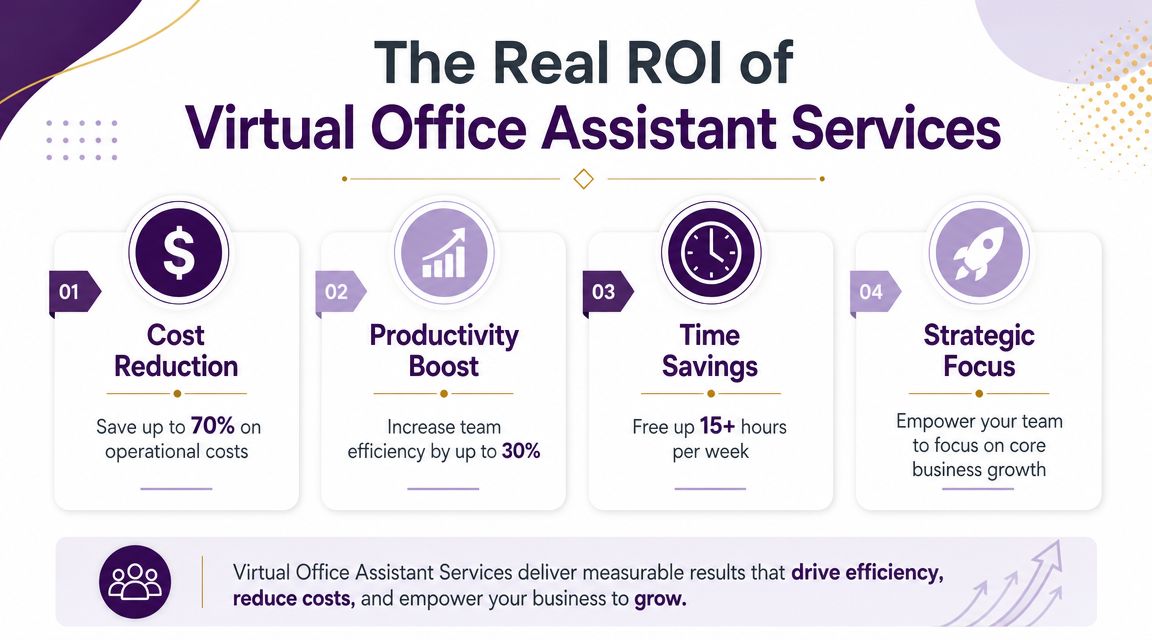
A founder spends the morning answering order emails, fixing calendar conflicts, and updating records that should have been handled hours earlier. Revenue work gets pushed to late afternoon. That is where return starts to show up. Virtual office assistant services free up owner time, reduce administrative drag, and keep routine work from slowing down sales, service, and operations.
The direct financial upside
The first gain is straightforward. Businesses can shift recurring support work away from fully loaded in-house roles and pay only for the capacity they need. That lowers payroll pressure, hiring overhead, workspace cost, and the hidden expense of having managers spend high-value hours on low-value tasks.
The bigger payoff is operational. When scheduling, inbox management, CRM hygiene, order follow-up, and reporting happen on time, work stops piling up between departments. Sales gets cleaner handoffs. Customer service gets current records. Leaders get time back for pricing, hiring, vendor management, and process fixes.
For regulated industries, ROI also includes risk reduction. A cheap freelance VA may handle tasks well enough for a small unregulated business, but the math changes fast when protected data, audit trails, or documented workflows matter. A nearshore, bilingual, process-managed model like CallZent adds structure that generic freelance support usually cannot. Defined SOPs, supervised teams, controlled system access, and easier communication across North American time zones reduce the chance that savings get wiped out by errors, delays, or compliance problems.
ROI shows up in four places
- Lower fixed overhead: support capacity scales without carrying the full cost of another in-house employee
- Recovered leadership time: owners and managers spend less time clearing queues and more time on revenue and team decisions
- Stronger throughput: requests move through approved workflows instead of waiting in inboxes or chat threads
- Safer scaling: managed support is easier to expand across shifts, languages, and functions without rebuilding the process every time
The strongest return usually comes from fewer delays, fewer handoff errors, and more manager time available for work that actually grows the business.
What weakens ROI
Results depend on the operating model, not just the hourly rate.
The common failure points are easy to spot:
| ROI killer | What it looks like in practice |
|---|---|
| Poor task selection | Work requires judgment, but no rules, approval path, or escalation process exists |
| No SOPs | The assistant has to ask how to handle the same task every time |
| Tool mismatch | The provider cannot work efficiently inside your CRM, phone system, or ticketing stack |
| Weak oversight | No one reviews QA, capacity, priorities, or exceptions on the client side |
A provider should improve output, not create another layer to manage. That is why nearshore agencies often outperform solo freelancers for growing companies. You are not just buying task help. You are buying continuity, coverage, bilingual communication, managed performance, and a setup that can hold up under volume, compliance pressure, and changing demand.
If ROI is the goal, start with high-volume tasks that have clear rules and measurable outcomes. Track response time, backlog, rework, and manager hours recovered. Then expand into more complex workflows once the process is stable.
Virtual Assistants in Action Across Key Industries
The best use cases are industry-specific. A generic task list won’t help much if your business handles patient information, financial records, or high-volume customer requests.

E-commerce operations
An online store usually needs speed and consistency more than complexity. Virtual office assistant services can support order-status inquiries, return coordination, inbox coverage, product data updates, and CRM notes tied to customer interactions.
A common example is a growing Shopify seller that gets hit with a wave of “where is my order?” emails after a promotion. If those messages wait until the founder has time, customer trust drops. A trained assistant can triage inquiries, check approved systems, respond with the right template, flag exceptions, and route refund-sensitive cases internally.
Healthcare and regulated scheduling work
Healthcare teams often need help with appointment management, patient communication, intake coordination, and back-office follow-up. But for these particular needs, many generic VA offerings stop being good enough.
For regulated industries like healthcare and finance, the key is delegating work without creating compliance risk. Professional virtual assistant services must provide a clear governance model, including HIPAA-compliant processes, role-based access controls, and data-minimization policies, as noted by Physicians Angels on virtual assistants for medical practices.
That means the right question is not “Can someone remote do this?” It’s “Under what controls can this task be done safely?”
Sensitive work can be delegated. Uncontrolled access cannot.
Finance, insurance, and document-heavy workflows
Financial services, brokerages, and insurance teams usually need careful intake and disciplined documentation. A virtual assistant can help with appointment setting, document collection status, CRM updates, policy service requests, and client communication queues.
What doesn’t work is giving a loosely managed assistant broad inbox access and asking them to “handle whatever comes in.” In these environments, every delegated task needs a boundary:
- What they can view
- What they can edit
- What they can send without approval
- What must be escalated immediately
That’s the difference between delegation and exposure.
Why provider structure matters
A freelance setup might be enough for light admin. It usually isn’t enough for industries where audit trails, access limits, and escalation rules matter every day. In those cases, the service model has to support the workflow, not just the staffing.
Choosing Your Support Model: In-House vs. Freelancer vs. Nearshore Agency
The support model changes the outcome. Two businesses can delegate the same tasks and get completely different results depending on whether they hire in-house, work with a freelancer, or partner with a nearshore agency.
What each model does well
In-house employees work well when the role requires constant in-person coordination, deep immersion in local office operations, or broad access across departments.
Freelance VAs work best for narrow scopes, lighter budgets, and lower-risk tasks. If the work is mostly calendar management, simple research, or inbox filtering, a capable freelancer can be enough.
A nearshore agency fits companies that need reliability, bilingual support, structured oversight, and easier collaboration during North American business hours. The modern decision isn’t just about cost savings. It’s about performance. A nearshore, bilingual support model offers measurable speed and coverage advantages over offshore or freelance VAs, while giving businesses one provider for customer service and back-office tasks, as described in Servcorp’s overview of virtual office assistant services.
Support model comparison
| Criterion | In-House Employee | Freelance VA | Nearshore Agency (e.g., CallZent) |
|---|---|---|---|
| Cost structure | Highest fixed overhead | Lower upfront cost | Moderate, with managed-service value |
| Scalability | Slow to expand | Depends on one person’s capacity | Easier to add coverage and roles |
| Reliability | Strong if well managed | Can vary with availability | Built-in continuity and oversight |
| Bilingual support | Hire-dependent | Hire-dependent | Often easier to source at scale |
| Time-zone alignment | Strong for local teams | Variable | Strong for North American teams |
| Management overhead | Internal burden stays high | Client often manages directly | Shared with provider |
| Best fit | Complex internal office roles | Simple task delegation | Multi-function support with process needs |
Why nearshore often wins for North American operators
Nearshore support gives you working-hour overlap, smoother communication, and easier live collaboration. That matters when support needs to handle calls, chats, admin queues, and handoffs in real time.
It also reduces a common failure point in outsourcing: distance between the business and the people doing the work. If you want a deeper decision framework, this comparison of nearshore vs offshore outsourcing costs, risks, and ROI is worth reviewing before you choose a model.
For teams that need both English and Spanish support, plus back-office execution, a nearshore BPO setup usually gives more operational stability than assembling several freelancers.
Your Action Plan for Hiring a Virtual Office Assistant Provider
Most hiring mistakes happen before the first task is assigned. The business hasn’t defined the scope, the provider hasn’t explained the workflow, and both sides assume the other will figure it out during onboarding.
That’s avoidable.
Selection checklist
Start by getting specific about the work.
- List repeatable tasks first: scheduling, call handling, CRM updates, email triage, order support, reporting
- Separate low-risk from high-risk work: routine requests go in one bucket, regulated or approval-based tasks in another
- Define required tools: Google Workspace, Slack, Trello, Shopify, Salesforce, or whichever systems matter daily
- Decide on coverage needs: business hours only, overflow support, or around-the-clock continuity
- Choose the support model: single freelancer, in-house hire, or a managed provider
If you’re at the stage of evaluating providers, this page on outsourcing virtual assistants is a useful starting point for comparing service structures.
Interview checklist
Don’t ask only about experience. Ask how the work will run.
Key questions include:
- How do you document workflows and update SOPs?
- What tasks can the assistant complete without approval?
- How do you handle escalations and exceptions?
- What access controls do you use for sensitive systems?
- Who reviews quality and performance?
- What happens if the assigned person is unavailable?
- How do you report completed work, open items, and response expectations?
A provider that can’t explain handoffs, approvals, and access boundaries will create problems later, even if the pricing looks attractive.
Onboarding checklist
Once you choose a provider, make the first month simple.
- Start with one workflow: don’t dump ten disconnected tasks on day one
- Provide examples: good email replies, routing rules, calendar preferences, CRM note standards
- Set service expectations: response windows, escalation paths, ownership by channel
- Review weekly at first: tighten SOPs, remove ambiguity, and fix edge cases
- Expand in stages: once one workflow is stable, add the next
The businesses that get value fastest are usually the ones that treat onboarding like process design, not staffing paperwork.
Frequently Asked Questions About Virtual Assistant Services
How is pricing usually structured?
Providers usually price virtual assistant services in one of three ways: hourly, dedicated monthly capacity, or a managed service package tied to specific workflows. The important question isn’t the hourly rate alone. It’s what you get for that spend, including supervision, backup coverage, reporting, quality review, and process ownership.
A freelancer may look cheaper at first. A nearshore agency model often costs more per hour and less per outcome because the work is documented, monitored, and easier to scale without rebuilding the role every time volume changes.
What’s the difference between a virtual assistant and a virtual receptionist?
A virtual receptionist handles front-desk communication. That usually means answering calls, taking messages, routing inquiries, and helping with appointment scheduling.
Virtual office assistant services cover a wider set of tasks. They often include inbox management, customer follow-up, CRM updates, order or intake coordination, calendar support, reporting, and back-office administration. For regulated industries, that broader scope only works well when the provider also manages access rules, QA, and escalation paths.
How do I protect data when using a remote assistant?
Data protection starts with operating design, not trust alone. Give access by role, keep permissions narrow, document each workflow, and define what requires approval before work begins.
That matters more in healthcare, legal, finance, and other regulated environments. A generic freelance VA may be able to complete the task, but a process-managed nearshore team is better equipped to work inside compliance rules, security controls, and audit expectations. That reduces the risk of loose logins, inconsistent handling, and undocumented exceptions.
Can virtual office assistant services support after-hours operations?
Yes. Extended coverage is one of the clearest operational gains, especially for companies serving customers across North America. After-hours support can cover missed-call response, intake, overflow inboxes, scheduling, and status updates without forcing your in-house team to stay online late.
As noted in Servcorp’s overview of how virtual assistants help businesses, virtual assistant support can improve continuity outside standard business hours. For many companies, the stronger model is bilingual nearshore coverage with defined handoffs and supervision, not a single freelancer trying to stay available around the clock.
🚀 Scale Smarter With CallZent
CallZent helps North American businesses streamline operations with bilingual nearshore virtual office assistant services built for customer support, scheduling, back-office workflows, and operational scalability.
Talk to an ExpertIf you’re ready to delegate recurring office work without losing visibility, CallZent offers bilingual nearshore support for customer service and back-office workflows, giving North American businesses a structured way to extend coverage, improve responsiveness, and scale operations more cleanly.