Skip to content

Healthcare Operations
How to Reduce Patient No Shows in Healthcare
Learn how to reduce patient no shows with proven strategies for reminders, scheduling, intake optimization, and bilingual patient communication.
TL;DR — Quick Takeaways
- Use multi-touch, two-way reminders to increase confirmations.
- Fix scheduling and intake to prevent attendance issues early.
- Combine automation with human follow-up for best results.
- Track confirmation rates, no-shows, and fill rates weekly.
A missed appointment isn’t just an inconvenience. In healthcare, it’s a revenue leak, a care gap, and often a sign that the practice’s communication system isn’t doing enough work before the visit ever starts.
The scale of the problem is hard to ignore. The U.S. healthcare system loses an estimated $150 billion annually to patient no-shows, and automated multi-channel reminders can reduce no-show rates by up to 40%, according to DearDoc’s no-show reduction analysis.
Bold takeaway: The fastest way to reduce patient no shows is to combine technology with real human follow-up. Automation starts the conversation. People finish it.
The $150 Billion Problem and How to Start Solving It
Patient no-shows drain an estimated $150 billion a year from U.S. healthcare. For an individual practice, the loss shows up in daily schedule gaps, wasted staff time, delayed care, and revenue that is harder to recover once the slot goes unused.
No-shows are rarely random. In practice after practice, the same operational problems show up: patients book too far out, reminder workflows fail to get a response, prep instructions are unclear, phone lines back up, or no one reaches out fast enough when a patient starts to disengage.
Why missed appointments cost more than the visit itself
An empty slot is only the visible part of the problem. Clinical staff and front-desk teams still spend time preparing for the visit. Another patient who could have used that appointment stays on the waitlist or delays care. Follow-up often requires extra outbound calls, more rescheduling work, and more collection effort later.
The financial impact is large and immediate because attendance problems affect both revenue and labor efficiency. Provider schedules look full on paper while actual utilization stays uneven. Forecasting gets weaker. Staffing decisions get harder. Practices that are already watching labor costs closely feel this fast.
I also see a common mistake here. Many groups buy reminder software and expect the problem to shrink on its own. Technology helps, but it does not close the loop when a patient has a language barrier, a transportation problem, confusion about instructions, or a simple need to speak with a person before committing to the visit.
That is why the best-performing no-show strategies combine automation with live outreach.
A bilingual, nearshore call center can handle confirmations, inbound reschedules, reminder follow-up, and no-show recovery at a lower cost than expanding in-house staffing. It also closes service gaps that automation leaves open, especially for Spanish-speaking patients and for practices whose front desk teams are already overloaded. From an operations and ROI standpoint, that support often fits naturally into broader medical practice revenue cycle management support, because better attendance improves scheduling yield, downstream billing, and collections.
Where to start if the problem feels bigger than one fix
Start with a simple question: where does attendance break down first?
Review the patient journey from booking to arrival and look for the first point where your team loses visibility or the patient loses momentum. For some practices, it is a long lag between scheduling and the visit. For others, it is weak intake, poor reminder response rates, or no staff capacity to call high-risk patients.
A practical starting point looks like this:
- At booking: Verify the mobile number, preferred language, and best contact method.
- Before the visit: Use reminders that ask for a response, not just passive reminders.
- For patients at higher risk of missing: Route them to live outreach early.
- After a no-show: Contact the patient quickly, document the reason, and feed that pattern back into your workflow.
The goal is not to add more tasks to an already stretched front desk. The goal is to build a system that catches risk earlier, gives patients an easy path to confirm or reschedule, and uses human follow-up where it produces the best return.
Build a Proactive Patient Communication Cadence
One reminder isn’t a strategy. It’s a checkbox.
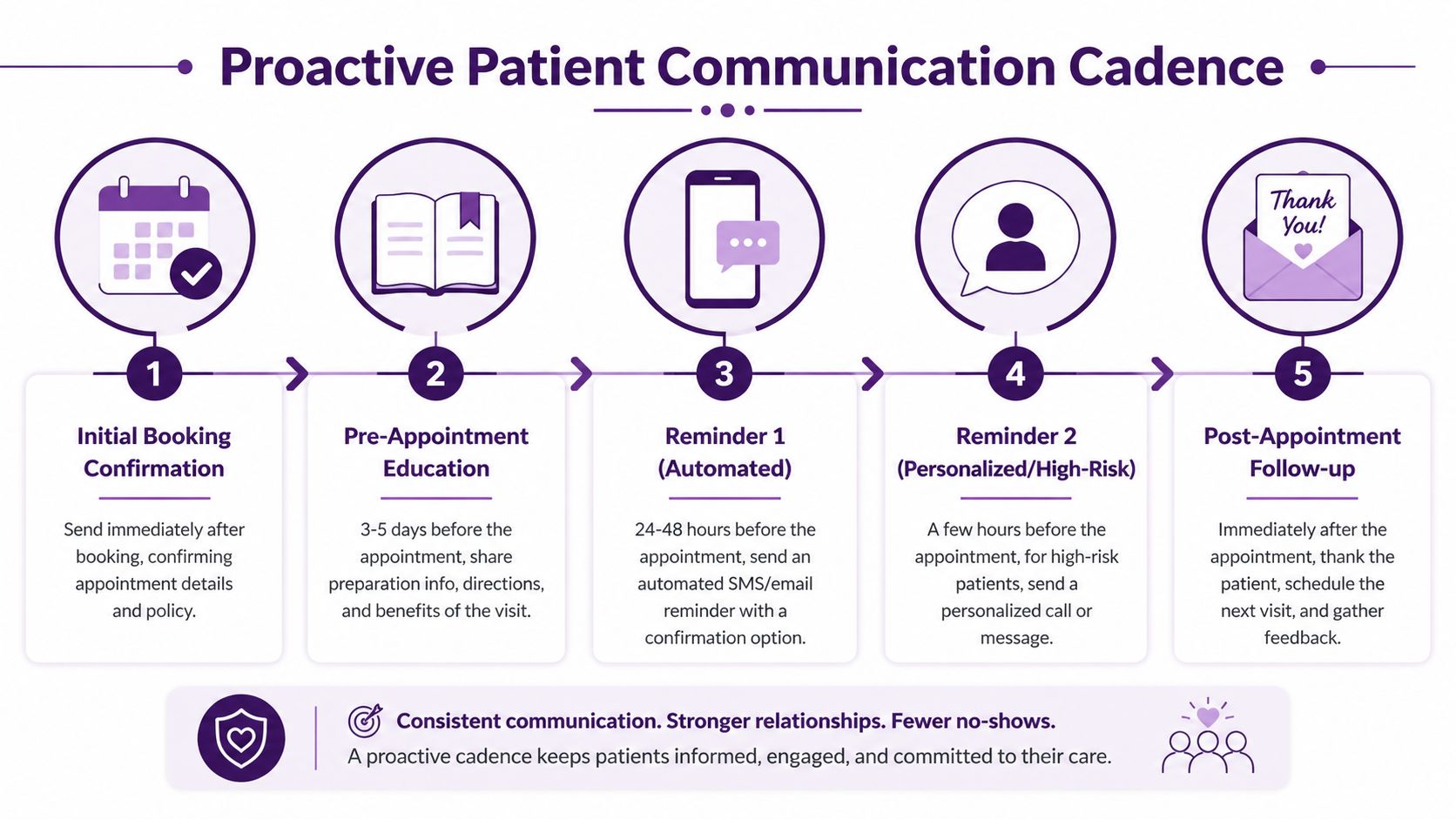
Practices that consistently improve attendance build a communication cadence that starts at booking and continues until the patient either confirms, reschedules, or speaks with someone who can help remove the barrier. That cadence works best when it uses more than one channel and gives the patient an easy way to respond.
Shift from reminders to confirmations
The operational goal isn’t to remind patients that an appointment exists. It’s to get a clear answer early enough to act on it.
According to MGMA’s patient no-show report, conversational two-way texting reminders are a key strategy, and Athenahealth data shows patients ages 19 to 30 with one or more no-shows have 29% attrition. That changes the conversation. A missed appointment isn’t only lost revenue today. It can become patient leakage tomorrow.
Here’s the difference in practice:
| Approach | What it sounds like | What happens |
|---|---|---|
| One-way reminder | “You have an appointment tomorrow at 2 PM.” | Patient has to call back later, or does nothing |
| Two-way confirmation | “Reply C to confirm or R to reschedule.” | Patient takes action immediately |
| Escalated outreach | “We noticed you haven’t confirmed. Would you like to keep this time or move it?” | Staff recovers uncertain appointments |
A practical communication cadence that works
The strongest cadence is simple enough to run every day and flexible enough to escalate when needed.
At booking
Send an immediate confirmation with date, time, location, provider name, and any key policy language. Don’t bury important instructions in a portal message most patients won’t reopen.
One week prior
Use this touchpoint for education. If the appointment requires fasting, paperwork, insurance verification, arrival timing, or transportation planning, say it now. A patient who understands the visit is more likely to keep it.
Forty-eight hours before
This is the key confirmation point. Ask for an active response. If the patient can’t make it, you still have a chance to refill the slot.
Day of appointment
Send a short reminder with practical details. Keep it brief. Include parking, suite number, telehealth link, or arrival instructions if relevant.
The most effective reminder message is the one that makes the next step obvious.
Sample scripts for how to reduce patient no shows
Here are examples that front-desk teams and outsourced support teams can use.
Booking confirmation text
“Hi [First Name], you’re scheduled for [Day] at [Time] with [Provider]. Reply HELP if you have questions before your visit.”
Forty-eight hour confirmation text
“Hi [First Name], this is a reminder for your appointment on [Day] at [Time]. Reply C to confirm or R if you need to reschedule.”
Day-of text
“Reminder: your appointment is today at [Time]. Please arrive [time instruction if needed]. Reply if you need assistance finding the office or accessing your visit.”
Escalation call for a new patient or prep-heavy visit
“Hello, this is [Agent Name] calling from [Practice Name]. I’m reaching out because we haven’t received a confirmation for your upcoming appointment. I can confirm it for you now, or help you move it to a better time if needed.”
When automation should hand off to a person
Many systems fail at this stage. The software sends the message, but nobody owns the non-response queue.
You need a handoff rule. If a patient doesn’t reply, if the visit is high value, if prep is required, or if the patient is new, a human should follow up. That’s especially useful after hours, when patients finally have time to respond and need immediate help from an after-hours medical answering service.
Use live outreach for:
- New patients: They often need more reassurance and logistical help.
- Procedure visits: Prep mistakes often become same-day cancellations.
- Repeat no-shows: Passive reminders usually aren’t enough.
- Patients with language needs: Plain English and Spanish communication reduces confusion.
- Unconfirmed appointments: Silence is not a confirmation.
A good cadence feels helpful, not repetitive. It gives the patient several chances to stay on track without making them work to do it.
Implement Smart Scheduling and Intake Best Practices
No-show reduction starts before the first reminder goes out. If the patient books a time that never fit their life in the first place, your reminder system is trying to rescue a bad scheduling decision.
That is why scheduling design and intake quality matter as much as messaging. Better attendance often begins with a cleaner booking process, stronger data capture, and a schedule that can adapt when cancellations happen.
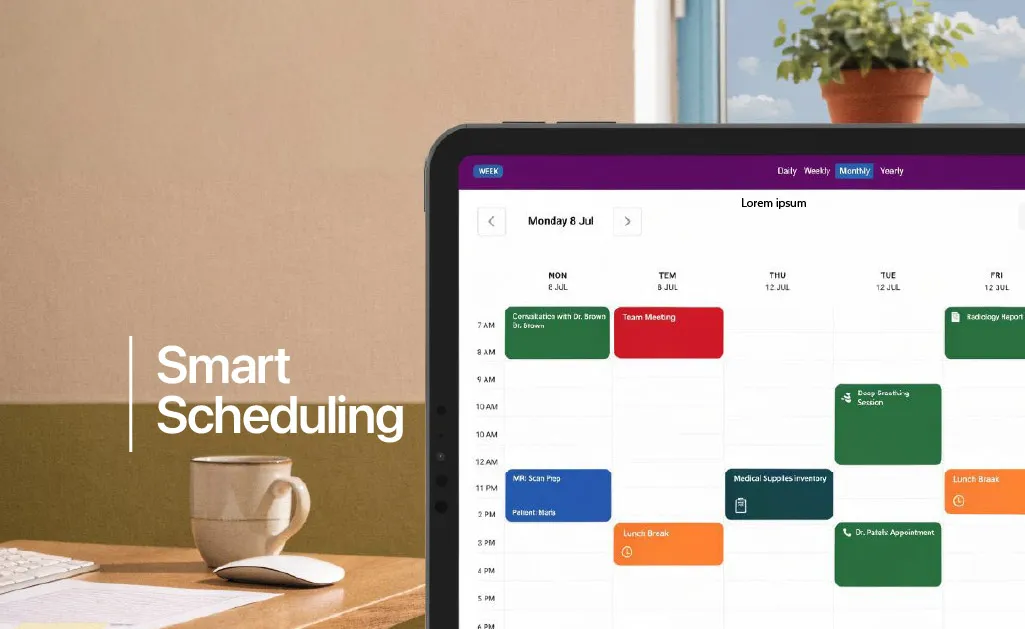
Let patients choose workable time slots
Patients are more likely to keep appointments they chose themselves.
According to Kyruus Health’s guidance on reducing no-shows, self-scheduling reduces no-shows by 29%, and capturing patient preference for reminder channels during registration is part of a successful strategy. That aligns with what operations teams see every day. People keep appointments they feel they control.
This doesn’t mean opening the schedule without rules. It means giving patients structured choice. New-patient blocks, visit-type rules, provider filters, and prep prompts can all sit inside a self-scheduling workflow.
Fix intake before it creates future misses
A poor intake process creates bad downstream communication. Wrong mobile number, missing language preference, outdated email, or no permission to text. Each of those problems turns into a missed opportunity to prevent a no-show.
At minimum, every scheduling workflow should capture:
- Best mobile number: Ask where the patient receives messages.
- Preferred language: Communication needs to be understood, not merely sent.
- Reminder channel preference: SMS, email, or voice.
- Rescheduling path: Patients should know how to move an appointment quickly.
- Visit-specific needs: Transportation, forms, prep, or caregiver involvement.
Practical rule: If staff can’t answer “How does this patient prefer to be contacted?” in a few seconds, the intake process is incomplete.
Use scheduling logic, not just calendar space
Most practices think about open slots. Stronger practices think about slot quality.
A useful concept here is dynamic scheduling, sometimes called “tetrising.” If one patient cancels, another patient who can arrive sooner fills the gap. This is different from broad overbooking. It is more controlled, more patient-friendly, and usually less disruptive for providers.
A simple comparison makes the point:
| Scheduling habit | Operational risk | Better alternative |
|---|---|---|
| Booking far out by default | More patient drift and forgotten visits | Offer the earliest appropriate slot |
| Generic templates for all visit types | Prep mistakes and running behind | Use visit-specific scheduling rules |
| Static schedule after cancellations | Lost provider time | Refill gaps in real time |
| Phone-only scheduling | Friction after hours | Add self-scheduling and digital rescheduling |
Ideas from outside healthcare can help here too. In industries where attendance and appointment adherence also matter, tools such as tutoring scheduling software highlight the same operational principle: when users can see availability, choose a workable time, and adjust it without friction, attendance gets easier to manage.
Build a refill process for open appointments
One of the most useful administrative habits is maintaining a same-week or short-notice list. Not every patient wants a waitlist call, but many do. If your team can quickly identify who wants an earlier slot, cancellations stop being dead time.
Here, workflow matters more than theory:
- Tag flexible patients: Mark who can come on short notice.
- Separate by visit type: A follow-up slot doesn’t always fit a procedure.
- Keep outreach fast: The value of a cancellation drops quickly if nobody acts.
- Coordinate in one queue: Scheduling, reminder responses, and fill requests shouldn’t live in separate systems.
For practices that need help operationalizing this, a structured reservation management system support model can keep the calendar active instead of reactive. The goal isn’t just a full schedule on paper. It’s a schedule that converts into completed visits.
Develop Fair and Effective Cancellation Policies
Most practices need a cancellation policy. Fewer know how to present it without sounding punitive.
A strong policy protects provider time and opens access for other patients, but the tone matters. If patients hear it as a threat, they disengage. If they hear it as part of a respectful care process, they usually accept it.
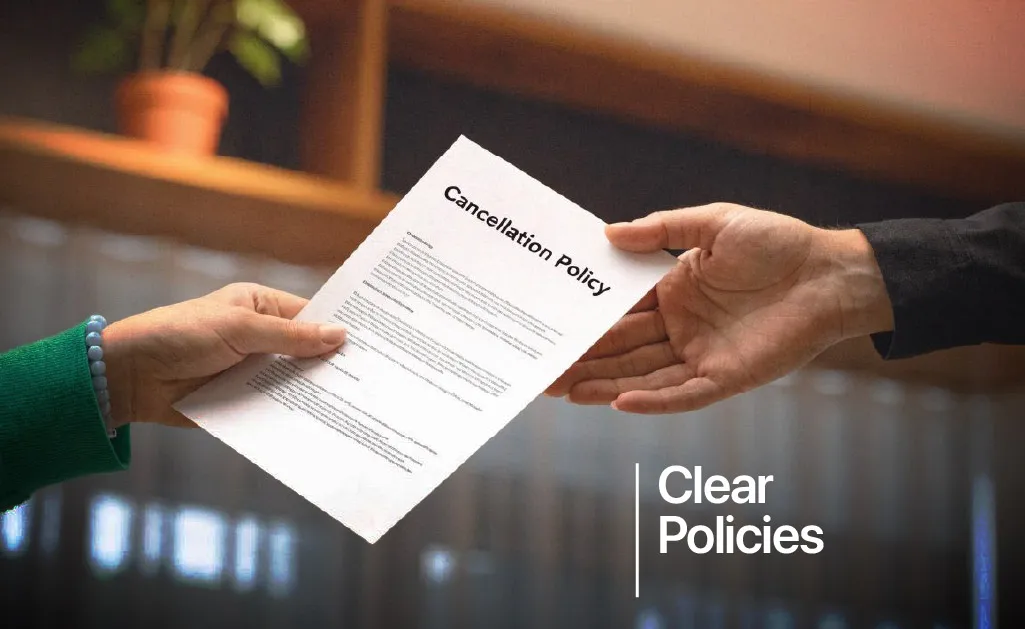
Frame the policy as mutual respect
The wrong message is “If you miss, you get punished.”
The better message is “Please tell us early if you can’t attend so we can offer the time to another patient and help you rebook.” That sounds simple, but it changes the relationship. It turns policy into a shared expectation instead of a financial weapon.
A useful script at booking sounds like this:
We reserve this time specifically for you. If something changes, please let us know as early as possible so we can help reschedule and offer that time to another patient who needs care.
What a good cancellation policy should include
Keep the policy short enough to understand and specific enough to enforce. Legal and compliance review matters, especially if you plan to charge fees or collect card information on file.
Your written policy should address:
- Notice window: Explain how far in advance patients should cancel or reschedule.
- How to notify: Phone, text response, portal, or email. Don’t make the path hard.
- Exceptions: Illness, emergencies, severe weather, and other compassionate carve-outs.
- New patient and procedure rules: These often need clearer expectations.
- How repeat no-shows are handled: For example, provider approval before rebooking, or booking restrictions.
Fees can help, but they can also backfire
A no-show fee can improve accountability in some settings. It can also create friction if patients already feel uncertain about cost, transportation, or time off work.
That’s why blanket fee policies often underperform. They may look tough on paper but fail in practice if staff don’t explain them well, providers waive them inconsistently, or patients perceive them as unfair.
A balanced approach usually works better:
- Use fees selectively: Reserve them for repeat patterns or high-cost visit types.
- Explain the reason clearly: The fee protects appointment access and staff time.
- Allow reasonable waivers: Emergencies and genuine barriers should be handled with judgment.
- Document consent: Patients should acknowledge the policy before the problem occurs.
Policy communication matters more than policy wording
Many practices post the policy online and assume the job is done. It isn’t. Patients absorb policies better when someone explains them in plain language during scheduling or confirmation.
That conversation should sound calm and practical, especially for patients who may already be anxious about the visit. A trained support agent can often explain policy, answer questions, and help the patient keep the appointment far more effectively than a paragraph in fine print.
If you’re working on how to reduce patient no shows, policy should support attendance, not replace the earlier work of communication and scheduling. The best policy is the one patients rarely trigger because the rest of the system already made it easy to show up.
Use Advanced Tactics for High-Risk and Underserved Patients
Generic no-show strategies fail when the barrier isn’t forgetfulness. A reminder won’t solve a transportation problem, a language barrier, or a patient who has already disengaged after multiple missed visits.
That’s why one-size-fits-all workflows usually plateau. If you want meaningful improvement, segment the problem. Some patients need a text. Others need a call, a simpler explanation, a different appointment type, or help getting to the clinic at all.

Identify who needs more than an automated reminder
The highest-risk patients often reveal themselves in your own scheduling history. Repeat no-shows, long travel distances, hard-to-reach patients, and appointments with heavy prep requirements deserve a different workflow.
The point isn’t to make attendance harder for them. It’s to add support earlier.
Patients who often need higher-touch outreach include:
- Repeat no-shows: They need direct follow-up, not another generic blast.
- Rural patients: Travel time and logistics create a different failure point.
- Self-pay patients: Cost questions often sit behind silence.
- Patients with limited English proficiency: Clarity affects attendance.
- Elderly or low-tech patients: Portals and app prompts may not reach them.
Address transportation directly
Transportation remains one of the most overlooked operational causes of missed care.
According to Keona Health’s review of patient no-show solutions, transportation barriers are a key driver of no-shows among underserved populations, and rural patients are 20% to 30% more likely to no-show, which generic automated reminders often fail to address. If getting to the visit is the obstacle, another text reminder just repeats the problem in a different format.
Targeted outreach changes outcomes. Instead of asking “Will you attend?” ask “Do you have what you need to attend?”
A useful outreach script is simple:
- Transportation check: “Do you have a reliable way to get to the office on the day of your appointment?”
- Timing check: “Would another time of day make arrival easier?”
- Support check: “Would you like us to review directions or discuss options before your visit?”
Patients don’t miss appointments for one reason. They miss them because the system didn’t catch the reason in time.
Use people where automation loses context
Underserved populations often need more conversational support, not more software. Bilingual outreach matters. Plain-language instructions matter. So does speaking to a caregiver when appropriate and permitted.
This is one reason healthcare organizations continue investing in human-led patient support models such as those described in medical call center services for patient care. Human contact helps uncover what the dashboard cannot. A patient may not reply to a text, but they will explain to a live agent that they never understood the prep instructions, don’t drive, or need a Spanish-speaking callback.
A targeted workflow for high-risk patients usually includes:
| Patient segment | Better intervention |
|---|---|
| Repeat no-show | Live confirmation and rapid rescheduling |
| Rural patient | Transportation discussion and realistic appointment timing |
| Spanish-speaking patient | Bilingual outreach and plain-language instructions |
| Procedure patient | Prep review and confirmation of readiness |
| Elderly patient | Voice call, caregiver coordination, and simplified directions |
If you’re serious about how to reduce patient no shows, the biggest blind spot often resides in the management of patient journeys. Practices automate the average patient journey and under-serve the patients most likely to miss care.
Measure Success and Integrate Your Support System
No-show reduction has to be managed like an operating system, not a one-time project. If you don’t measure what happens after reminders go out, after patients reply, and after cancellations hit the schedule, you’ll keep guessing.
The strongest teams build a feedback loop. They review what was confirmed, what was moved, what still no-showed, and where staff intervention made a difference.
What to measure every week
You don’t need a huge analytics stack to start. You do need consistent definitions.
Track these metrics in a way your operations team can review quickly:
- No-show rate: The core attendance metric.
- Cancellation rate: Useful when no-shows drop but last-minute gaps rise.
- Confirmation rate: Shows whether communication is working.
- Reschedule capture: Measures how many at-risk visits were saved rather than lost.
- Schedule utilization: Reveals whether open time is being refilled.
A short review rhythm works better than a quarterly postmortem. Weekly trend review lets you see whether a new script, reminder timing, or staffing change is helping.
Build one connected workflow
The biggest operational mistake is splitting the process across too many disconnected owners. Scheduling handles booking. Front desk handles reminder calls. Someone else manages portal messages. Nobody owns the unconfirmed appointment list. That setup creates preventable misses.
A better model connects the workflow:
- Booking data feeds reminders
- Reminder responses trigger rescheduling
- Unconfirmed visits trigger live outreach
- Open slots trigger refill outreach
- Policy questions get answered before the appointment is lost
That support structure matters even more when patient information and outreach need to stay protected inside a HIPAA-compliant call center framework. Security and responsiveness have to work together.
For practices evaluating how to reduce patient no shows, the winning setup is usually not “more software” or “more staff” in isolation. It’s a coordinated system where technology handles speed and consistency, and trained people step in where context, empathy, and problem-solving are needed.
Frequently Asked Questions about Reducing Patient No-Shows
Should a practice charge a no-show fee
Sometimes. A fee can reinforce accountability for repeat offenders and for appointment types that carry a high revenue or staffing cost. It works best when the policy is disclosed upfront, staff explain it the same way every time, and patients still have an easy way to cancel or reschedule before the visit. If those pieces are missing, the fee creates friction and damages trust.
What’s the best first step if no-shows are rising
Audit the confirmation process before changing policy. In many practices, the actual problem is not patient intent. It is a weak follow-up path after booking, unclear reminder language, or no staffed process for patients who do not respond. Fix that first, because it usually produces faster gains than rolling out a stricter rule.
Do automated reminders solve the whole problem
No. Automation handles volume, timing, and consistency well. A live person usually gets farther than another automated message if a patient is confused, hesitant, or facing language, transportation, or access barriers.
That is where many practices lose preventable visits. A bilingual nearshore call center adds capacity without forcing front-desk staff to absorb every exception case. It also gives Spanish-speaking patients a better experience and gives the practice a practical way to convert silence into confirmation, cancellation, or rebooking.
Does telehealth reduce no-shows
It can, especially for patients dealing with travel time, work conflicts, childcare issues, or mobility limits. It is still only one option. Use it for visit types that fit clinically and operationally, then support it with clear instructions and a fallback plan if the patient has trouble joining.
What should staff say after a patient no-shows
Use a recovery script, not a reprimand. A simple version works well: “We missed you today and want to help you get back on the schedule. Would you like to rebook now?” That approach protects the relationship and gives staff a direct path to recover revenue.
How long should a no-show reduction program take to show results
Early signs usually show up first in confirmation rates, response rates, and how quickly cancelled slots get filled. The larger financial benefit takes longer because it depends on consistency. Practices that combine automation with trained live outreach tend to improve faster because they can handle both routine reminders and harder patient conversations without overloading internal staff.
🚀 Reduce Patient No-Shows with CallZent
Improve appointment attendance with bilingual patient outreach, live confirmations, and nearshore healthcare support.
Talk to an ExpertIf your practice needs a reliable way to operationalize reminders, bilingual patient outreach, appointment confirmations, rescheduling, and high-risk follow-up, CallZent can help. Their nearshore team in Tijuana supports healthcare organizations with English and Spanish patient communication that improves attendance, protects patient experience, and reduces front-desk strain without sacrificing quality.